
Transaction coordination
for real estate agents, teams and brokerages nationwide.









.avif)
The behind-the-scenes work shouldn’t slow you down. We streamline the details, keep everything on track, and help you stay ahead - so you can focus on what you do best.
View Our Services
"Jessica is great. Ive been using her for my transaction coordination services many years and she is very organized and on top of her files. I fully recommend her."


"Working with Jessica is an absolute game-changer. As a loan officer, I see firsthand how a disorganized file can slow down a closing, but with Jessica, everything is always two steps ahead."

"I have been working with Jessica for the past five years, and she is truly the best. She is incredibly knowledgeable, responsive, and always makes sure every detail is handled."
.avif)
"Jessica is an absolute rockstar. She's highly experienced and professional. We've done many deals together and I can't recommend her highly enough."

We don’t just check boxes or move papers from point A to point B when your listing enters escrow. Our services can begin before that.
Aside from the usual tasks a Transaction Coordinator performs, we go above and beyond - seamlessly assisting with the entire transaction lifecycle.
We've partnered with agents, teams, boutique brokerages, and big box agencies to deliver superior services - every time.
For more information or to contact us about forming an alliance, head over to our Brokerage Partnerships page to learn more and get in touch.
View Partnerships Page
A federally mandated disclosure required for homes built before 1978, informing buyers of the potential presence of lead-based paint and associated health hazards.
A legally mandated disclosure form where sellers must reveal known material facts about the property's condition, including defects, repairs, and neighborhood issues.
An addendum used to extend specific deadlines in the purchase agreement, such as contingency periods or the close of escrow date.
Documentation verifying a buyer has sufficient liquid assets to complete the purchase, typically in the form of bank statements or a letter from a financial institution.
A response to an offer that proposes different terms, effectively rejecting the original offer and creating a new offer for the other party to consider.
A federal affidavit in which the seller certifies whether they are a foreign or non-foreign person for tax purposes, determining whether the buyer must withhold a portion of the sale proceeds under FIRPTA.
A document used to modify, add to, or clarify terms in the purchase agreement after it has been executed by all parties.
A contract establishing the agency relationship between a buyer and their agent, including compensation terms, duties, and the scope of representation.
A statutory disclosure identifying whether a property is located within various natural hazard zones including flood, fire, earthquake fault, and seismic hazard areas.

Transform your direct mail strategy into a lead-generating machine with Mailbox Power. This end-to-end direct mail platform empowers real estate agents to design, send, and track personalized postcards and letters that convert. From neighborhood targeting to response tracking, Mailbox Power eliminates the guesswork and turns mail campaigns into measurable revenue.
More than just a mailing service, Mailbox Power is the complete solution for agents who want to scale their sphere through direct mail without the headaches. Create professional campaigns, identify high-intent prospects, capture leads from mail responses, and measure ROI—all in one intuitive platform. Pair Mailbox Power with LeadPages for landing page capture or Follow Up Boss for seamless CRM syncing.

Elementor provides a powerful, user-friendly platform for building professional websites on WordPress. With its extensive library of widgets, pre-designed blocks, and integrations, agents can easily create landing pages, pop-ups, and forms to capture leads.
Advanced features like Theme Builder and WooCommerce integration make Elementor perfect for customizing the entire site, from headers to footers. Its intuitive interface and real-time editing eliminate coding hassles, letting you focus on design and functionality.
Perfect for agents seeking flexibility and control over their web presence.

Webflow is a powerful website builder that enables real estate agents to create professional, custom websites without needing to write a single line of code. With its drag-and-drop interface and pre-built templates, agents can easily design and launch visually stunning websites to showcase listings, promote their brand, and capture more leads.
Relaxed Agent was built with Webflow 😎
Webflow also offers advanced features like responsive design, CMS integration, and SEO tools, ensuring agents’ sites look great on any device and rank well in search results. It’s the perfect solution for agents looking to create a polished online presence that stands out and drives business growth.
Looking to build your own website? Check out these Real Estate templates.
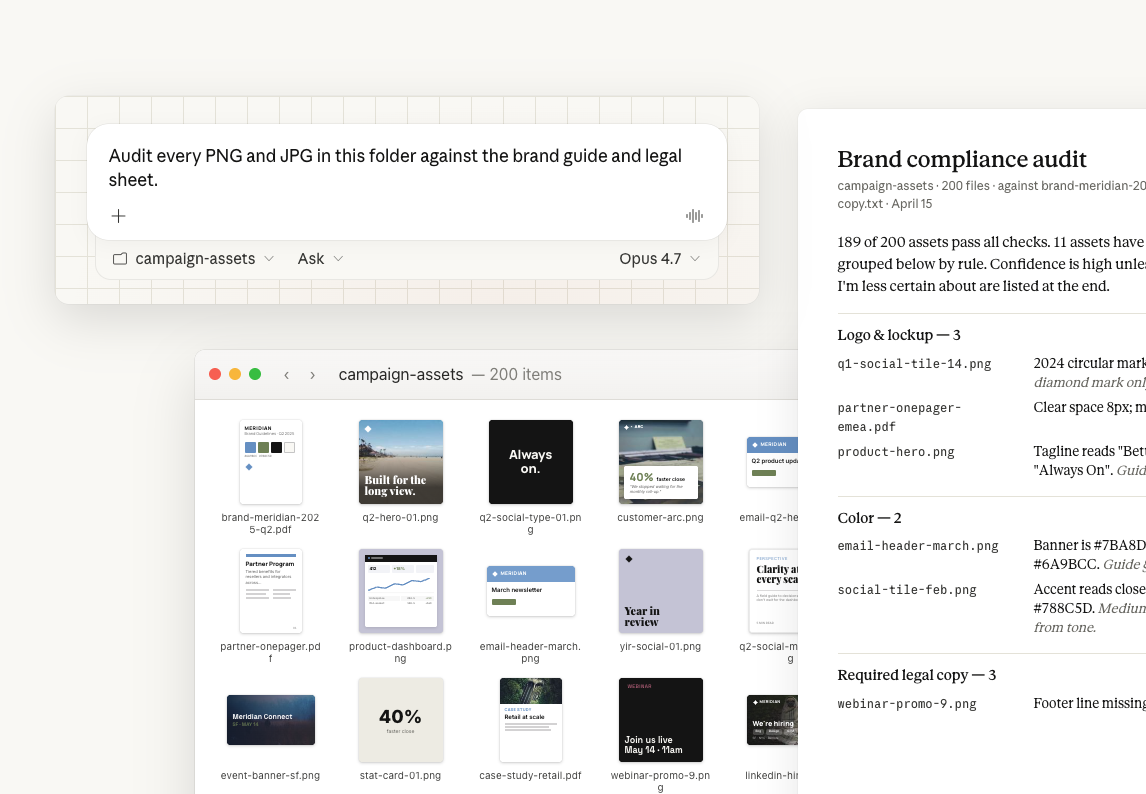
Claude is a conversational AI assistant built by Anthropic that helps real estate professionals write, research, and think through everyday tasks faster. Instead of a single-purpose tool, Claude works like a flexible writing and research partner agents can turn to for listing copy, client emails, market summaries, and more.
Claude handles long documents well, drafts in a consistent voice once given direction, and is available through a web app, desktop and mobile apps, and an API for teams who want to build it into their own workflow. That makes it useful for both quick one-off requests and more structured, repeatable content tasks.
For agents, the biggest benefit is time saved on writing. Claude can turn rough notes into a polished listing description, summarize a lengthy inspection report, or draft a batch of follow-up emails in the time it would normally take to write one from scratch.
Claude is a generalist writing and research tool rather than a design or video platform, so it pairs naturally with visually focused tools like Canva for graphics or Heygen for AI video, and complements organization tools like Notion for keeping that content organized.
Agents can try Claude for free or explore paid plans at claude.ai.

Real estate was the steadiest category in Google's August spam update, but templated neighborhood pages are still exactly what it penalizes.
Somewhere between August 18 and August 21, Google ran a spam update that knocked more sites out of the top 10 than any update this year. Real estate agents mostly didn't notice. That's not because real estate was spared. It's because real estate happened to be the steadiest category out of twenty industries Google was quietly grading, and steady is not the same thing as safe.
Here's the part worth sitting with. The specific practice Google's spam policy is built to catch, mass-produced pages with little original value, describes a huge chunk of what agent websites actually publish. If your site runs on a platform that auto-generates a neighborhood page for every zip code you could conceivably serve, this update was aimed closer to home than the "real estate was fine" headline suggests.
SE Ranking's data, shared with Search Engine Land, tracked 100,000 keywords across 20 industries during the update window. Top 10 volatility ranged from 74.64 percent in real estate up to 85.55 percent in fashion and beauty. Real estate came in lowest. Healthcare wasn't far behind it. Both are what Google calls YMYL categories, Your Money or Your Life, and Google tends to move more carefully in spaces where bad information costs people real money or real harm.
That's the whole explanation for "steadiest." It's not that real estate content passed some quality bar the rest of the internet failed. It's that Google throttles its own aggression in categories where a wrong call is expensive. Steadiest of twenty still meant nearly three out of four top 10 real estate URLs saw meaningful movement. That's not nothing, and treating "we did better than fashion blogs" as a clean bill of health is exactly the kind of complacency this update should be puncturing, not reinforcing.

Google confirmed the spam update ran from August 18 to August 21. Google's own Search Status Dashboard is the place to verify this kind of thing directly, since plenty of ranking noise gets blamed on phantom updates that Google never actually shipped. This one was real and confirmed.
What makes it worth an agent's attention isn't the update alone. It's what the update was built to enforce. Google's spam policies documentation defines a specific violation called scaled content abuse, and the language is blunt: using generative AI or similar tools to produce many pages without adding value for users, stitching together content from other pages without adding anything, or creating pages where the primary goal is manipulating rankings rather than helping a reader. None of that is new language written in August. Google expanded this policy back in March 2024 specifically to make clear the rule applies whether the low-value content came from automation, from a human writer following a template, or some blend of both. The August update is Google's enforcement catching up to a policy it's had on the books for over two years.
Here's the piece most agents haven't caught up on yet. On May 15, 2026, Google updated its spam policy's introductory line to explicitly cover manipulation of its own AI Overviews and AI Mode responses, not just the traditional ten blue links. The updated wording now reads that spam includes attempting to manipulate Search systems into ranking content highly, or attempting to manipulate generative AI responses in Google Search.
That's a meaningful shift for anyone banking on AI search as the next lead channel. Getting cited in an AI Overview used to feel like a gray area, a bonus outcome nobody was actively policing. As of May, it isn't gray anymore. The same enforcement mechanism that demotes a thin listing page can now demote a page for trying to game what Google's AI says about it. If your content strategy has quietly shifted toward chasing AI citations the way ranking in AI-driven search is reshaping SEO, the rules for winning that game just got a lot closer to the rules for winning normal search. Thin and manipulative loses in both places now.

Most agents reading a headline like "Google's spam update hit rankings hard" picture something happening to spammy affiliate blogs and content farms, not to them. Fair enough, most agents aren't running content farms on purpose. The problem is that a lot of real estate website platforms are running something close to one on your behalf, and you're the one whose domain takes the hit.
Think about what a lot of vendor-built agent sites actually generate. A neighborhood page for every zip code in a service area, built from the same template, populated with the same pulled data, differing mainly in the city name swapped into the headline. That's not a hypothetical. That's the default output of a lot of platforms marketed specifically on how many local pages they can spin up for you automatically. Read Google's scaled content abuse language again: creating multiple sites or pages with the intent of hiding the scaled nature of the content, or generating many pages that make little sense to a genuine reader but happen to contain the right search keywords. A templated neighborhood page built to exist rather than to inform is a textbook example, whether a person or an AI tool assembled it.
This isn't a new problem dressed up in August's headlines. It's the same thin content and duplicate URL problem that IDX feeds create when they're left unmanaged, just with a sharper enforcement mechanism behind it now. Google was already deprioritizing pages that added nothing. The difference is the deprioritizing is getting faster and less forgiving with every update like this one.
There's a closely related policy worth knowing about too. Site reputation abuse, Google's term for third-party content published on a host site purely to borrow its existing ranking signals, catches a different but related shortcut some vendors use, syndicating identical location content across every client site on their platform to inherit whatever authority the platform's domain has built up. If your neighborhood pages look suspiciously similar to a competing agent's on the same platform, this is probably why, and it's not a compliment to either of you.
There's a simple way to know which side of this you're on. Pull up your site's neighborhood or city pages, the ones built to capture searches like "homes for sale in [wherever]" or "living in [wherever]." Read three of them back to back.
If they read almost identically with the city name swapped, you have a scaled content problem sitting on your own domain, not someone else's. If each one has something in it that could only have come from an agent who has actually worked that specific area, a note about which streets flood in a wet winter, which school's boundary line splits two blocks in a way buyers always ask about, what the farmers market is actually like on a Saturday, you're already doing the thing this update rewards.
We've made this case before in detail. Writing neighborhood pages that actually rank was never just a ranking tactic. It's the difference between a page Google can distinguish from the fifty other pages using the same data feed and a page that's functionally invisible to a search engine, no matter how many keywords it technically contains. This update is just Google getting more aggressive about punishing the version most agents were already publishing by default.
The agents least exposed here tend to be the ones who built a brand-first website around their own sales history and story instead of leaning on a vendor's auto-generated location pages. Original content about actual transactions, actual clients, and actual neighborhoods you've worked doesn't look anything like scaled content abuse, because it isn't scaled and it isn't abuse. It's just slower to produce, which is exactly why so few agents bother.

None of this requires a rebuild. It requires an honest audit, which is the less exciting but more useful thing.
Search site:yourdomain.com in Google and see how many pages come back. If the number is dramatically higher than the pages you personally wrote, something on your site is generating volume you didn't consciously choose. Open your Google Search Console coverage report if you have it connected and look for a spike in indexed URLs that don't correspond to anything you'd call content. Pull up your platform's neighborhood or city page template and count how many words are genuinely unique to that page versus pulled from a shared data field. If most of the page is the same block of text with a city name dropped in, that page is a liability sitting on a domain you're trying to build authority on, not an asset.
If your website runs on one of the all-in-one platforms most agents default to, check whether the vendor gives you any control over whether these auto-generated pages get indexed at all. Some platforms let you noindex a thin page while keeping it live for visitors who land there directly. That's a reasonable middle ground if you're not ready to rewrite forty neighborhood pages this month. Doing nothing is the option that ages worst. A handful of the tools listed on popular agent tools include SEO auditors that will surface this exact problem for you in a few minutes if you'd rather not do it by hand.
If the audit turns up more fundamental gaps than a few thin location pages, that's a separate conversation. Why your real estate website isn't showing up on Google covers the basics worth ruling out first, indexing, technical errors, and the kind of foundational issues that make an algorithm update irrelevant because nothing was ranking to begin with.
None of this touches your core service pages, your listing management content, your about page, or genuinely researched blog posts. This is specifically about the pages built to exist at scale rather than to answer a specific question a specific buyer or seller actually has.
Nobody wants to hear that the fix for an algorithm update is the same advice that's been true since before the update existed. Write fewer pages and make each one worth reading. Say something a competitor's identical template can't say. Let a page take an hour instead of thirty seconds if that's what real information requires.
That advice was true before August 18. It's more urgently true after it, because the gap between sites that took it seriously and sites that didn't just got a little wider, and it's going to keep widening every time Google ships another update aimed at the same target. HousingWire's coverage of AI search adoption found that a small share of agents now dominate AI-driven discovery while most stay invisible to it, and thin, templated content is exactly what keeps an agent in the invisible majority. The agents treating this shift as a reason to publish more, faster, with less thought are betting against exactly the enforcement trend this update represents.
Pull up your site's most recently published neighborhood page right now. Read it the way a buyer would, not the way you wrote it. If it doesn't tell that buyer something they couldn't already get from Zillow, you already know what Google decided about it, whether the ranking has dropped yet or not.

Two AI powered platforms real estate agents already use just stopped duplicating each other's work. Here's what the RISE and Cloze sync actually does.
Every real estate CRM demo says the same thing. This is where all your contacts live now. This is your single source of truth. Except most agents are not running one CRM. They are running two, quietly, because a brokerage picked one platform and the agent's own habits picked another years ago.
A referral comes in through a team lead in one system. The agent logs the follow up call in a different one. Six months later nobody can say for certain which system actually knows this person is a client, not just a name on a list.
MoxiWorks and Cloze just made that specific headache smaller. Whether it solves the whole problem depends on what you were actually running in the first place.
On August 12, MoxiWorks announced that RISE, its relationship intelligence platform, now syncs directly with Cloze, the AI powered CRM built around sphere and referral tracking. The story got picked up fast, with Inman, HousingWire, RISMedia, and Real Estate News all covering it within a day of each other, which is usually a decent signal that a launch is more than one company's own press release.
Here is what it actually does. An agent's Cloze contacts sync into RISE, and once synced, that contact becomes eligible for RISE's own campaigns, presentations, and automations. Activity that happens in RISE feeds back into Cloze's intelligence engine, so the record on the Cloze side stays current too. MoxiWorks has been explicit that the sync is agent controlled. Nothing exports in bulk by default. You decide which contacts move and when.

This did not happen by accident. eXp Realty's CRM of Choice program let agents pick between BoldTrail, Cloze, or Lofty at no extra cost, and thousands of agents chose Cloze specifically because it is built for relationship and referral heavy businesses rather than cold lead volume. That is a smart pick for a sphere driven agent.
BoldTrail and Lofty lean harder into lead volume and automated nurture for agents buying paid traffic. Cloze leans the other way, toward agents whose pipeline is mostly people who already know them. Different tools for a different kind of business, which is exactly why eXp offered a choice instead of picking one CRM for everyone.
It also means a lot of those same agents sit on a team or inside a brokerage that runs MoxiWorks RISE at the office level for marketing, presentations, and campaign tools. Two systems, two different reasons for existing, one agent trying to keep both current without doubling every piece of data entry.
This is not a niche situation. It is the direct, predictable result of brokerages and agents each choosing the tool that fits their own job, without anyone asking whether those tools would ever need to talk to each other.
Cloze itself was built with this exact buyer in mind. Its own positioning has always centered on agents whose business runs on their sphere rather than paid lead sources, and eXp specifically named Cloze as the pick for referral driven agents when the CRM of Choice program launched. That framing was accurate. It also meant, for anyone at a brokerage or team running MoxiWorks at the office level, that the two platforms were destined to collide eventually.
Contacts and activity sync. That is the whole announcement, and it is worth being precise about it rather than assuming more happened than actually did. MoxiWorks has said transaction management integrations are next on the roadmap, which means this is not the finished product. It is the first piece.
That matters for anyone deciding whether to turn this on right now. If your business runs almost entirely on referrals and repeat clients, tracked carefully in Cloze, and your brokerage layer runs campaigns and open house presentations through RISE, syncing today saves real time immediately. If you were hoping this also connects to your transaction files, that piece is not here yet.

According to figures Cloze has cited from NAR, the typical Realtor earns roughly 41 percent of their business through referrals and repeat clients, and a striking share of the people an agent actually interacts with never make it into a CRM at all. Read that twice. The business an agent is already doing is disproportionately relationship driven, and the system meant to track relationships is the one most likely to have gaps in it.
A synced contact does not disappear into a gap between two half updated systems. It shows up once, with a shared record of what happened and when, regardless of which platform an agent happened to be using that day. For a referral heavy business, that is not a convenience feature. That is the actual product.
Think about what actually happens without this. A past client refers a coworker. The referral comes in through a team channel that lives inside RISE. The agent calls the coworker, has a great conversation, and logs it the way they log everything else, inside Cloze, because that is the app open on their phone during the drive home. Two weeks later, someone checking RISE for follow up activity on that referral sees nothing. Not because nothing happened. Because it happened somewhere else.

Start by checking whether your brokerage or team is actually on MoxiWorks RISE before assuming this applies to you. Plenty of agents outside that ecosystem will read headlines about this integration and get excited about something they cannot use yet.
That check takes five minutes. Ask your broker or team lead directly, or look at whatever platform sends you your monthly market reports and listing presentations. If the name RISE or MoxiWorks shows up anywhere in that workflow, you are in the right ecosystem for this to matter.
If RISE is part of your stack and you separately run Cloze, the sync setup lives in each platform's integrations settings, and MoxiWorks has said the connection is a few clicks rather than a support ticket. Browse the full CRM category if you are still comparing platforms rather than untangling two you already own. Before flipping it on for your entire contact list, sync a small test group first. Ten contacts you know well. Confirm the activity history looks right on both sides before trusting it with your full sphere.
This is the same caution that applies to any CRM you have let go stale in the past. A tool that connects two systems automatically will also automatically duplicate a mess if either side was already disorganized going in. Clean first, sync second.
None of this replaces the value of tools like Zapier for agents stitching together lead capture, notifications, and onboarding across a wider set of apps. What MoxiWorks and Cloze built is narrower and more specific. It solves the problem of two AI platforms that were already trying to do the same job for the same person.
The underlying reason any of this matters comes back to how relationships actually turn into business in the first place. A referral partner, a past client, a contact from a deal that fell through years ago. All of them are worth more the longer an agent keeps an accurate, unbroken record of the relationship. A category full of software that promises to be the one place for that record only delivers on the promise when the record is actually complete.
There is a version of this that eventually loops in transaction data too, and when it does, the same logic our team applies to keeping a transaction coordinator in sync with an agent's CRM will apply here directly. A file that closes should update the same relationship record an agent is using to decide who gets a call next quarter, not a separate spreadsheet nobody remembers to check.
That is not a hypothetical future problem either. Right now, an agent's closed transaction history and their referral tracking often live in genuinely separate places, one inside a transaction management platform, one inside whatever CRM they check daily. The client who closed eighteen months ago and is exactly the kind of person who should get a call before listing season starts is easy to lose track of when the record of the closing and the record of the relationship were never the same document. Our own post on turning a cold lead into a warm referral assumes you actually have a record of who that lead was in the first place. Split systems make that assumption shakier than most agents realize.
Most readers of this are probably not on MoxiWorks RISE or Cloze specifically, and that is fine. The pattern underneath this story is the actual point, not the two brand names.
Any agent who runs a brokerage provided platform for marketing and a personal CRM for their own sphere is living the same split, just with different logos. A team lead system next to a personal spreadsheet. A transaction platform next to a note taking app used for client history. The specific tools change. The gap between them behaves the same way every time, quietly, until a referral falls through it.
If you have never audited your own popular agent tools for exactly this kind of overlap, this is as good a week as any to do it.
The question worth asking is not whether you use RISE or Cloze. It is whether any two systems in your current stack think they are each the complete record, and whether you have ever actually checked whether they agree.
Pull up your Cloze account and your RISE account side by side, if you have both. Pick five contacts you would call genuine relationships, not cold leads. See if both systems agree on the last time you actually talked to each one.
If they do not agree, you already know what this integration is for. If you are not running either platform, the more useful question is whether you are quietly running two systems of your own that have never once compared notes.

A new book says overlooked business owners, car dealers, dentists, restaurant chains, hold more wealth than the Forbes 400. Here's how to actually find them.
A car dealership owner in the Central Valley walks into a listing appointment in a Carhartt jacket and a ten year old F-150. He wants a second home on the coast. Cash. No financing contingency, no drama, no timeline pressure.
Plenty of agents would size him up in about four seconds and start thinking about how to politely wrap up the meeting. That would be the expensive mistake.
He is not an outlier. He is, according to a book that landed in the middle of a news cycle this month, a fairly accurate sketch of where a huge share of American wealth actually sits. Not in tech founders. Not in the people showing up on magazine covers. In car dealerships, law firms, dental practices, and restaurant chains that most agents drive past without a second thought.
Two economists, Eric Zwick and Owen Zidar, spent more than a decade linking millions of private business tax records to the people who own them. Their findings, published this month in a new book called The Everywhere Millionaire and covered in detail by NPR's Planet Money, challenge the entire premise of how most agents think about luxury clients.
The headline number is the one worth sitting with. There are roughly three million private business owners in the United States, each worth an average of about $25 million, and collectively they hold more than thirteen times the wealth of the entire Forbes 400 list combined.
Half the Forbes 400 lives in New York, San Francisco, Los Angeles, or Miami. This group does not. Zwick and Zidar call them Main Street Millionaires, and by design, they live in hundreds of communities across the country, not the handful of zip codes agents already know how to chase.
Here is the part that should genuinely surprise a marketing minded agent. When the researchers ranked which industries generate the most wealth for the top one percent, the list did not read like a Gilded Age fantasy of railroads and oil barons. It read like a strip mall.
Legal services and financial services top the list, which is not shocking. But right behind them, auto dealers. Then consultants. Then restaurants. Then accountants. Fabricated metal and manufacturing shows up at number thirteen. Dentists come in at twenty one.
These are not passive investors clipping coupons. In one of their peer reviewed papers, Zwick and Zidar found that when an owner of one of these businesses retires or dies, profits typically drop by three quarters almost immediately, which tells you the owner's own skill and reputation, not some pile of capital, is what generates the money.
Some of the researchers' best evidence came from oddly charming places, like yacht registries. One profile they cite is Forbes' writeup of Dick Portillo, a former Marine who turned a single hot dog stand into a billion dollar restaurant empire. Nobody drafts a luxury marketing persona around a guy who built his fortune on hot dogs. That is exactly the point.

The Planet Money coverage lines up with something Wall Street Journal reporting surfaced earlier this year using Federal Reserve Survey of Consumer Finances data analyzed by Zidar. Roughly 430,000 American households are worth between $30 million and $100 million, with about 74,000 crossing the $100 million mark.
They do not make Forbes lists. Most built their money slowly, through regional businesses, private company stakes, and investment portfolios that compounded quietly for twenty or thirty years. A meaningful share are Baby Boomers now sitting on decades of retained earnings, and a lot of them are starting to think seriously about a second home.
None of this is billionaire money, obviously. It is something more useful for a working agent: a large, underserved, geographically scattered pool of buyers who have real purchasing power and almost no dedicated marketing aimed at them.
Most luxury marketing in this state chases visible wealth. Coastal zip codes, tech severance packages, a certain kind of Instagram presence, a certain kind of car in the driveway. That approach makes sense when you are competing for a listing that already has ten agents circling it.
It makes almost no sense for reaching a Main Street Millionaire. The owner of a fabrication shop in the Inland Empire, a multi location dental group in the Central Valley, or a family run almond processing operation near Modesto is not spending time on the platforms most luxury campaigns are built for. He is at a Rotary breakfast, or at his CPA's office, or sponsoring the same Little League team he has sponsored for a decade.
California is an unusually good state for this mismatch to matter. The wealth Zwick and Zidar describe as scattered nationally is genuinely scattered here too, sitting in the Central Valley, the Inland Empire, wine country, and dozens of smaller cities that never show up on a luxury market report next to Malibu or Montecito.

A business owner who built wealth through decades of operating margins does not think about a vacation property the way a first generation tech buyer does. Efficiency is the whole personality. Waste is the enemy.
That shows up in specific, practical ways. He wants to understand the real annual carrying cost before he cares about the primary bedroom's view. He wants a straight answer on whether the property should be titled personally, through an LLC, or inside a trust, which is exactly the kind of question a Trust Advisory and a clear conversation about how to take title are built to answer. He does not want a listing presentation full of adjectives. He wants numbers, and he wants them fast.
He is also very likely paying cash, which means a Proof of Funds shows up early in the conversation, not as a formality buried in escrow. Treat that document like busywork and you have already told him something about how seriously you take his transaction.
Privacy matters more here too, and not in a dramatic celebrity sense. A business owner whose name is on every truck and storefront in a small town has spent a career being publicly identifiable at work. The last thing he wants is a splashy open house with a lawn sign announcing the purchase to every competitor, vendor, and employee in his own county.
Forget the platforms built for chasing visible wealth. This buyer shows up in rooms most luxury focused agents never walk into.
Local business owner associations and chambers of commerce in agricultural and manufacturing heavy counties are full of exactly this profile. So are the professional networks around them, CPAs, estate attorneys, and wealth managers who already handle these clients' actual money and get asked, sooner or later, who a good real estate contact might be.
Community sponsorship works here too, and not as a vague feel good gesture. Our breakdown of what actually converts at local event sponsorships applies directly to this audience, because a business owner who has sponsored the same youth league for years respects someone doing the same thing, consistently, in the same community.
Longer term, geographic farming built around a specific inland or Central Valley town, rather than the usual coastal zip codes, is one of the few strategies that puts an agent in front of this buyer repeatedly without competing against every luxury team in the state for the same handful of leads.

Roughly two thirds of these Main Street Millionaire households are headed by Baby Boomers, which matters for a reason beyond demographics. A lot of these business owners are approaching or past retirement age, sitting on decades of retained earnings, and starting to think about liquidity events, succession, or simply slowing down.
That is exactly the moment a second home conversation tends to start. Not as an impulse purchase, but as one piece of a broader financial transition that a business owner has been quietly planning for years with an accountant and an estate attorney long before an agent ever enters the picture.
Agents who already have relationships with those same accountants and estate attorneys get pulled into that conversation early. Agents who do not usually find out about the sale after it already closed with someone else.
NAR's own research on generational wealth transfer has been tracking a version of this shift for years, and HousingWire has covered how secondary and inland markets keep gaining relevance as coastal inventory tightens. Both point the same direction. The buyer pool worth chasing right now is not shrinking toward the coast. It is spreading inland.
Finding this buyer is only half the problem. The other half is that most luxury marketing language actively repels him.
Glossy lifestyle copy about entertaining and legacy and elevated living reads, to someone who spent thirty years running a business on tight margins, like money being wasted on adjectives instead of substance. If you have ever wondered why your Facebook ads keep attracting the wrong buyers, broad luxury targeting built around visible wealth signals is a big part of why this exact buyer never shows up in the funnel.
The fix is not complicated. Lead with specifics. Carrying costs, tax structure options, actual comparable sales, a clear answer to "what does this actually cost me a year." A credible, specific agent bio does more work here than a polished one, which is the same principle behind why a Meet the Agent page has to earn trust instead of assuming it. This buyer is evaluating competence, not vibes.
A cash buyer using an LLC or a trust, closing quietly, with no financing contingency and very little patience for a sloppy file, is a different kind of transaction than the standard California deal. The paperwork still has to be right. The titling decision still has to be documented correctly. The file still has to hold up if anyone ever looks at it again.
That is squarely what buyer representation coordination exists to handle, and it is a big part of why agents lean on a transaction coordinator the moment a deal gets more structurally complicated than a standard purchase. A business owner who runs a tight operation notices immediately whether the people around his transaction run one too.
None of this requires chasing a different market than the one you already work in. It requires noticing that some of the wealthiest people in it have been standing in plain sight the whole time, in a work truck, at a chamber of commerce mixer, or behind the counter of a business you drive past every week.
So here is the actual question worth asking before your next farm area review. How many of your current contacts own a business you have never once asked about?

NAR's 2026 data says solo agents close nine sides a year while teams close 32. The gap isn't talent. Here's how to add capacity without adding payroll.
For two decades NAR published one production number for the typical Realtor and let everyone argue about what it meant. This year they finally pulled it apart.
The 2026 Member Profile, published in June, separated individual production from team production for the first time in the survey's history. Individually, the typical agent closed nine transaction sides in 2025, with a median sales volume of $2.7 million for brokerage specialists. Team-based brokerage specialists, on teams averaging four people, reported a median of 32 sides and $17.5 million in volume.
Nine versus thirty-two.
Read that again, because the usual explanation does not hold up. Four people did not produce four times the work. They produced roughly three and a half times the sides on six and a half times the volume. Something other than headcount is happening inside that number, and it has been hiding in plain sight for years.
The easy read is that team agents are simply better. The data says otherwise.
Experience barely moves the individual number. HousingWire's breakdown of the same report shows agents with six or more years of experience closed a median of ten sides. Ten. One more than the overall median, after half a decade of building a database, a reputation, and a referral pipeline that supposedly compounds.
Ten sides is where individual production flattens out and stays flat. It flattens there for excellent agents and for average ones. That's the tell. When a number stops responding to skill, you are not looking at a skill ceiling. You are looking at a capacity ceiling.
Compare that to how sharply the early years move. Agents with two years or less in the business reported a median of two sides and $330,000 in volume. Getting from two sides to nine is a skill and pipeline problem, and most agents solve it. Getting from nine to twenty is a different problem entirely, and most agents never solve it at all.
Income tells the same story from another angle. Median gross income from real estate activities landed at $59,200 in 2025, up slightly from $58,100. Agents with sixteen or more years reported $88,500. That's a meaningful lift, but notice what drives it. Veterans aren't closing dramatically more deals. They're working higher price points with better clients on the same roughly ten sides.
The typical Realtor now has thirteen years of experience, up from twelve, and RISMedia noted that 75 percent are very certain they'll still be in the business two years from now. This is a more seasoned population than it was five years ago. It is not closing meaningfully more deals per person than it was five years ago.
Something is eating the hours between deal nine and deal twenty. It is the same something for almost everybody.

Here's the part that should bother you.
California's statewide median home price hit a record $930,260 in May 2026 before settling back, according to C.A.R.'s sales and price report, and C.A.R.'s full-year forecast puts the annual median around $905,000. The Federal Reserve's analysis of nearly three decades of commission data, published as Commissions and Omissions, puts buy-side compensation around 2.7 percent and drifting slowly downward, with rising home prices doing most of that work rather than any rule change. Real Estate News covered the same paper and reached the same conclusion. Buyer agreements did not move the rate.
Run the math on a single California side. Median price, call it 2.5 percent, and you're looking at roughly $22,000 in gross commission before your split. One additional side per quarter is something like $90,000 a year in gross commission you are currently leaving on the table because your calendar is full.
Not full of showings. Full of everything else.
Meanwhile business expenses are climbing. NAR put median business expenses at $9,530 in 2025, up from $8,010 the year before, with vehicle costs the single largest category. The Close's summary of the profile lays out the same pattern. Costs are rising faster than individual production is. That gap does not close by working harder on the nine deals you already have, because the nine deals are already consuming the week.
Sit down and audit one closed California file sometime. Not the showings, not the negotiation, the rest of it.
The California Residential Purchase Agreement runs 17 pages before a single addendum is attached. Then the Transfer Disclosure Statement, the Seller Property Questionnaire, the Natural Hazard Disclosure Statement, and the Agent Visual Inspection Disclosure that requires you to physically walk the property and write down what you saw.
Then the moving parts. Contingency removal timing. HOA document chasing, which is its own special category of waiting. Escrow instruction review. Repair request coordination. The request for repair negotiation that spawns three addenda. And the forty-some emails confirming that everyone received the thing you already sent them twice.
Most of that work requires care, follow-through, and a calendar. Very little of it requires the license you spent money and hours to earn.
That's the real division inside the nine-versus-32 number. A four-person team is usually one or two producing agents plus support. The producing agents do the licensed work. Somebody else does everything else. The team's advantage isn't four salespeople hunting at once, it's one or two salespeople who never have to stop hunting to chase an HOA packet or re-send a disclosure.
You can read the full picture in NAR's own economist commentary on the profile, but the operational takeaway is simpler than the report makes it sound. Production scales with protected selling hours. It does not scale with effort, and it does not automatically scale with headcount either.

The reflexive answer to a capacity ceiling is to hire. That's why "should I build a team" is the question agents start asking somewhere around deal number twelve.
It is usually the wrong question to ask first.
Hiring an assistant means payroll, workers' comp, onboarding, training, and management time you do not currently have lying around. It means you are now a small business owner with an employee, on top of being a producing agent. And the pay structure question is not trivial, since salaried and hourly arrangements carry real cost and classification considerations that a per-file arrangement simply does not.
There's also a sequencing problem nobody mentions. Hiring your first employee at nine sides means you now need more volume to justify the hire, while simultaneously spending your selling hours training someone. Agents who do this in the wrong order often end up with less production in year one, not more.
The cheaper experiment is to move the unlicensed work off your plate first and watch what your production does, before you commit to a payroll line you can't easily reverse. That is what transaction coordination actually is, and it's why the DIY version carries hidden costs that never show up on any invoice.
Deadline and communication management is the piece that compounds fastest. When somebody else owns every contractual milestone and the reminders around them, your week stops being reactive. You are not checking a contingency date at 9pm because you half-remember it being soon. You are not rebuilding a timeline in your head every time you open a file.
The economics are also different from hiring in a way that matters enormously at nine sides. A fee paid through escrow at close means the cost only exists when the deal exists. No payroll line in a slow month. Our pricing is built that way deliberately, because the fixed-cost version is exactly what makes agents hesitate at the moment they should be adding capacity.
If you're going to test this, test it properly. Handing off one random task and keeping the rest is how agents conclude that support "didn't really help."
The work that buys back the most selling time, roughly in order:
What stays with you is short. Pricing strategy, negotiation, client relationships, showings, and the judgment calls that actually require a licensee. That's the list you want your week to be made of.
The mistake is handing off tasks instead of handing off ownership. If you're still the one remembering that the inspection contingency expires Thursday, you haven't actually offloaded anything. You've just added a person to cc.
Say it works and you go from nine to fifteen. Two things happen, and only one of them is good.
The good one is obvious. Six additional California sides is serious money at a $905,000 median, and it arrives without a corresponding jump in fixed overhead.
The other thing is that everything you were getting away with at nine deals quietly stops working at fifteen. Mental deadline tracking. The inbox as a filing system. The habit of remembering which file needs what, because there were only ever a few files. Those are nine-deal habits, and they scale terribly.
At fifteen they produce the common coordination mistakes that cost agents deals and relationships. There's a reason we've written about managing ten deals at once as a discipline in its own right rather than a matter of trying harder.
The agents who break through the ceiling and stay through it are the ones who add the system before the volume, not after the volume breaks them. If you're trying to figure out where you sit on that curve right now, the seven signs you're ready piece is a more honest self-assessment than most of what's floating around.
For team leaders and broker-owners the same math runs at a different scale. If your producing agents are each individually stuck at nine or ten sides, shared coordination support across the team or brokerage raises everyone's ceiling at the same time. That's a cheaper lever than recruiting your way to the same total volume, and it improves the agents you already have instead of diluting them.

NAR did not discover anything new in June. The nine-side ceiling has been sitting inside that survey for years, hidden underneath an average that blended solo agents with team production and made everybody feel roughly the same as everybody else.
Splitting the number just made the ceiling visible. The ceiling itself is old news to anyone who has tried to run twelve files alone in a California spring.
So here's the question worth sitting with before the next spring market starts. If you closed nine sides last year, how many of the hours that got you there actually required your license? Count them honestly, on one file, start to finish. Whatever's left over is the size of your raise.


