
Here is a Tuesday afternoon scenario that most solo agents will recognize. You have a showing at 2, a contract to review by 4, and three leads sitting in your email from a Facebook ad that ran over the weekend that you have not had time to enter into your CRM. One of them filled out the form on Friday night. It is now Tuesday.
That lead called someone else on Saturday morning.
This is not a hustle problem. It is a systems problem. When every task in your business requires you to manually move information from one place to another, the gaps in your day become the gaps in your pipeline. Zapier closes those gaps without requiring a hire.
Here is what it actually does and how solo California agents are using it right now.
What Zapier Actually Is
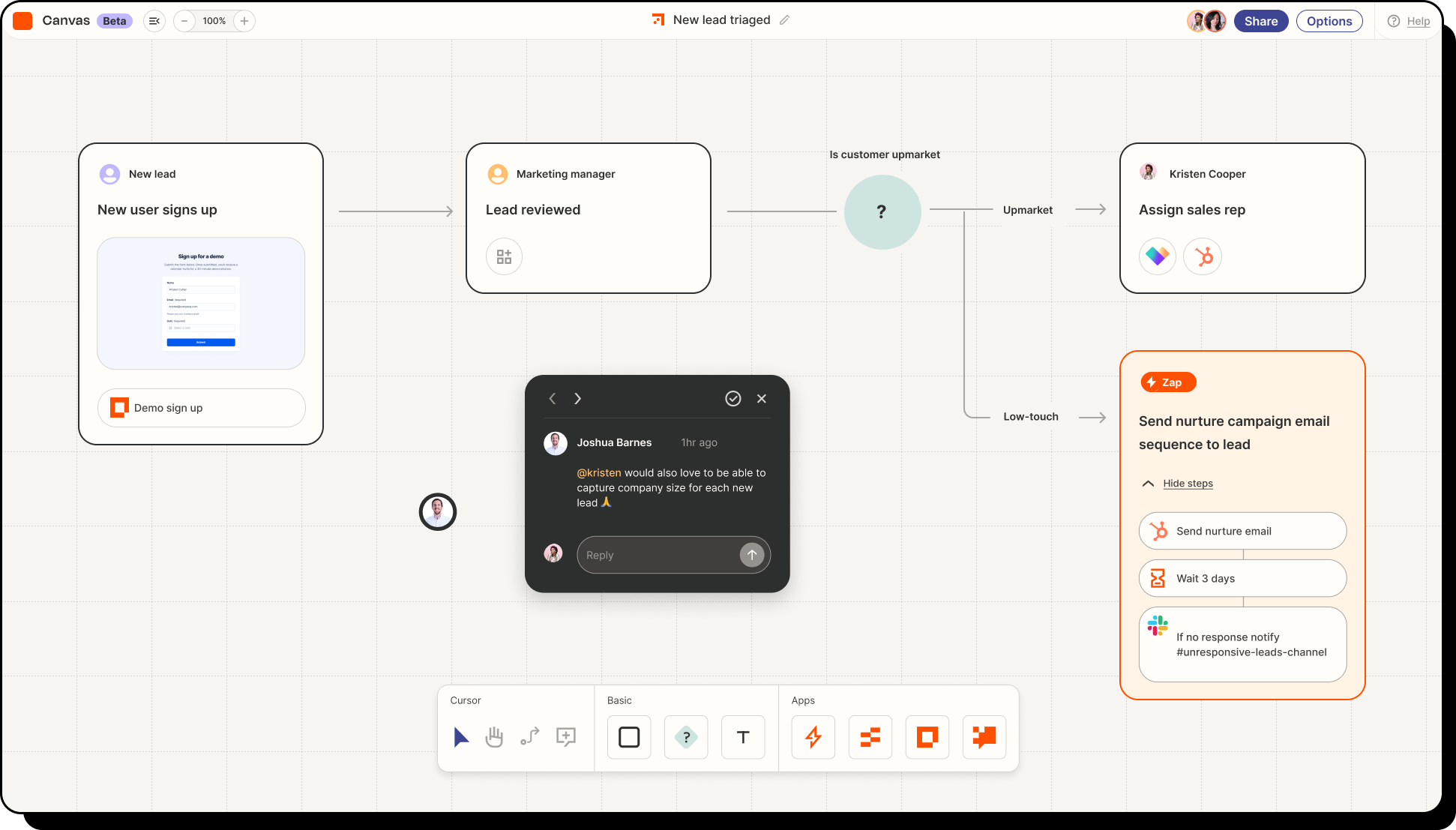
Zapier is a no-code automation tool that connects the apps you already use and runs tasks between them automatically. You create a workflow, called a Zap, by defining a trigger and an action. When X happens in one app, Y happens in another. No code required. No technical background needed.
The platform connects with over 7,000 apps including Follow Up Boss, Google Forms, Gmail, Calendly, Google Calendar, Facebook Lead Ads, Slack, and dozens of other tools agents use daily. Once a Zap is live, it runs in the background every time the trigger fires, whether you are in a showing, at the gym, or asleep.
According to Zapier's own data on real estate automation, the most common time drain for agents is manually moving lead information from one source into a CRM, a task that is repetitive, error-prone, and completely automatable. That is the starting point for most agents who build their first Zap, and it rarely stays the only one.
Automation 1: Lead Capture Into Your CRM Automatically
This is the one every agent needs first. You are running Facebook Lead Ads, your website has a contact form, maybe you have a home valuation widget. Each of those sources captures a lead. Without Zapier, you manually check each one and then manually enter that person into your CRM. With Zapier, the moment a form is submitted, the contact is created in Follow Up Boss, tagged by source, and dropped into the right action plan without you touching anything.
According to Zapier's guide to automating Follow Up Boss, you can set up Zaps that pull leads from Facebook Lead Ads, website inquiry forms, Zillow, Realtor.com, and virtually any other lead source and funnel them all into a single CRM automatically. Every lead from every source lands in one place, correctly tagged, ready for follow-up.
The practical result: you open Follow Up Boss in the morning and every lead from the past 24 hours is already there, organized, with source information attached. You spend zero time on data entry and none of your leads age in an email inbox waiting for you to notice them.
For agents already using Follow Up Boss, Zapier's integration with Follow Up Boss is one of the most documented and well-supported in the real estate space. The setup takes minutes and the pre-built Zap templates handle the most common configurations out of the box.
Automation 2: Instant Lead Notification So You Follow Up in Minutes
Capturing a lead automatically is only half the equation. The other half is knowing about it fast enough to do something about it.
Research cited by WiserNotify consistently shows that agents who follow up within five minutes of a new inquiry are ten times more likely to convert that lead than those who respond later. Most solo agents are not checking their CRM every five minutes. Most are in showings, driving, or on the phone.
A Zapier notification Zap solves this. When a new lead enters Follow Up Boss, Zapier fires an SMS or a push notification to your phone with the lead's name, source, and contact information. You see it the moment it happens. You can call from the parking lot before the other three agents they also contacted have even looked at their phones.
According to Zapier's real estate automation hub, cutting lead response time is one of the highest-return automations an agent can build, and it is also one of the simplest. The Zap is two steps: new contact in Follow Up Boss triggers an SMS via Zapier's native SMS tool. Setup time is under ten minutes.
Automation 3: Open House Sign-Ins That Feed Directly Into Follow Up Boss
Open houses generate leads that agents routinely lose. The sign-in sheet gets left on the counter, photographed on a phone, and never entered anywhere. Or it gets entered a week later when the leads have already gone cold.
Follow Up Boss's own help documentation walks through exactly how to build a Google Forms and Zapier integration that captures open house sign-ins and pushes them directly into Follow Up Boss as new leads in real time. The setup requires a Google Form with name, email, and phone fields, a Google Sheet to collect responses, and a Zap that watches that sheet and creates a new contact in Follow Up Boss every time a row is added.
Visitors sign in on your tablet at the open house. By the time you are locking up and putting away the sign, every person who attended already has a Follow Up Boss contact with the open house tagged as their source. Your follow-up sequence fires automatically. You do not write a single name down by hand.
This is one of the automations that solo agents most consistently say changed how they run their business. The open house lead that used to fall through the cracks becomes the call you make from your car on the way home.

Automation 4: Showing Appointment Reminders Without Lifting a Finger
No-shows waste an agent's afternoon. A buyer forgets the time. A seller does not realize you were coming at 3 and leaves the house. A few automated reminders would have prevented all of it, but most solo agents do not have a system for sending them consistently.
Zapier connects Calendly to Google Calendar and Gmail in a way that fires confirmation emails and reminder texts automatically when a showing is booked. The moment a client schedules time on your Calendly link, three things happen without you touching anything: the event drops into your Google Calendar, a confirmation email goes to the client with the address and any showing instructions, and a reminder fires 24 hours before the appointment.
According to Zapier's guide for solopreneurs, automated appointment reminders are consistently one of the highest-impact Zaps for solo operators because the time wasted on no-shows and back-and-forth scheduling is eliminated entirely. One business coach documented cutting their no-show rate significantly after adding a single reminder Zap.
For agents, the downstream effect is just as important. When your calendar automation is reliable, you stop double-booking. You stop forgetting to send the address. You stop arriving at showings where the client has the wrong time. The Zap handles what admin support would have handled.
Automation 5: New Client Onboarding on Autopilot
The moment a new client signs a buyer representation agreement or a listing agreement, a predictable set of things needs to happen: they get a welcome email, they get added to your CRM with the right tags, they get a calendar invite for the kickoff call, and depending on your workflow, they may get a link to your preferred TC intake form.
Without automation, this is a 20-minute manual process that gets done inconsistently and skipped entirely when you are busy. With Zapier, it is a sequence that fires the moment the trigger event happens.
The setup varies depending on what tools you use, but a basic onboarding Zap works like this: when a new client is tagged in Follow Up Boss or a signed document arrives in your email from your e-signature tool, Zapier fires a welcome email from Gmail with your onboarding information, creates a task in your CRM for the kickoff call, and adds the client to your preferred email list for buyer or seller content. The whole sequence runs automatically while you are at the signing table.
For agents working with a transaction coordinator, this is also where the handoff can be automated. A Zap can notify your TC the moment a new transaction is tagged in Follow Up Boss, sending them the client name, property address, and relevant notes without you having to make a separate call or send a separate email. Our page on what a transaction coordinator does covers what that handoff looks like when it works well.

How Much Does Zapier Cost and Is It Worth It
Zapier has a free plan that allows up to 100 tasks per month across five single-step Zaps. For a solo agent just starting out with two or three automations, the free plan is enough to get meaningful value immediately.
The Starter plan runs around $19.99 per month and unlocks multi-step Zaps, which is where the real power sits. The open house flow, for example, requires multiple steps: watch the Google Sheet, create the contact in Follow Up Boss, tag the contact, fire the action plan. That is a multi-step Zap that requires a paid plan.
For context, according to Zapier's case study on Realty Investment Advisors, the team cut their lead follow-up time by 90% after building their automations. For a solo agent who closes ten transactions a year at an average California commission, saving even one lead that would have gone cold is worth multiples of the annual Zapier subscription.
The question is not really whether Zapier is worth it. The question is whether your current manual process is costing you more than $20 a month in missed leads and wasted time. For most solo agents, the answer is obvious.
Where to Start If You Have Never Used It
The most common mistake agents make with Zapier is trying to build too much at once. Pick one problem. The lead that sits in your email too long. The open house sign-in that never makes it into your CRM. The showing confirmation you forget to send. Start there.
Build one Zap. Test it with real data. Watch it run for two weeks. Then build the next one.
Zapier's real estate automation page has pre-built templates for most of the common agent workflows, which means you are not starting from a blank screen. Many of the Zaps described in this post can be cloned from existing templates and customized in under ten minutes.
If you are already using Follow Up Boss, start with the Facebook Lead Ads to Follow Up Boss Zap. It is the most immediate value, the simplest setup, and the one that will make you wonder how you ever ran without it.
Once your automations are running, the time you get back goes somewhere worth spending. More conversations with clients. More showings. More time building the referral relationships covered in our post on how to turn every failed transaction into three future referrals. Automation does not replace the relationship part of real estate. It clears the path to it.


