
Website Tips

ADA Website Lawsuits Are Targeting Agent Sites Now
ADA lawsuits against real estate websites are climbing fast, and the widget you installed probably will not protect you. Here is what actually will.
The Demand Letter That Shows Up Out of Nowhere
You've never met the person suing you. They've probably never set foot in California. They visited your website once, tried to use your property search filters with a screen reader, hit a wall, and now there's a demand letter sitting in your inbox with a dollar figure attached to it.
That's not a hypothetical. Federal courts saw 3,117 website accessibility lawsuits filed in 2025, a jump of twenty seven percent over the year before. Real estate is a named target in that data, and it's not because agents are careless. It's because listing search tools and contact forms are exactly the kind of interactive features that trip up assistive technology, and almost nobody checks whether theirs actually work with it.
Why Real Estate Sites Specifically Are a Target
Real estate agencies count as places of public accommodation under the ADA, the same category as restaurants and banks. Layer the Fair Housing Act on top of that, and an inaccessible property search or contact form isn't just an inconvenience, it can be read as discrimination against disabled buyers and renters trying to access housing information. That combination is exactly why plaintiff attorneys have found real estate sites worth targeting.
The specific pattern shows up over and over in the data. Property search filters and contact forms that can't be operated with a keyboard, meaning no mouse at all, are the most commonly cited barrier in real estate demand letters from the last two years. If someone can't tab through your price range slider or bedroom count filter without a mouse, that's the exact gap a demand letter is built around.
The Widget Isn't the Shield You Think It Is
If you read our post on why every agent should prioritize accessibility with UserWay and installed a widget, good. That's a real step in the right direction, and it's better than doing nothing. But it's not the finish line, and plaintiff attorneys know it.
Accessibility overlay widgets, regardless of which one you use, get read by courts and opposing counsel as evidence that a business already knew accessibility was an issue and chose a quick fix instead of genuine remediation. That's not a reason to rip your widget out. It's a reason to treat it as one layer, not the whole solution. Real compliance means your site actually meets the WCAG 2.1 AA standard the DOJ points to, which usually requires an audit that goes deeper than what a JavaScript overlay can patch on its own.

What Your IDX Feed Is Actually Doing to You
This is where it gets uncomfortable, because most agents don't build their own property search. It comes bundled through an IDX feed from a vendor, and you're using it because switching or auditing it feels like more trouble than it's worth. Here's the catch. If you embed that search tool on your site, you're responsible for its accessibility regardless of who built it.
That means the fix isn't always something you can do yourself with a plugin. Sometimes it means a direct conversation with your IDX vendor about whether their search tool is actually keyboard operable, and whether their range sliders have accessible increment controls. If they can't answer that clearly, that's worth knowing before a demand letter forces the question. The same logic applies to any bundled all-in-one platform feature you didn't build and can't fully control, not just IDX specifically.
The Physical World Already Solved This
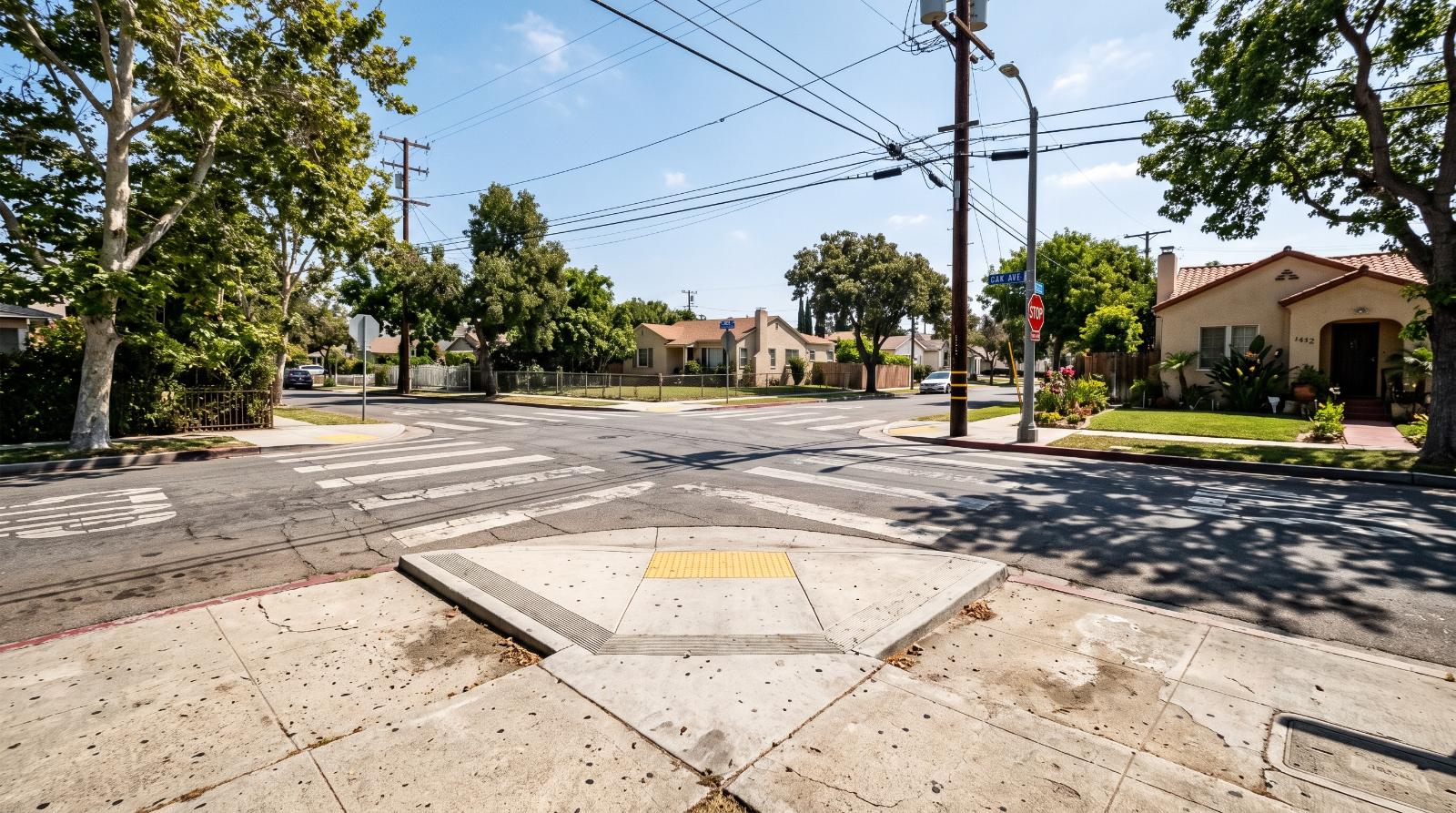
Here's a useful way to think about it that has nothing to do with code. Every curb ramp cut into a California sidewalk exists because of the same underlying principle behind these website lawsuits. Physical spaces open to the public have to be usable by people with disabilities, and nobody questions that requirement anymore because it's been the law for decades and it's just visibly, obviously there.
Your website is a place of public accommodation too, even though it doesn't look like one. The property search on your homepage is the digital version of that curb ramp. If it only works for someone using a mouse and a standard browser, you've built a set of stairs where a ramp should be, and most agents genuinely don't realize it until someone tells them, usually via a lawyer.
What a Demand Letter Actually Costs
Settlements for these cases typically run twenty five thousand to seventy five thousand dollars, and that figure usually comes with more than just a check. Most settlements require documented remediation within ninety to a hundred eighty days, an accessibility statement published on your site, and ongoing monitoring that can stretch one to three years, with regular scans and progress reports going back to the plaintiff's attorney. The monitoring requirements often end up costing more over time than the original settlement.
None of that requires the plaintiff to live anywhere near California, or to have ever intended to actually buy or rent a home from you. A physical presence isn't required to file. If someone in another state can reach your site and hit a barrier, that's enough. It's an uncomfortable fact for agents who assume local business means local risk, and it doesn't.
What Real Compliance Looks Like
Start with an actual audit, not a self check. An independent accessibility review, separate from whoever sold you your current widget, will tell you honestly where your site stands against WCAG 2.1 AA rather than what a vendor's sales page claims. Test your own property search filters using only a keyboard, no mouse, and see how far you get. If you can't tab through a price range slider, neither can a lot of your potential clients.
If your website's contact form is already quietly losing you clients for entirely different reasons, this is a good moment to fix both problems in the same pass rather than treating them separately. And if the whole audit process feels like more than you want to take on solo, our team handles the digital side of an agent's business alongside transaction coordination, so it doesn't have to sit on your plate indefinitely.
Pull up your website right now, unplug your mouse, and try to search for a three bedroom listing using only your keyboard. If you get stuck within the first ten seconds, you've just found exactly what a plaintiff's attorney would find too.

Should Your Website Have a Dedicated Expired Seller Landing Page?
Generic contact forms lose expired sellers fast. Here is whether a dedicated landing page actually converts better, and how to build one that does.
The Expired Seller Who Bounced Off Your Homepage
Picture the moment. A seller whose listing just expired gets a text from you with a link. They click it, and it drops them on your homepage, the same one every buyer, every seller, every curious neighbor lands on. A hero image, a search bar, a generic "contact me" button buried in a menu. They close the tab in four seconds. You just spent real effort finding that lead and lost them to a page that wasn't built for the moment they were actually in.
That's the gap a dedicated landing page closes. Not because it's fancier. Because it's specific.

Landing Pages Don't Win Because They're Prettier
They win because they do one thing. Landing pages built around a single call to action convert at roughly 5 to 15 percent, compared to a typical real estate homepage converting somewhere between 0.5 and 1.5 percent. That's not a small gap. That's the difference between a lead source that's actually working and one that's quietly wasting your ad spend or your text campaign's effort.
For seller-specific pages built around a strong, targeted offer, like an instant home valuation or a market report tailored to their exact situation, best-in-class conversion rates run 15 to 34 percent when the traffic is warm or hyper-targeted. An expired seller you just texted is about as warm and targeted as traffic gets. Sending that person to a generic homepage is leaving most of that conversion potential on the table.
We covered the core version of this argument in landing pages vs your homepage. This is the same principle applied to a much narrower, much more valuable audience.
What an Expired Seller Actually Needs to See
A generic seller landing page talks about you. An expired seller landing page needs to talk about what happened to them. That distinction changes almost everything about the copy and layout.
- Lead with acknowledgment, not a pitch, something closer to "Your home didn't sell. Here's why that happens and what changes it" rather than a headline about your team's accolades
- Offer something specific and useful in exchange for contact information, a breakdown of common reasons listings expire, or a free updated market analysis, not a generic newsletter signup
- Keep the form short. Name, phone, property address. Every extra field is a reason to bounce, and your contact page is probably already losing clients for exactly this reason
- Cut the navigation menu entirely. A strong landing page eliminates distractions on purpose, no sidebar links, no way to wander off to your listings page mid-decision
- Include a specific, low-pressure next step. A short video walking through what you'd do differently converts better than a wall of testimonials nobody reads before they've decided to trust you

Why the Homepage Actually Fails This Specific Visitor
Your homepage is built to serve every visitor at once, which means it serves the expired seller worst of all. They're not browsing. They're evaluating whether you're worth a callback after a bad experience. A homepage designed for broad discovery, buyer search bars, featured listings, general branding, forces them to hunt for relevance they should have gotten in the first three seconds.
This is the same failure mode we described in why sellers leave your website without calling and are you sending website visitors to the wrong page. An expired seller clicking a generic link is the clearest possible example of a visitor sent to the wrong page. You already know why they're there. Build the page to match.
The Traffic Source Matters More Than the Page Design
None of this works if the traffic getting to the page isn't actually warm. If you're pairing this with expired listing detection tools that get you the seller's information fast, the landing page is where that speed advantage actually converts into a lead you can work. A slow lead sent to a great landing page still underperforms. A fast lead sent to a mediocre one does too. You need both pieces working together, which is exactly the point made in our post on why expired listings convert better than any other lead source. The page is the last step in a chain that starts with speed.
A multi-channel approach, text, mail, a landing page link included in both, tends to outperform any single channel alone, because different sellers respond to different formats. But every channel should point to the same purpose-built page, not a scattered mix of homepage links and generic contact forms.

What This Costs You to Build
This doesn't require a website overhaul. Most Webflow setups can duplicate an existing seller page template, strip the navigation, swap the headline and offer, and be live within an afternoon. The mistake agents make isn't technical difficulty. It's treating this as optional polish instead of the actual mechanism that turns a warm lead into a booked appointment. Landing page examples worth studying tend to share the same bones, a focused headline, one visible call to action, and nothing else competing for attention.
If you've already built a strong homepage that converts general visitors, don't dismantle that work. Just stop asking it to do a job it was never built for. Your homepage sells you broadly. Your expired seller landing page needs to sell one specific promise to one specific person who's already decided to sell and just needs a reason to trust someone new.
So check where your expired seller texts and mailers are actually pointing right now. If it's your homepage, that's the fastest fix available to you this week.
.jpg)
Why Your "Meet the Agent" Page Isn't Building Any Trust
A headshot and a list of certifications isn't a bio. Here's why your About page is quietly costing you leads, and the specific things that actually make a stranger t
Pull up your About page right now. Read the first sentence out loud.
If it starts with "I have always had a passion for real estate" or "Born and raised in [city], I decided to pursue a career in real estate because," stop. You've just described roughly eighty percent of every agent bio on the internet, and you've told a stranger nothing they actually needed to know before deciding whether to trust you with the biggest financial decision of their year.
Most agent About pages read like a resume nobody asked for. Years licensed, a list of designations, a paragraph about loving the community, a photo where you're smiling with your arms crossed in front of a listing. It looks professional. It also does almost nothing to move a visitor from "this seems like a real person" to "I'd trust this person to handle my transaction."
Trust isn't built by stating you're trustworthy. It's built by giving someone specific, verifiable reasons to believe it, and most bio pages skip straight past the reasons and go directly to the claim.
The Difference Between a Bio and a Credibility Document
A bio tells a story about you. A credibility document proves you can do the job. Your About page needs to function as the second thing while still reading like the first.
Think about what a visitor is actually trying to figure out when they land on this page. They're not curious about your childhood or your love of weekend hikes. They're trying to answer one question, quickly: is this the kind of person who will handle a six-figure transaction competently and look out for me specifically? Everything on the page should be evaluated against whether it helps answer that question.
Research from Nielsen Norman Group on how people evaluate web credibility consistently finds that specific, verifiable social proof outperforms generic self-description by a wide margin. A visitor doesn't believe you're trustworthy because you said so. They believe it because you gave them evidence, in the form of numbers, outcomes, and specifics they could theoretically check.
This means the humanizing, personal parts of a bio still matter. A page that reads like a court deposition of your transaction volume is just as forgettable as one that reads like a diary entry. The trick is sequencing the credibility first and the personality second, not leading with personality and hoping the credibility shows up eventually if the visitor keeps scrolling.
Why "Passionate" and "Dedicated" Mean Nothing
Every unhelpful bio uses the same handful of words. Passionate. Dedicated. Hardworking. Client-focused. Committed to excellence. These words appear so frequently across every industry, not just real estate, that they've become functionally invisible. A visitor's brain skips right over them the same way it skips over "terms and conditions apply" at the bottom of an ad.
The problem isn't that these words are false. You probably are dedicated. The problem is that the word "dedicated" carries zero information. It doesn't distinguish you from any other agent making the same claim, and it doesn't give a skeptical visitor anything to evaluate.
Compare "I'm dedicated to getting my clients the best possible outcome" against "Last year I negotiated repair credits on 9 out of 11 transactions where the inspection turned up issues, saving my clients an average of $4,200 per deal." The second sentence never uses the word dedicated. It doesn't need to. The specificity does the work the adjective was trying and failing to do.
If you find yourself using words like passionate, dedicated, or committed anywhere on your About page, that's the signal to stop and ask what specific thing you actually did that would make someone believe that claim without you having to state it directly.

What Actually Belongs on This Page
A strong About page has a handful of distinct sections, each doing a specific job, in a specific order. Skipping the order matters as much as including the content, because credibility has to be established before personality gets to land.
Open with a results-oriented statement, not a personal history. The first sentence should establish what you do and for whom, ideally with a number attached. "I've helped 63 families buy and sell homes across the East Bay since 2019" does more in one sentence than three paragraphs of backstory. Save the origin story for later, if you include it at all.
Follow with specific transaction context. Not just years licensed, but what kind of transactions, in what price range, in what specific areas. "I specialize in first-time buyers in the $500k to $750k range in Sacramento County" tells a visitor immediately whether they're a fit for your expertise, which matters more than a generic claim of full-service competence in every category.
Include a credentials section that's actually specific. Designations matter less than most agents think, but transaction volume, notable outcomes, or specialized training genuinely do. If you've closed deals during unusual circumstances, probate sales, complex 1031 exchanges, new construction, say so specifically. Vague credential lists ("licensed since 2015, member of NAR, CRS designation") tell a visitor you checked some boxes. Specific outcomes tell them you can handle their exact situation.
Add a short, human paragraph, but make it earn its place. This is where personality belongs, and it should be genuinely specific rather than generically warm. Not "I love spending time with my family and exploring the outdoors." Something a real person would actually say: "I grew up watching my parents lose their first house to a bad inspection they didn't understand, which is part of why I walk every client through every page of the inspection report before they sign anything." That sentence does double duty. It's human, and it reinforces a specific credibility claim at the same time.
Close with a clear next step. Not a vague "feel free to reach out." A specific, low-friction action. "Text me directly at [number] if you want a straight answer about whether now is the right time to sell" gives a visitor permission to take the exact action you want, phrased in a way that feels personal rather than transactional.
The Photo Problem Nobody Talks About
Most agent headshots are technically fine and functionally useless. A studio portrait, arms crossed, professional smile, slightly too polished lighting. It looks like every other agent headshot in the market, which means it does nothing to differentiate you and, worse, it can read as slightly impersonal in a way that undercuts the trust-building goal of the page.
Nielsen Norman Group's research on photo authenticity in web credibility found that generic stock-style photography is consistently rated as less trustworthy than candid, situational photography, even when the subject is the same person. A photo of you mid-conversation with a client, or standing in a neighborhood you actually work, tells a visitor more about who you are than a studio portrait does, because it shows you doing the thing rather than posing for a claim about doing the thing.
This doesn't mean your primary photo needs to be unprofessional. It means the full page benefits from a mix: one clean, well-lit professional photo for immediate identification, paired with one or two candid, in-context images further down the page that show you actually working. An agent standing in an empty room mid-walkthrough gesturing to something off-frame, or crouched inspecting a foundation detail, communicates competence and hands-on presence in a way a posed studio shot never will.

Third-Party Proof Beats First-Person Claims Every Time
Anything you say about yourself carries less weight than the same claim made by someone else. This is the entire logic behind testimonials, and most agent About pages either skip them entirely or bury a single generic quote at the bottom.
A testimonial that says "Sarah was amazing to work with!" does almost nothing. A testimonial that says "Sarah caught an issue in our disclosure package that our first agent never mentioned, and it saved us from a $15,000 repair surprise after closing" is a completely different piece of evidence. It's specific, it's checkable in spirit even if not literally verifiable, and it reinforces a concrete competency rather than a vague positive feeling.
If you don't currently have testimonials this specific, the fix isn't to make something up. It's to ask better questions when requesting a review. Instead of "would you leave me a review," ask a past client "what's one specific thing that surprised you about working with me, good or bad?" The answers you get from that question are dramatically more usable than what comes from a generic review request.
According to research from the Spiegel Research Center on online reviews, the presence of reviews increases conversion rates significantly, but the effect is strongest when reviews are specific and detailed rather than short and generic. A page with three detailed, specific testimonials outperforms a page with fifteen one-line "great agent!" quotes.
Beyond client testimonials, third-party proof also includes any legitimate external validation: production awards from your brokerage, if they're real and current rather than five years stale, press mentions if you've genuinely been quoted somewhere, and speaking engagements or panel appearances if applicable. Google's guidance on evaluating page authority, referred to as E-E-A-T, places real weight on third-party signals of expertise and trustworthiness, which means these elements aren't just persuasive to human visitors, they can genuinely help the page's search performance too.
The Specificity Test You Can Run Right Now
Here's a fast way to audit your current About page. Go sentence by sentence and ask: could this exact sentence, word for word, apply to any other agent in my market? If the answer is yes, that sentence isn't doing any work.
"I'm committed to providing exceptional service" could apply to literally anyone. Delete it or replace it with something specific to you.
"I've closed 40 transactions in the Elk Grove area since 2021, with 60 percent of my business coming from repeat clients and referrals" could not apply to anyone else. That's your sentence.
Run this test across your entire page. Most agent bios fail it in the first paragraph and never recover, because the generic language sets a tone the rest of the page follows. Fixing just the opening two or three sentences, replacing vague claims with specific numbers and outcomes, often does more to improve the page's effectiveness than a full redesign would.
Where This Page Fits Into the Rest of Your Site
Your About page doesn't exist in isolation. It's one part of the trust-building system your homepage starts and your contact page is supposed to finish. A visitor who arrives skeptical, gets convinced by a specific, credible About page, and then hits a contact page that undermines that trust with friction or vagueness has still lost the conversion, even though the About page itself did its job.
The same logic applies in reverse. If you've built a brand-first website that leads with results and client stories rather than IDX search functionality, your About page is one of the core pages carrying that entire strategy. It needs to be as strong as your past sales section and your testimonials section, because for a lot of visitors, this is the page that decides whether they reach out at all.
Internal linking matters here too. If you've written neighborhood-specific content, your About page should link to it where relevant, reinforcing the specific local expertise claims you're making about yourself. A bio that claims deep knowledge of a specific area is more credible when it links directly to detailed, original content proving that knowledge exists.
Writing It in Your Actual Voice
One last thing worth saying directly: an About page written in a voice that doesn't sound like you undermines the entire exercise, no matter how specific and credible the content is. If a client met you in person after reading a stiff, overly formal bio, and you turned out to be warm and a little irreverent in real life, the mismatch itself creates a small trust gap. People notice when the version of you on the page doesn't match the version of you on the phone.
Write the page the way you'd actually talk if a friend asked you what makes you good at your job. Most people, when asked that question directly, don't reach for "passionate" and "dedicated." They say specific things. "I'm annoyingly thorough about contracts because I've seen what happens when people aren't." "I answer texts fast because I hated waiting on my own agent when I bought my first place." Those sentences sound like a person. Use that voice on the page instead of the version that sounds like it was written for a brokerage recruiting brochure.
The Rewrite Is Worth an Afternoon
Fixing an About page doesn't require a new photoshoot, a rebrand, or a developer. It requires sitting down for an afternoon and replacing every vague claim with a specific one, adding at least two or three real, detailed testimonials if you don't already have them, and reordering the page so credibility comes before personality.
That's the whole project. No new technology, no new design, just a rewrite grounded in specifics instead of adjectives.
Go read your current About page one more time, out loud, as if you were a stranger deciding whether to trust someone with the sale of their home. If it doesn't convince you, it isn't convincing anyone else either.

Landing Pages vs Your Homepage: Why Paid Traffic Needs Its Own Front Door
You paid for the click. Your homepage is about to lose it. Here's why paid traffic converts at a fraction of its potential when it lands somewhere built for everyone
You ran the ad. Someone searching "sell my house fast Sacramento" saw it, clicked it, and landed on your homepage.
Now they're staring at a hero image of you smiling in front of a house, a navigation bar with nine menu items, a rotating carousel of featured listings that have nothing to do with what they searched, and a headline that says something like "Your Trusted Real Estate Partner." Somewhere below the fold, buried behind two scrolls, is maybe a mention of home valuations.
They close the tab. You paid for that click. You got nothing back.
This happens constantly, and most agents never notice because the ad platform still reports the click as a success. The money left your account, the traffic showed up, the analytics dashboard says visitors arrived. What it doesn't tell you, at least not obviously, is that the destination page was built for a different job entirely, and that mismatch is where your ad budget quietly disappears.
Two Pages With Two Completely Different Jobs
A homepage and a landing page look similar. Both have your branding, both have a headline, both probably have a photo of you or a property. But they exist to do fundamentally different work, and treating them as interchangeable is where most of this problem starts.
Your homepage is a hub. Its job is to orient a visitor who arrived without a specific intention yet. Maybe they heard your name from a friend. Maybe they found you through an organic Google search for your name. Maybe they're a past client checking if you're still active. That visitor doesn't know exactly what they want from your site, so the homepage has to offer multiple paths: buyer info here, seller info there, a blog, a contact page, an about page. It's built for breadth.
A landing page is a funnel. Its job is to take a visitor who already has a specific intention, formed the moment they clicked your ad, and move them toward exactly one action. No multiple paths. No broad audience. One visitor type, one message, one next step.
When you send someone who clicked "free home valuation" to your homepage, you've taken a visitor with a narrow, specific intent and handed them a hub built for everyone. They have to hunt for the thing they came for. Most people don't hunt. They leave.
According to Unbounce's landing page benchmark report, dedicated landing pages convert visitors at meaningfully higher rates than homepages receiving the same paid traffic, specifically because they remove the decision paralysis of a multi-purpose page. The difference isn't cosmetic. It's structural.
The Cost Nobody Notices Until They Calculate It
Here's the part that should actually sting a little. If you're running Google Ads or Facebook ads and sending every click to your homepage, you're not just losing conversions. You're paying more per click than you need to.
Google's Quality Score system factors landing page relevance directly into how much you pay for each click. An ad about "homes for sale in Roseville under $600k" that sends traffic to a generic homepage scores lower on relevance than the same ad sending traffic to a Roseville-specific page built around that exact price range. Lower relevance score means higher cost per click for the same ad position. You're paying a premium to send people somewhere that doesn't match what you promised them.
Run the math on this for a month. If your cost per click goes up 20 to 30 percent because your landing experience doesn't match your ad, and your conversion rate on that mismatched page is also lower, you're losing on both ends of the same transaction. The ad platform is charging you more to deliver a worse experience that converts at a lower rate. That's not a small leak. That compounds every single day the campaign runs.
What a Real Landing Page Actually Contains
A landing page strips away almost everything a homepage has, on purpose.
Start with navigation. Your homepage needs a full menu because visitors are exploring. A landing page should have little to no navigation at all, because every link is an exit ramp away from the one action you want. If someone clicked an ad for a free market report and your landing page still has a menu bar with "Buyers," "Sellers," "Blog," "About," and "Contact," you've given them five ways to wander off before they've done the one thing you actually paid to get them to do.
The headline on a landing page should mirror the promise from the ad almost exactly. If your ad said "See what homes are actually selling for in your neighborhood," your landing page headline should restate that same promise in nearly the same words. This is called message match, and it matters more than most agents realize. A visitor who clicks an ad and lands on a page with a different headline experiences a split second of doubt: did I click the right thing? That doubt costs conversions.
Below the headline, the page needs exactly one call to action, repeated if the page is long, but never competing with a second offer. A landing page that offers a home valuation and also promotes an open house and also has a newsletter signup is a landing page with three different jobs, which means it does none of them particularly well.
Social proof belongs here too, but scaled to the specific offer. If the landing page is about selling a home fast, the testimonial should be from a seller, ideally one who sold quickly, not a generic quote about how wonderful you are to work with in general.
And the form itself should ask for the absolute minimum. Name, email, maybe a phone number if the offer genuinely requires a call back. Every additional field you ask for reduces submission rates. Research on form length and conversion consistently shows that shorter forms outperform longer ones, sometimes dramatically, especially for cold paid traffic that hasn't built any trust with you yet.

Matching the Page to the Traffic Source
Not all paid traffic wants the same landing experience, and this is where a lot of agents flatten everything into one generic page and call it done.
Someone clicking a Google search ad for "homes for sale in [specific neighborhood]" has already typed a specific query. They know exactly what they're looking for. Their landing page should be a neighborhood-specific page with current listings in that area, not a generic buyer page that mentions your whole service area.
Someone clicking a Facebook ad about a free home valuation has a completely different mindset. They weren't actively searching for anything. They were scrolling, something caught their eye, and they clicked out of curiosity or mild interest. Their landing page needs to work harder to re-establish the offer and build quick trust, because they arrived with less pre-existing intent than a search visitor did.
Someone clicking a retargeting ad, someone who already visited your site once before, needs yet another kind of page. They've seen you already. A page that repeats your entire pitch from scratch wastes their patience. A page that picks up where they left off, referencing the listing or content they previously viewed, converts better because it acknowledges the relationship already exists.
Treating all three of these as the same "just send them to my homepage" problem is exactly how paid traffic underperforms across every channel simultaneously.
The Homepage Isn't the Villain Here
None of this means your homepage is badly built or needs to be scrapped. Your homepage still has an essential job for the traffic it's actually suited for: organic visitors, referral traffic, people who found you through word of mouth and typed your name into Google directly.
If you've worked on writing homepage copy that actually converts, that work isn't wasted. It's just aimed at a different audience than your paid campaigns are. The mistake isn't having a strong homepage. The mistake is assuming a page built for browsing visitors will perform equally well for visitors who arrived with a specific, narrow intent and zero patience for exploring.
Think of it as two different doors into the same house. The homepage is the front door, open to anyone who wants to look around. The landing page is a side door built for a specific delivery, one truck, one package, one destination inside the house. Sending your delivery truck through the front door and hoping it finds its way to the right room eventually is how you lose half your deliveries.
Building One Doesn't Require a Developer
If your website runs on Webflow, building a dedicated landing page takes well under an hour for most agents. Duplicate an existing page, strip the navigation and footer down to nothing or close to it, rewrite the headline to match your specific campaign, and drop in one clear call to action.
That's the entire structural difference between a regular page and a landing page: the removal of exits. Every navigation link, every footer menu, every unrelated call to action is a door out of the page before the visitor does the one thing you actually want. A landing page closes those doors deliberately.
If you're running more than one campaign at a time, and most agents eventually are, build a landing page per campaign type rather than one universal page for all paid traffic. A buyer-focused landing page, a seller-focused landing page, and if you also market to other agents for transaction coordination services, a landing page speaking directly to agents rather than consumers. Each one should feel like it was built specifically for the person who's about to land on it, because in a sense, it was.
Checking Whether This Is Actually Your Problem
Before rebuilding anything, look at what's actually happening right now. Pull up Google Analytics and check your landing pages report. This shows which pages visitors are entering your site on. If your homepage accounts for the overwhelming majority of entrances even though you're running paid campaigns with specific offers, that's the signal. You're sending targeted traffic to an untargeted destination.
Cross-reference that with your source and medium report. If your paid traffic is landing predominantly on the homepage while your organic traffic lands on specific blog posts and service pages, you have a clear, fixable gap between what you're paying for and where you're sending it.
Google Search Console adds one more layer if your paid campaigns overlap with organic search intent. It shows which queries are driving traffic to which pages, which can reveal whether people searching very specific things are landing on pages that don't answer their specific question.
This audit takes about twenty minutes and tells you more about where your ad budget is actually going than any amount of guessing. If you're already thinking through why your Facebook ads keep attracting the wrong buyers, the landing page is often the second half of that same problem. Good targeting followed by a mismatched destination still produces the same disappointing result: leads that don't convert and budget that doesn't come back.
One Door, One Job
Every paid click you generate is a person who had a specific reason to click, even if that reason was small. Respecting that reason by giving them a page built specifically for it is not an advanced marketing tactic. It's the baseline expectation for anyone spending real money on ads in 2026.
Your homepage will always matter. It just isn't the right door for traffic that already knows what it's looking for.
Pull up your last campaign's landing page report today. See where the clicks actually went. If it's your homepage, that's not a marketing problem you need an agency to solve. It's an afternoon of work you can do yourself.

The Agent Website That Ranks Without a Single Listing
The agents ranking highest for seller searches often have no IDX at all. Here's what a brand-first website does that a listing-heavy platform site never can.
Every real estate website course, every brokerage onboarding deck, every conversation about agent marketing eventually lands on the same assumption: you need IDX. You need listings on your site. You need buyers to be able to search from your domain or you're not a serious player.
That assumption has been repeated so many times that most agents treat it as settled fact. It isn't.
Some of the best-ranking, highest-converting agent websites in California have no IDX feed at all. No live listings. No property search. No MLS data. What they have instead is a clear, well-built brand presence that tells Google and every visitor exactly who this agent is, what they've done, who they've done it for, and why that matters.
Those sites rank for seller searches. They rank for neighborhood searches. They generate listing appointments from organic traffic. And because they're built on infrastructure the agent actually owns, every dollar of SEO equity they accumulate stays in the agent's pocket permanently, regardless of what platform changes, brokerage moves, or software acquisitions happen in the meantime.
The agents on all-in-one platforms with IDX-heavy sites are renting their presence. The agents with brand-first owned sites are building an asset. The difference compounds over time in ways that are hard to see in month three and impossible to ignore in year three.

The Assumption Worth Questioning
The IDX argument has always rested on one premise: buyers want to search listings, so you need listings on your site to attract buyers, and buyers eventually become sellers, so IDX drives your whole business.
There's a version of that logic that holds. There's also a version of it that was more true in 2012 than it is in 2026.
Buyers today start their search on Zillow. Full stop. Not on an agent's website. Not on a brokerage IDX portal. On Zillow, Redfin, or Realtor.com, where the inventory is comprehensive, the interface is polished, and the experience is optimized by teams of engineers who do nothing else. An agent's IDX site, however well-configured, is not competing with Zillow for the buyer who wants to browse listings.
What an agent's website can compete for, and win, is the buyer or seller who has moved past browsing and into evaluating. The person who has already found listings they like and now wants to know who the right agent is to help them. The seller who is three months from listing and quietly researching who in their market has the track record worth trusting. The move-up buyer who sold with you four years ago and wants to know if you're still active before they call.
Those visitors aren't coming to your site to search listings. They're coming to evaluate you. And a brand-first website built around your story, your results, and your client relationships does that job dramatically better than a page full of IDX search filters.
As we covered when looking at the hidden downside of all-in-one platforms, IDX-heavy sites built on vendor infrastructure create SEO equity on land you don't own. A brand-first site built on your own domain and hosting creates equity that stays yours indefinitely.
What a Brand-First Website Actually Is
A brand-first real estate website is built around the agent rather than the inventory. Its primary purpose is to establish credibility, communicate expertise, and convert visitors who are already interested in working with a specific person rather than browsing an anonymous pool of listings.
The core sections of a brand-first site are different from a traditional agent site. Instead of a homepage dominated by a listing search bar, it leads with the agent's value proposition, their market, their specialty, and a clear statement of what working with them actually looks like. Instead of featured listings as the primary content, it features past sales, client stories, and documented results. Instead of IDX pages generating hundreds of thin URLs, it has a deliberately built content architecture of original pages that Google can evaluate and rank.
Think of it as the difference between a store and a portfolio. An IDX site is a store. Here are the products, browse them, maybe you'll find one you like and call me. A brand-first site is a portfolio. Here is my work, here is what my clients say about it, here is what I know about this market, and here is how to reach me when you're ready.
Stores compete on inventory. Portfolios compete on reputation. In a market where every agent's IDX feed shows the same listings, reputation is the only differentiator that actually differentiates.
Why Sellers Don't Care About Your IDX Feed
Sellers don't need to search for homes. They need to find an agent they trust to sell the one they already have.
When a seller lands on your website, they're asking one question in about a dozen different ways: has this person sold homes like mine, in my area, for prices that would make me happy, and do other people who've worked with them say it was worth it?
An IDX feed answers none of those questions. A well-built past sales section answers all of them.
According to NAR's research on seller behavior, the overwhelming majority of sellers say the most important factor in choosing an agent is their reputation and track record. Not their website features. Not whether they can search listings on the agent's domain. Their track record.
A brand-first website built around documented results speaks directly to that priority. A page that shows twelve homes sold in a specific neighborhood over the last two years, with sale prices, days on market, and a brief client story attached to each one, is more persuasive to a seller evaluating agents than any amount of IDX functionality.
This is also where the SEO opportunity lives. Sellers search for things like "top listing agent in [neighborhood]," "who sold the most homes in [city] last year," and "real estate agent [city] reviews." None of those searches are answered by an IDX feed. All of them can be answered by a well-structured brand-first site with the right content.

Past Sales as SEO Content
This is the section most agents skip entirely, and it's where the biggest SEO opportunity on a brand-first site lives.
Every home you've sold is a piece of content waiting to be written. The address, the neighborhood, the price range, the story of the transaction. How long it took to get the listing. What the market conditions were when it sold. What the sellers were trying to accomplish and whether you helped them accomplish it. What made this particular sale interesting or challenging or worth documenting.
A past sales page that presents this information in narrative form, even briefly, is original content that exists nowhere else on the internet. It's indexed at a URL you own. It contains neighborhood names, city names, price points, and contextual details that are exactly the kind of local-specific content Google rewards in local search.
Compare that to what a typical agent's website has: a sold listings section that pulls from MLS data and shows the same photos and data fields available on every other site. Generic, duplicate, thin. Google ignores it.
A narrative past sales section is the opposite of all three of those things. It's original, it's unique to your experience, and it's as deep as you choose to make it.
The format doesn't need to be elaborate. A photo of the property, a neighborhood tag, a brief paragraph about the transaction, a pull quote from the client if you have one, and the outcome. Sold at this price, in this many days, for this percentage of asking. That's enough. Twelve of those entries, structured cleanly on a page that Google can crawl, is a stronger SEO asset than most agents realize.
Over time, as you add more sales, the page deepens. It starts to rank for searches about specific neighborhoods where you've sold frequently. It becomes evidence of genuine local expertise in the areas you serve. Neighborhood-specific content and past sales content reinforce each other when they're linked together, which is an internal linking opportunity that most agents with IDX-heavy sites never get to build.
Testimonials and Client Stories as Trust Infrastructure
A testimonial is not a review. That distinction matters for how you build this section of your site.
A review is what someone leaves on Google or Zillow without prompting. It's short, it's unstructured, and it's on someone else's platform. Valuable, but not something you control or can shape into a coherent narrative.
A testimonial on your own site is a piece of content you collect intentionally, present with context, and structure to answer the specific questions a prospective client has when they're evaluating whether to work with you.
The most effective testimonials on a brand-first site are not generic praise. They're specific outcome stories. The clients who were relocating from out of state and needed to close in thirty days. The sellers who had tenants in the property and thought it would be impossible to show. The buyers who lost three offers before finding the right strategy. The story of what the situation was, what happened, and what the outcome was.
Those stories do two things simultaneously. They build emotional trust by making the prospective client see themselves in the situation. And they function as original, specific, locally contextual content that Google can read and evaluate.
A client story page with eight well-written entries of 150 to 200 words each is a page with genuine depth, genuine originality, and genuine SEO value. According to research from Nielsen Norman Group on how users process trust signals online, specific social proof from identifiable sources consistently outperforms generic praise in building trust and driving conversion.
Put the client's first name and city if they'll allow it. Add the outcome in concrete terms. Link the story to the relevant neighborhood page if you have one. That connection between client story and neighborhood content creates a content web that signals local expertise at a depth the portals can't touch.
Accolades, Press, and Social Proof That Google Can Read
If you've received production awards from your brokerage, been featured in a local publication, spoken on a panel, been quoted in a market update, or achieved any designation or certification worth mentioning, a brand-first site is the right place to present all of it.
Not in a humble, buried-at-the-bottom-of-the-about-page way. In a dedicated, clearly structured section that Google can crawl and that visitors can find without hunting.
Awards and designations matter to Google because they're third-party signals. A page that says "top 1% of agents in San Diego County, 2023 and 2024" and links to the source is a page that carries a trust signal beyond the agent's own claims about themselves. External credibility signals are a meaningful factor in how Google evaluates the authority of a page, particularly for YMYL content, which stands for Your Money or Your Life, a category that real estate clearly falls into given the financial stakes involved.
Press mentions work similarly. If a local publication quoted you in a market update story, that's linkable content. Get the link, put it on your site in a press or media section, and make sure the page that houses it is properly structured and internally linked.
If you've written guest posts for real estate publications, been featured in a podcast, or contributed to any external content that's publicly accessible, link to it. Every third-party mention that appears on your site alongside the original source link adds a layer of credibility that self-referential marketing copy can never replicate.
This is the section of a brand-first site that accumulates passively over a career. In year one it's thin. In year five it's a significant differentiator. Start building it from the beginning even if it's sparse at first, because the structure being there means you're in the habit of adding to it when something worth adding happens.

The Ownership Advantage and Why It Compounds
Everything built on a brand-first site you own accumulates at a URL that belongs to you permanently.
The past sales page you built two years ago is still indexed. The client story from eighteen months ago is still ranking for the neighborhood name it mentioned. The blog post you wrote about California escrow timelines is still pulling in organic traffic from agents and clients researching the topic. None of it disappears because a vendor raised their prices or got acquired.
This is the compounding advantage that's hard to see when you're in year one and easy to see when you're in year four. Every piece of original content you build on owned infrastructure is a permanent addition to the business asset. Every piece of content built on a vendor's platform is a temporary addition to their asset that you're borrowing.
As we've covered in looking at what happens when you leave an all-in-one platform, the SEO equity built on rented infrastructure doesn't transfer. The equity built on owned infrastructure doesn't go anywhere unless you choose to take it down.
For an agent who plans to be in this business for ten or fifteen years, the difference in cumulative SEO equity between an owned brand-first site and a vendor-hosted IDX site is enormous. The owned site builds value that belongs to the business. The vendor site builds value that belongs to the vendor.
Google Search Console data shows this clearly for agents who have both. The owned site's pages accumulate impressions and clicks over time. The vendor site's pages reset whenever the contract changes.
What This Kind of Site Looks Like in Practice
Concretely, a well-built brand-first agent site has a handful of core sections that work together as a system.
A homepage that leads with the agent's market, specialty, and a clear statement of results. Not a search bar. Not a featured listings carousel. A direct, confident opening that tells a visitor in three seconds who this agent is and why they should keep reading. The homepage conversion principles apply here fully.
An about page that functions as a credibility document, not a personal bio. Career history, transaction volume, market knowledge, designations, and a human element that makes the agent feel like a real person rather than a credential list.
A past sales section structured as original content. Photos, neighborhood tags, brief narratives, client outcomes. Updated regularly as new transactions close.
A client stories section with specific, outcome-focused testimonials that answer the questions prospective clients are actually asking before they reach out.
A neighborhood content section with genuinely original pages for every area the agent serves consistently. Connected to the past sales section through internal links so that a seller researching a specific neighborhood can see both the agent's knowledge of the area and their documented history of selling in it.
A blog with original market content. Not generic real estate advice available on a thousand other sites. Specific, local, timely analysis that positions the agent as the most informed voice in their market. The kind of content AI search tools are beginning to cite when buyers and sellers ask conversational search engines who to trust in a specific market.
A contact section that's easy to find, easy to use, and designed to convert rather than deflect.
That's the whole architecture. Six sections, each with a specific job, each connected to the others through intentional internal linking.
How to Structure It for Search
The SEO strategy for a brand-first site is simpler than most agents expect because the content itself is doing the heavy lifting.
Every neighborhood page targets the hyper-local keywords that agents can actually rank for. Not "homes for sale in California." Specific neighborhood names, specific city names, specific search queries that a buyer or seller in that area actually types.
Every past sales entry reinforces those neighborhood associations by connecting a documented transaction to a specific location. Over time, Google sees a site that consistently produces original, specific, locally contextual content about the same geographic areas. That consistency is exactly what local SEO rewards.
The blog amplifies the effect. Posts about what's happening in specific neighborhoods, what sellers in specific price ranges need to know, what the California RPA means for buyers negotiating in a competitive market. Each post is another indexed URL associating this domain with this agent's expertise in this specific geography.
Page titles and meta descriptions should follow the formula that works for local search: specific location plus specific expertise plus current year where relevant. Not "real estate agent" as a standalone phrase. "Listing Agent in Silver Lake, Los Angeles: Sold 14 Homes in 2025" is a page title that tells Google and the visitor exactly what they're looking at.
Internal linking ties it all together. Neighborhood pages link to related past sales. Past sales link to relevant client stories. Blog posts link to neighborhood pages where the content connects. The contact page is linked from everywhere because every page on the site has the same ultimate goal.
Moz's framework for content architecture describes this as a topic cluster model: a central hub of authority supported by interconnected content that covers the same territory from multiple angles. For a brand-first agent site, the hub is the agent's expertise in a specific market. Every page is another angle on the same core claim.
The IDX Question You'll Still Have to Answer
Not having IDX on your primary brand site doesn't mean your clients can never search listings through your web presence. It means you're making a deliberate choice about what your primary domain is optimized for.
Several approaches work in practice.
Some agents maintain a completely separate IDX-enabled site on a different subdomain or a second domain specifically for buyer search functionality. The brand site handles credibility, SEO, and seller conversion. The IDX site handles buyer search. The two serve different audiences and are optimized separately.
Others use a third-party IDX solution that embeds on a single page of the brand site, keeping the search functionality without letting it generate hundreds of thin URLs across the domain. This requires careful configuration to avoid the crawl budget and duplicate content problems that IDX creates when it's left to run without controls.
Others simply send buyers to the MLS portal or to Zillow for search functionality, accepting that they're not capturing that use case on their own domain in exchange for keeping their primary site clean and focused. This is a more aggressive position but one that some successful listing-focused agents make deliberately.
The right answer depends on the agent's business mix. An agent who works primarily with sellers has very little reason to prioritize IDX on their primary site. An agent who does equal buyer and seller work has a stronger case for the embedded or separate IDX approach.
What matters is making the choice consciously rather than defaulting to IDX because everyone said you had to have it.
Start With What You've Already Earned
Here's the thing about a brand-first site that makes it more accessible than it sounds: you already have most of the content.
Every transaction you've closed is a past sale waiting to be documented. Every client who thanked you after closing is a testimonial waiting to be collected. Every award, every designation, every production milestone is a credibility signal waiting to be structured. Every neighborhood you've sold in consistently is a page waiting to be written.
The content isn't the obstacle. The obstacle is the assumption that listings are the product and the website is just the storefront for displaying them.
Shift that assumption and the whole website strategy changes. You're not building a place for buyers to search inventory. You're building a document of what you've built over a career. A public record of results, relationships, and local knowledge that no portal can replicate and no vendor can take from you when the contract ends.
A well-built real estate website is one of the few marketing investments in this industry that gets more valuable the longer it exists. Most marketing spend in real estate is purely transactional: you pay for an ad, you get a lead, the ad stops and the leads stop. A brand-first owned site keeps producing. Every new past sale you add makes it more convincing. Every new client story makes it more trustworthy. Every new blog post makes it more findable.
That's the compounding advantage the portals don't want you to think about too hard. They need you dependent on their infrastructure. Your best business case is building infrastructure of your own.
Start with the last five homes you sold. Write three sentences about each one. Add a photo. Tag the neighborhood. Put it on a page you own at a URL that belongs to you.
That's the beginning of something the portals can't outrank, because they can't replicate it.

The Hidden Downside of All-in-One Real Estate Platforms
All-in-one real estate platforms look like a smart move until you try to leave. Here's what agents need to know about website ownership before they sign up.
The pitch is genuinely compelling. One monthly fee and you get a website, a CRM, lead capture tools, automated follow-up sequences, listing search powered by IDX, and sometimes a dialer, a text tool, and a transaction pipeline on top of it. Everything talking to everything else. No juggling five subscriptions. No figuring out how to make your website hand off leads to your CRM. Just one login and a business that runs.
It sounds like the right move. For a lot of agents, it feels like the right move, at least for the first six months.
Then something happens. The price goes up. The platform gets acquired. The features you were promised never materialize. A competitor offers something better. Your brokerage changes and the platform doesn't integrate cleanly anymore. You start asking what it would take to leave.
That's when you find out what you actually signed up for.

The Appeal Is Real. So Is the Trap.
To be clear about something before going further: platforms like BoldTrail, Lofty, Real Geeks, and Sierra Interactive are not scams. They're legitimate software products used by real agents running real businesses. Some agents stay on them for years and are genuinely happy. The tools work.
The problem isn't the tools. The problem is what most agents don't fully understand when they sign up, specifically around ownership, portability, and what the exit looks like if they ever need one.
The all-in-one model bundles convenience with dependency. Those two things are not the same, and the difference between them only becomes visible when you try to leave.
An agent who has been on one of these platforms for two years has built something. A website with pages, blog posts, neighborhood content, and maybe some SEO traction. A contact database with years of notes, tags, and communication history. A lead pipeline with active prospects at various stages. Automated sequences running in the background nurturing people who aren't ready to transact yet.
All of that exists inside someone else's software. And when you cancel, most of it doesn't come with you.
What All-in-One Platforms Actually Include
The major all-in-one platforms in the real estate space share a common structure. Understanding what's included helps clarify what's at risk.
The website is typically a templated build on the platform's own hosting infrastructure. You choose a design, add your branding, customize some content, and the platform generates a site that lives on their servers under their system. Sometimes it's on a subdomain of their platform. Sometimes it's on your custom domain but still hosted and controlled entirely by them. Either way, the underlying code, the hosting, and the technical architecture belong to the vendor.
The CRM is the contact and pipeline management layer. It stores your leads, your clients, your past contacts, and all the communication history, notes, and tags you've built up over time. Some platforms allow you to export this data in a CSV file. Others make it cumbersome. A few make it nearly impossible to get a clean export that's actually usable in another system.
The IDX integration pulls listing data from your MLS and displays it on your website. This part is relatively portable, since IDX is a licensed data feed that you can point at a new website, but the search pages, the saved search functionality, and the lead capture forms that were built around it on your current platform don't transfer anywhere.
The automation sequences, the drip campaigns, the follow-up workflows, the behavioral triggers, all of that logic lives inside the platform's automation engine. You can screenshot it or document it manually, but you can't export it and import it into a different CRM in any meaningful way. You rebuild it from scratch or you lose it.

The Ownership Question Nobody Asks at Sign-Up
When an agent evaluates a new platform, the questions they typically ask are about features, price, and support. How does the IDX search look? Can I customize the homepage? Does the CRM integrate with my email? How much does it cost per month?
The questions almost nobody asks are the ones that matter most if things go sideways.
Who owns the website if I cancel? The answer, for virtually every all-in-one platform, is the vendor. The site goes dark or gets recycled the moment your subscription ends. You do not walk away with the files, the code, the hosting, or the content in any format that can be relaunched elsewhere.
Can I export my contact database in a format that's actually usable? Some platforms export a CSV that includes basic contact fields. Others include communication history and notes. Many do not include the behavioral data, the lead scores, or the tagging structures you spent months building. What you get back is often a flat list of names and email addresses, not a functional database.
What happens to my domain? If you purchased your domain through the platform, which some of them encourage, transferring it out can be complicated. If you already owned your domain and pointed it at their platform, you retain the domain but lose everything built on it.
What's the notice period to cancel and what happens to my data after that? Some platforms give you a grace period to export data after cancellation. Others cut access immediately. Knowing this before you sign up is significantly better than finding out when you're trying to leave.
The California Department of Real Estate doesn't regulate software contracts, but the terms of service on these platforms are binding agreements. Reading the cancellation and data portability clauses before signing is the kind of due diligence most agents skip and later wish they hadn't.
What Happens When You Cancel
Here's the scenario that plays out more often than the platforms would like you to know about.
An agent has been on a platform for eighteen months. They've built out their website with a solid about page, a homepage that converts, neighborhood content for six areas they specialize in, and a blog with twelve posts. Some of those posts have started to rank in Google. They're getting occasional organic leads from the content.
They decide to leave. Maybe the platform raised prices. Maybe they found a better CRM that doesn't include a website. Maybe their brokerage is switching systems. Whatever the reason, they cancel.
The website goes dark. Not immediately in every case, but eventually. The neighborhood pages they spent hours writing, gone. The blog posts that were starting to rank, gone. The homepage they rewrote three times to get right, gone. The domain still works if they owned it, but it points to nothing.
Whatever SEO value those pages had accumulated, the backlinks pointing to specific posts, the indexed URLs in Google, the crawl history, all of it is either lost or requires significant technical work to salvage. Even if they rebuild on a new platform, they're starting over on domain authority for those specific pages.
Moz's research on domain authority and link equity makes clear that the SEO value built on a specific URL takes time to accumulate and doesn't automatically transfer when content moves to a new location. If your blog post at yourplatform.com/blog/neighborhood-guide has been indexed and linked to for a year, moving that content to a new URL means starting that page's authority from zero, even if the words are identical.
The CRM side is often worse. The agent exports a CSV, loads it into a new system, and discovers that two years of notes, tags, and communication context didn't come with it. They have a list of names. They don't have a functional database.
The SEO You Built on Someone Else's Land
This is the piece that stings most for agents who've invested in content.
Every blog post you write, every neighborhood page you build, every piece of original content you create on a platform-hosted website is sitting on infrastructure you don't own. The words are yours. The URLs are not. The hosting is not. The indexed pages in Google point to an address that belongs to the vendor.
If you've read about why neighborhood pages are one of the best SEO assets an agent can build, you understand the investment involved. Genuine local content takes time to research and write. It takes months to accumulate search traction. A neighborhood page that's been live for a year and is starting to rank for local search terms represents real, compounding business value.
That value lives at a specific URL. If you cancel your platform and that URL disappears, the value disappears with it. You can republish the content elsewhere, but the new URL starts from zero. The links pointing to the old URL go nowhere. Google treats it as new content because the address is new, regardless of how long the words have existed.
Google's guidance on site moves and URL changes explains that even with proper redirects, some link equity is lost in the transition. Without redirects, because you no longer control the old URLs on the vendor's platform, the loss is complete.
The agents who are most exposed to this problem are the ones who've done everything right on their content strategy. They published consistently. They built real neighborhood pages. They invested time in blog content that was starting to generate organic traffic. All of that work lives on rented land. And the landlord can take the building when you stop paying rent.
Your Leads, Your Data, and Who Actually Owns Them
The website is one piece of the ownership problem. The data is another.
Every lead that came through your platform-hosted website, every contact who filled out a form, every buyer who registered for listing alerts, entered the vendor's system. The data is associated with your account, but it lives in their database on their infrastructure.
Most platforms allow you to export contact data. The question is what you actually get in that export and whether it's genuinely usable.
A name, an email address, and a phone number is a contact. It's not a relationship. The relationship is built from the history: the notes from conversations, the tags that tell you this person is a move-up buyer looking in the $900k range, the record that they opened your last four emails and clicked on two listings, the note that says their lease is up in March and they're serious.
That context, the stuff that makes a contact list into a functioning pipeline, is often what doesn't come with you. Some platforms export it in formats that are proprietary and don't map cleanly into other CRMs. Others simply don't export it at all.
Agents who've invested in tools like Zapier to connect their systems have sometimes built workarounds that back up contact data to a separate database continuously. That's a smart approach, but it requires setting it up intentionally before you need it, not after you've decided to leave.
The short version: your leads are yours in theory. In practice, how much of the context around those leads you can actually take with you depends entirely on what the platform allows and how much you thought ahead about portability when you set things up.

The Lock-In Is by Design, Not by Accident
It would be unfair to suggest that all-in-one platforms are deliberately predatory. Most of them are building genuinely useful software and competing hard on features and price.
But it would also be naive to think the bundled model is purely about convenience. Platforms that bundle websites, CRMs, IDX, and automation into a single subscription create switching costs that are a significant competitive advantage. The harder it is to leave, the lower the churn rate. Lower churn means more predictable recurring revenue. The business model and the lock-in are deeply connected.
According to research published by Harvard Business Review on switching costs, high switching costs are one of the most durable competitive advantages a software company can build. Real estate platforms understand this. The website and the CRM being the same system means that leaving one requires leaving both simultaneously, which is a much bigger lift than canceling a standalone tool.
This isn't a conspiracy. It's business strategy. But understanding it as strategy rather than coincidence changes how you evaluate the decision to sign up in the first place.
The question to ask when evaluating any all-in-one platform isn't just "does this solve my problem today?" It's "what does my business look like in two years if I need to move off this platform?" If the answer makes you uncomfortable, that discomfort is useful information.
Who These Platforms Actually Make Sense For
This post isn't an argument that all-in-one platforms are universally bad. They're not. For the right agent in the right situation, they're genuinely the right call.
They make the most sense for newer agents who need everything set up quickly and don't yet have the volume or the content library to worry about portability. Getting a functional website, a CRM, and lead capture tools live in a week for one predictable monthly fee is a legitimate value proposition when the alternative is spending months figuring out how to stitch five separate tools together.
They make sense for teams where the platform's collaborative features, shared pipelines, lead routing, and team dashboards, justify the cost and the dependency. A team of ten agents on a shared platform gets different value from the bundle than a solo agent does.
They make sense for agents who genuinely don't want to think about their website and are willing to accept the ownership tradeoff in exchange for not having to manage hosting, updates, and technical issues. That's a valid choice as long as it's made consciously.
Where they stop making sense is when an agent has been on the platform long enough to have built real content assets, a real contact database, and real SEO traction, and hasn't thought about what it would take to protect those assets if the platform relationship ended. At that point the convenience has accumulated into dependency, and dependency without awareness is where agents get hurt.
The Alternative That Most Agents Dismiss Too Quickly
The alternative to an all-in-one platform is owning your infrastructure separately and connecting the pieces.
A website you own, built on Webflow, WordPress, or another platform where you control the hosting and the code. A standalone CRM, something like Follow Up Boss, HubSpot, or even a well-configured free option, that isn't bundled with your website. An IDX solution that plugs into your owned website rather than one that's baked into a vendor's system. Automation tools that connect everything via something like Zapier.
This approach requires more setup time upfront and a slightly higher tolerance for managing multiple tools. In exchange, you own everything. Your website's SEO lives at URLs you control permanently. Your contact database is in a system you can export cleanly at any time. If one tool stops working for you, you replace that tool without rebuilding your entire business.
Building your website on a platform you own also gives you full control over technical SEO decisions that all-in-one platforms often make for you, sometimes in ways that don't serve your search visibility. Canonical tags, noindex settings, page speed, URL structure, all of these are easier to control when the website is genuinely yours.
The agents who dismiss this approach usually do so because it sounds complicated. It's less complicated than it used to be, and the long-term business case for owning your digital infrastructure is significantly stronger than the short-term convenience of renting it.
Ask These Questions Before You Sign Anything
If you're currently evaluating an all-in-one platform, or if you're already on one and haven't thought through the exit scenario, these are the questions worth getting clear answers to before you go further.
What happens to my website when I cancel? Does it go dark immediately? Is there a grace period? Can I export the content in a usable format?
What data can I export from the CRM and in what format? Can I get notes, tags, and communication history, or just basic contact fields?
Who owns my domain? Did I purchase it through the platform or do I retain it independently?
What's the minimum contract term and what are the cancellation terms? Some platforms are month-to-month. Others require annual commitments with penalties for early exit.
If I build blog content and neighborhood pages on this platform, what happens to those URLs if I leave? Can I redirect them to a new site or do they simply disappear?
These aren't adversarial questions. Any legitimate platform should be able to answer them clearly. If the sales conversation deflects or minimizes them, that's useful information about how the company thinks about your long-term interests versus their own.
Your transaction coordinator reads contracts carefully before anything gets signed. Your software contracts deserve the same attention. The terms of service on a $500-a-month platform you stay on for three years represent a $18,000 commitment minimum. Read what you're agreeing to before you agree to it.
The all-in-one pitch is compelling because it solves a real problem. Just make sure you understand exactly what you're trading for that convenience before you hand over your website, your contacts, and your SEO to someone else's infrastructure.
Some deals look better at sign-up than they do at cancellation. This is one category where that's worth knowing in advance.

Are You Sending Website Visitors to the Wrong Page?
If every link you share points to your homepage, you're losing leads before they even read a word. Here's how to send visitors exactly where they need to go.
You ran a Facebook ad last month. Or you posted on Instagram about a new listing. Or you sent an email to your sphere about a market update. Or someone handed you a business card and you told them to check out your website.
All four of those situations pointed to the same URL. Your homepage.
That's the problem.
Not your ad creative. Not your email subject line. Not your posting frequency. The destination. Every piece of traffic you generate, paid or organic, social or referral, lands in the same place and gets handed the same experience, a homepage designed for nobody in particular because it has to work for everybody.
It doesn't work for anybody.
The agents who convert website traffic into actual conversations are the ones who match the destination to the intent. A buyer clicking a listing ad lands on a page about that listing. A seller who clicked a "what's my home worth" link lands on a page that answers that question immediately. A referral partner who heard your name at a networking event and typed in your URL lands on something that confirms you're credible and tells them exactly what to do next.
Same website. Different pages. Dramatically different results.

The Homepage Is Not a Landing Page
This distinction matters more than most agents realize, and it's worth being precise about it.
A homepage is a hub. Its job is to orient a visitor who doesn't know exactly where they want to go yet. It introduces who you are, what you do, and where to go next. A well-built homepage has multiple pathways, one for buyers, one for sellers, one for people who want to learn more before they commit to anything. It serves a broad audience with a range of intentions.
A landing page is a funnel. Its job is to take a visitor who already has a specific intention and move them toward one specific action. No multiple pathways. No broad audience. One visitor type, one message, one call to action.
When you send a buyer who clicked a "3-bed homes in Carlsbad under $800k" ad to your homepage, you've taken someone with a very specific intention and handed them a hub designed for everyone. They have to figure out where to go on their own. Most of them don't. They leave.
According to HubSpot's research on landing page conversion, companies that use targeted landing pages for their campaigns convert at significantly higher rates than those sending traffic to their homepage. The same principle applies directly to real estate. The more specific the destination, the more likely the visitor is to take the action you want them to take.
Your homepage will always exist and will always be necessary. It's just almost never the right destination for traffic with a specific intent. Understanding that distinction is the first step to fixing the problem.
Where Agents Send Traffic and Why It Doesn't Work
Walk through the most common scenarios and the destination problem becomes obvious.
A new listing post on Instagram. You write a caption, add the photos, and drop your website URL in the bio. Someone interested in the listing clicks the link. They land on your homepage. The listing isn't there, or it's buried somewhere in an IDX feed they have to navigate to find. They leave.
A Google ad targeting buyers searching "homes for sale in [your city]." Someone clicks. They land on your homepage. The headline says something generic about your services. There are no listings visible without clicking through multiple menu options. They go back to Google and click the next result.
An email to past clients about the spring market. You include a link to "learn more." They click. They land on your homepage. They look around briefly, find nothing specific to what you just told them about, and close the tab.
A referral from another agent. "Check out my TC's website, they're great." The other agent goes to the URL. They land on a homepage that's clearly designed for buyers and sellers, not for agents looking to understand what a TC service offers and how to get started. They file it away and forget to follow up.
Every one of those scenarios represents a real lead that arrived with genuine intent and left because the destination didn't match what they came for. Your contact page can be perfect. Your homepage copy can be excellent. None of it matters if the person with intent never sees either one because they bounced from the wrong page first.
What Happens in the First Eight Seconds
Research from Nielsen Norman Group puts average page visit duration at under a minute, with a significant percentage of visitors leaving within the first eight seconds. Eight seconds is enough time to read a headline, scan a subheadline, and make a judgment about whether this page is relevant to why they came.
If a buyer clicked a listing ad and the first thing they see is your headshot and a tagline about your commitment to exceptional service, the page fails the eight-second test. It's not relevant to what they came for. They leave.
If that same buyer lands on a page with the listing photos up top, the address and price in the headline, and a clear call to action to schedule a showing or request more information, the page passes the test. They stay. They engage. They convert at a rate that makes your ad spend worthwhile.
The eight-second rule applies to every type of traffic you send somewhere. Sellers who click a "what's my home worth" ad need to see a home valuation tool or form immediately, not a homepage that mentions seller services somewhere in the navigation. Buyers searching for neighborhood information need to land on a neighborhood page, not a homepage that links to a blog that links to a neighborhood guide three clicks deep.
Every second a visitor spends trying to find the thing they came for is a second closer to them leaving. Match the destination to the intent and the eight seconds work in your favor instead of against you.

The Right Page for Every Type of Traffic
Different traffic sources carry different intent. Matching destination to intent requires thinking through each source separately.
Social media traffic is almost always browsing intent. Someone scrolling Instagram or Facebook isn't in active research mode. They saw something that caught their attention and clicked. The destination for social traffic should be visually engaging, load fast, and make the next step obvious within seconds. A specific listing page with strong photos works well. A neighborhood page with a compelling opening works well. A homepage almost never works well for social traffic because it asks a browsing visitor to make too many decisions.
Paid search traffic carries the highest intent of any source. Someone who typed a specific query into Google and clicked your ad knows exactly what they want. The destination needs to match that query precisely. An ad for "homes for sale in Pasadena" that lands on a Pasadena listings page converts. The same ad landing on your homepage does not. Google's own guidance on ad landing pages is explicit: relevance between the ad and the destination is one of the primary factors in both Quality Score and conversion rate.
Email traffic comes from people who already know you. They opened your email, which means they have some level of trust and interest. The destination for email links should be specific to whatever you mentioned in the email. If you wrote about a new listing, link to that listing page. If you wrote about the spring market, link to a market update page or a relevant blog post. If you wrote about your TC services, link to your services page, not your homepage.
Referral traffic, people who were told about you by someone else, needs to land somewhere that immediately confirms the referral was worth following up on. A clean, professional services page or an about page that establishes credibility is a better destination than a homepage cluttered with everything at once.
Organic search traffic self-selects its destination. If someone finds your neighborhood page through Google, they're already on the right page. The issue here is making sure the page they land on is strong enough to convert them once they arrive, which is a content and design problem rather than a destination problem.
How to Build a Simple Landing Page Without a Developer
If your website is on Webflow, creating a new page takes about twenty minutes and requires no coding knowledge. Duplicate an existing page, strip out the navigation menu and footer links that give visitors an escape route before they convert, rewrite the headline to match the specific campaign or traffic source, and add one clear call to action.
That's a landing page. It doesn't need to be elaborate. It needs to be relevant and focused.
The key structural difference between a landing page and a regular website page is the removal of navigation. When you send paid traffic to a page that has your full website navigation at the top, you're giving visitors twelve ways to leave the page without converting. A landing page removes those exits and keeps the visitor focused on the one thing you want them to do.
For a buyer campaign, that one thing is usually requesting a showing or signing up for listing alerts. For a seller campaign, it's requesting a home valuation. For a TC referral campaign, it's booking a discovery call or submitting a transaction.
Webflow's page building tools make this straightforward even for agents without a technical background. If you're on a different platform, most modern website builders have similar functionality. The point isn't which tool you use. It's building the habit of asking "does this person need to land on a specific page" before you share any link anywhere.
If you're running Google Ads and sending traffic to your homepage, fixing the destination is the single highest-ROI change you can make to your campaign without touching the ad itself. The best Google Ads strategies for real estate agents all depend on a relevant destination. The ad gets the click. The landing page gets the lead.
Your Social Media Links Are Probably Wrong Too
Most agents have one link in their Instagram bio. It goes to their homepage. Every post, every story, every reel that drives traffic goes to that same homepage regardless of what the content was about.
Tools like Linktree or the native link-in-bio features on Instagram and Facebook let you create a simple menu of links so that someone who saw your listing post can go directly to that listing, someone who watched your neighborhood video can go to your neighborhood page, and someone who wants to contact you can go directly to your contact page.
This isn't a technical overhaul. It's a fifteen-minute setup that immediately makes every piece of social content you produce more effective because the destination finally matches the content.
The same logic applies to LinkedIn. If you're sharing market updates on LinkedIn and the link goes to your homepage, you're asking a professional audience to hunt for the thing you just told them about. Link directly to the blog post, the market report, or the specific page that contains what you referenced. Your email footer has the same problem if it links only to your homepage rather than to a relevant services page or a high-value resource.
Every link you share anywhere is a micro-decision about where you want someone to go and what you want them to do when they get there. Treating every link as an opportunity to send someone to your homepage is leaving that decision unmade.

Google Ads and the Destination Problem
If you're running Google Ads and sending all traffic to your homepage, you are paying for clicks that are failing at the last step. The ad is doing its job. The destination isn't doing its job. And because Google factors landing page relevance into its Quality Score algorithm, a mismatched destination doesn't just hurt conversions. It increases your cost per click.
Google's Quality Score is partly determined by how relevant your landing page is to the ad that sent someone there. An ad about buyer services in San Diego that lands on a homepage about your full suite of services scores lower than an ad about buyer services in San Diego that lands on a dedicated San Diego buyer page. Lower Quality Score means higher cost per click for the same position. You're paying more for worse results.
The fix is creating a dedicated landing page for each campaign or ad group. Not a unique page for every single ad, but a unique page for each distinct audience and intent. Buyer campaigns go to a buyer page. Seller campaigns go to a seller page. Neighborhood-specific campaigns go to neighborhood pages. If you're running TC referral campaigns targeting agents, those go to your TC services page, ideally one with agent-specific language rather than the consumer-facing version.
This is also where your website's overall SEO health intersects with your paid strategy. A fast, well-structured, mobile-optimized site with relevant landing pages performs better in Google Ads AND in organic search simultaneously. The investment in getting the technical foundation right pays dividends across every channel.
How to Check Where Your Traffic Is Actually Going
Before you change anything, look at what's actually happening. Google Analytics shows you which pages are receiving traffic, where that traffic is coming from, and how long visitors are staying before they leave.
Set it up if you haven't. Then look at two specific reports.
The landing pages report shows you which pages visitors are entering your site on. If your homepage is responsible for eighty percent of all entrances, that's a signal that you're sending almost everyone to the same place regardless of why they came.
The source and medium report shows you where your traffic is coming from. Paired with the landing pages report, you can see specifically which traffic sources are landing where. If your paid traffic is all going to your homepage while your organic traffic is landing on specific blog posts and neighborhood pages, you have a clear picture of where the destination problem lives.
Google Search Console adds another layer. It shows you which search queries are bringing people to which pages. If someone searching "listing agent in [your city]" is landing on a blog post instead of your seller services page, that's a destination problem you can fix by improving your site's internal structure and making sure the right pages are ranking for the right terms.
This data takes about thirty minutes to review and tells you more about why your website isn't converting than any amount of guessing will. Look at it before you redesign anything, rewrite anything, or spend another dollar on paid traffic.
One Link, One Job
The principle that ties all of this together is simple. Every link you share should have one job. Send a specific type of person to a specific page designed for that person, with one specific action you want them to take.
One link, one audience, one page, one action.
When you post about a listing, the link goes to that listing. When you run an ad for seller leads, the link goes to your seller landing page. When you email your sphere about the market, the link goes to a market update page. When you tell an agent about your TC services, the link goes to your TC services page, ideally the one that explains what a transaction coordinator does, what it costs, and how to get started.
Every deviation from that principle is a leak in your conversion funnel. Small leaks are easy to ignore until you add them up and realize how many leads have been quietly leaving through them every month.
The 10 must-have website features that convert real estate leads all assume that the right visitor is on the right page. None of them work at full capacity when the wrong visitor is there because you sent everyone to the same place.
The Fix Takes an Afternoon
You don't need a new website. You don't need a developer. You don't need a significant budget.
You need to audit every link you regularly share and ask: is this sending the right person to the right page? For the ones where the answer is no, create or identify a better destination and update the link.
Start with your highest-traffic sources. Your Instagram bio link. Your Google Ads destination URLs. The links in your last three emails. The URL on your business card.
Then build two or three simple landing pages for your most common campaign types. A buyer page. A seller page. A TC referral page if that applies to your business. Strip the navigation from each one so visitors stay focused. Add one strong headline that matches what brought them there. Add one clear call to action.
That's the whole fix. An afternoon of work that changes how every piece of traffic you generate performs from that point forward.
Your website is already built. The content is already there. The only thing missing is making sure the right people are seeing the right parts of it.

How to Write Neighborhood Pages That Actually Rank
Generic neighborhood pages don't rank. Here's the structure, content, and local signals that make yours show up when buyers are actually searching.
Zillow has a page for your neighborhood. So does Realtor.com, Redfin, Trulia, and probably three aggregator sites you've never heard of. They all have the same data, the same school ratings pulled from the same API, and the same generic paragraph about what makes the area "a great place to live."
That's the opening you have.
Not because those sites are doing a bad job. Because they can't do the one thing you can: write something specific, human, and genuinely local that no algorithm-generated portal page will ever produce. That's your edge. Neighborhood pages, done right, are one of the few places on the internet where a solo California agent can show up above Zillow in a Google search result and actually stay there.
Most agents either skip neighborhood pages entirely or build versions so thin and generic that Google ignores them. This post covers what actually works.

Why Neighborhood Pages Are Your Best Shot at Beating the Portals
The reason neighborhood pages work isn't complicated. It comes down to search specificity and content depth, and the portals are structurally bad at both.
When someone types "buying a home in Atwater Village" or "what is it like to live in Clairemont Mesa" into Google, they're asking a question that requires genuine local knowledge to answer well. Zillow's neighborhood page for Atwater Village is going to give them median home prices, a walkability score, and a list of nearby schools. That data is useful. It's also available on fifty other sites in identical form.
What it won't give them is the thing a buyer actually wants to know before they drive out to look at a house. Whether the coffee shop on the corner is worth going to. Whether the street noise from the nearby commercial strip is something you get used to or something that made someone regret their purchase. Which blocks are quieter. What the parking situation is like on weekday mornings. Whether the neighborhood is changing and in which direction.
You know that. The portals don't. And when you put it on a well-structured, technically sound page on your website, Google notices the difference between a page that actually informs a buyer and a page that's recycling MLS metadata.
According to Moz's research on local SEO, hyper-local content with genuine geographic specificity consistently outperforms generic location content for long-tail local searches. The more specific and authoritative your neighborhood page, the stronger its signal in local search results. This is the gap you're filling.
What Google Actually Wants From a Neighborhood Page
Before writing a single word, it helps to understand what Google is evaluating when it decides whether your neighborhood page deserves to rank.
Google's core question for any page is: does this page meaningfully answer what the searcher was looking for, better than the alternatives? For neighborhood pages, that means a few specific things.
Original content that couldn't have been auto-generated. If your neighborhood page reads like it was assembled from a real estate data API, Google has no reason to rank it above the pages that actually built that API. The content needs to demonstrate genuine local knowledge that exists nowhere else on the internet in that form.
Sufficient depth. A neighborhood page with three paragraphs is not a neighborhood page. It's a stub. Google's quality rater guidelines consistently penalize thin content, and a 300-word neighborhood page is thin by any standard. The target is 800 to 1,200 words of genuinely useful, original content minimum.
Topical relevance signals. Your page needs to talk about the neighborhood in enough dimensions that Google understands it as a comprehensive resource, not a landing page dressed up as content. Schools, walkability, transit, local businesses, housing stock, market trends, who tends to live there and why. The breadth of relevant topics signals depth of knowledge.
Clear geographic signals. Your page title, your URL, your headers, and your opening paragraph all need to include the neighborhood name in a way that's natural and specific. Not stuffed. Just clear.
Links from other relevant pages on your site. A neighborhood page that exists in isolation, with nothing linking to it and nothing linking from it, is invisible to Google regardless of how well it's written. Internal link architecture matters here as much as the content itself.
The Structure That Works
A neighborhood page that actually ranks follows a logical structure that mirrors how a buyer thinks about a neighborhood, not how a data provider organizes information.
Start with who the neighborhood is for. Not demographics in a legal sense, but a plain-language description of the kind of life someone lives there. Young professionals, families with school-age kids, empty nesters downsizing from a larger home, buyers who want walkability versus buyers who need a garage for two cars. This framing tells Google and the reader immediately whether this page is relevant to them.
Follow with the housing reality. What does the inventory actually look like? What price range does a buyer realistically need? Are most homes single-family or is there a significant condo and townhome market? Is new construction touching this neighborhood or is it mostly established resale? These are the questions buyers have before they set a search filter, and your page should answer them.
Then go local. This is the section the portals can't replicate. Specific businesses, specific streets, specific things a buyer needs to know that aren't in any dataset. The farmers market that runs on Saturday mornings and whether it's the kind that draws the whole neighborhood or the kind that three people attend. The elementary school that everyone mentions when they're deciding whether to put in an offer on a house two blocks away. The thing about this neighborhood that residents know and outsiders don't.
Close with market context. Current trends, recent sales patterns, what the neighborhood has done over the last few years and where it seems to be heading. This is where your professional knowledge earns trust. Anyone can describe a neighborhood. Only someone who works the market can give a buyer genuine context about whether now is a good time to buy there.

How to Write the Opening Without Sounding Like a Tourism Brochure
The most common failure mode for neighborhood pages is the opening paragraph. It usually reads something like: "Nestled in the heart of [city], [neighborhood] is a charming community offering a perfect blend of suburban tranquility and urban convenience."
That sentence has been written approximately four million times. It means nothing. It could describe any neighborhood in California and probably has.
Your opening should do what a good listing description does: stop a reader who is scanning and make them feel like this page was written specifically for them.
A few approaches that work:
Lead with the thing the neighborhood is genuinely known for, stated plainly and without superlatives. "Eagle Rock is the neighborhood buyers look at when they want something that still feels like Los Angeles but doesn't require a two-hour commute to feel like it."
Lead with the buyer type and why this neighborhood fits them. "If you're a first-time buyer with a budget under $700,000 and you're not willing to compromise on school ratings, there are about four neighborhoods in San Diego County worth your time. Mira Mesa is one of them."
Lead with the honest tension that makes this neighborhood interesting. "Cypress Park is the neighborhood where the question isn't whether to buy. It's whether to buy now or wait another year and watch the prices move again."
All three of those openings accomplish the same thing. They tell a specific reader that this page is going to give them something real, not a repackaged version of what they already read on Zillow.
The Local Data Section That Sets You Apart
Data is good. Local data you've contextualized is better.
Pulling the median sale price for a neighborhood from MLS data and dropping it into a sentence is useful. Explaining what that number means for a buyer in the context of what's actually available, what condition it's typically in, and how it's moved over the last twelve months is genuinely valuable. Those are different things.
The local data section of your neighborhood page should include current market statistics with your interpretation layered on top. Not just "median home price is $875,000." Instead, "The median sits around $875,000, but the practical reality for buyers is that the well-maintained single-family homes with updated kitchens are trading closer to $950,000. The lower end of the range is mostly fixer inventory or smaller footprints on busier streets."
That's the kind of sentence a buyer can actually use. It tells them what the number means before they've set foot in an open house.
The California Association of Realtors publishes housing market data by county and region that you can reference and layer with your own neighborhood-level knowledge. Combining publicly available data with your specific local insight creates a page that's both credible and original, which is exactly the combination Google rewards.
Include days on market, list-to-sale price ratio if it's meaningful, and any recent market shifts worth noting. If the neighborhood has seen a wave of renovation activity or new commercial development that's affecting values, say so. That context is the difference between a data page and a resource page.
What to Include Beyond the Basics
The sections that most neighborhood pages skip are often the ones buyers remember most.
Walkability and transit, but specific. Not a Walk Score pulled from an API. Your actual assessment of what a buyer can accomplish on foot or by bike, which transit lines are useful and which ones aren't, and what the parking situation looks like for someone who works from home versus someone commuting daily.
Schools, but honest. Most neighborhood pages list the nearby schools and their GreatSchools ratings and stop there. A page that goes one level deeper, noting which schools have strong programs that aren't reflected in the overall rating, or which attendance boundaries actually affect which streets, is a page buyers bookmark and share.
The trajectory. Is this neighborhood gentrifying, stabilizing, or established? Are there new businesses opening that signal change, or has it looked roughly the same for fifteen years? Buyers are making ten-year decisions. Giving them an honest read on where the neighborhood is headed is something they can't get from a portal.
What it's actually like to live there. Not from a marketing perspective. From a resident's perspective. The thing you'd tell a friend who asked whether they should buy there. That level of honesty builds more trust than any amount of polished copy.
If you're producing content across multiple neighborhood pages, this same level of specificity should appear consistently. Your blog and your neighborhood pages are part of the same content ecosystem. Posts about California's selling process, what escrow timelines look like in 2026, and local market context all reinforce each other when they're linked together thoughtfully.

Internal Linking and How It Multiplies the Value of Every Page
A neighborhood page that no other page on your site links to is a page Google will have trouble finding, indexing, and trusting.
Internal links are how you tell Google that a page matters. When your homepage links to your neighborhood pages, your blog posts link to relevant neighborhood pages where the topic connects, and your neighborhood pages link to each other where geography makes sense, you're building a content architecture that signals to Google: this is a site that takes local real estate seriously.
Link from your buyer resources page to every neighborhood page you've built. Link from relevant blog posts to the neighborhood page that matches the content. If you write a post about what buyers need to know about California disclosures, link it to the neighborhood pages where that context is most relevant. If you write about what a transaction coordinator does during escrow, link it to the neighborhood pages where your TC services are most active.
The internal link equity compounds. Every time a page on your site links to a neighborhood page, it passes a small amount of authority. Ten pages linking to your Silver Lake neighborhood page means that page has ten trust signals pointing at it from within your own domain. That matters in ways that are hard to see directly but show up clearly in rankings over time.
Ahrefs has documented extensively how internal linking affects page-level authority and ranking potential. The sites that rank well for hyper-local terms aren't always the sites with the most backlinks. They're often the sites with the most coherent internal architecture, where every page is connected to related pages in a way that makes topical depth visible to search engines.
Also link your neighborhood pages to each other where it's natural. "If you're also considering the adjacent neighborhood of Glassell Park, here's what you should know" is a sentence that serves the reader and the algorithm simultaneously.
The Technical Side You Can't Ignore
Good content on a slow, poorly structured page still ranks below mediocre content on a fast, well-structured one. The technical foundation matters.
Your URL should be clean and include the neighborhood name. Something like yoursite.com/neighborhoods/atwater-village, not yoursite.com/page?id=4871. Clean URLs are readable by both humans and search engines, and they signal that the content behind them is intentionally organized.
Your page title tag, the text that appears in the browser tab and in Google's search results, should follow a simple formula: Neighborhood Name + City + What a Buyer Wants to Know. "Living in Atwater Village, Los Angeles: What Buyers Need to Know in 2026" is a title that tells Google exactly what the page covers and gives a searcher a reason to click.
Your meta description should read like a human wrote it for a human reader. One to two sentences that summarize what the page offers and why it's worth clicking. Include the neighborhood name. Don't keyword-stuff it. Write the sentence you'd want to read before clicking a link.
Page speed matters here as much as anywhere on your site. A neighborhood page with high-resolution photos that haven't been compressed will load slowly, especially on mobile. Compress every image before uploading. Tools like TinyPNG do this in seconds and cost nothing.
If your site is built on Webflow, the URL structure and meta field control are both clean and accessible. The IDX and SEO considerations we've covered previously apply to neighborhood pages too. If your neighborhood pages are pulling dynamic listing data, make sure that data isn't generating duplicate URLs or cannibalizing the crawl budget you need for the content pages themselves.
Mobile is non-negotiable. Your real estate website's mobile performance affects both ranking and conversion. A neighborhood page that's hard to read on a phone is a neighborhood page that doesn't convert the buyer who found it while sitting in their car outside an open house trying to learn more about the area before they walk in.
How Many Neighborhood Pages Do You Actually Need
Not as many as you think. And not as few as most agents build.
The answer isn't a number. It's a standard. Build a neighborhood page for every area where you can write 800 to 1,200 words of genuinely original, specific content without padding. If you can't fill a page with real knowledge about a neighborhood, you don't know that neighborhood well enough to build a page for it yet.
Fifteen strong neighborhood pages will outperform fifty thin ones every time. Google would rather send a buyer to one excellent resource than to a collection of stubs that were clearly built to check a box.
Start with the neighborhoods where you've done the most transactions. You already have the knowledge. The writing is the easy part. Build those pages well, link them into your site architecture properly, and let them accumulate authority before you expand into neighborhoods you know less well.

Treat These Pages Like Assets, Not Afterthoughts
A well-built neighborhood page doesn't expire. A post about what's happening in the market this month gets stale in ninety days. A neighborhood page that genuinely covers what it's like to live in a specific area, updated once or twice a year with fresh market data, compounds in value the longer it exists.
It ranks higher as it ages and accumulates links. It gets shared by buyers who found it useful. It shows up in the AI-generated search responses that are increasingly where buyer research begins. It makes your website look like what it should be: a local resource built by someone who actually knows the market, not a template with your headshot dropped in.
Every neighborhood page you build is a permanent piece of infrastructure for your business. The agents who figured that out two years ago are the ones showing up now when a buyer in their market searches for something specific. The agents who haven't built them yet are the ones wondering why their website doesn't generate leads.
The portals will always have more resources than you. They won't ever have your specific knowledge of a specific place. That's the only advantage you need to build something they can't replicate.
Start with one neighborhood. Do it right. Then build the next one.

Is Your IDX Feed Quietly Hurting Your SEO?
IDX feeds are supposed to help your website. But without the right setup, they're silently tanking your search rankings and wasting your crawl budget.
You added IDX to your website because it made sense. Buyers could search listings directly on your site. You'd capture more traffic, look more credible, and maybe even rank for something useful. Your site would feel like a real resource instead of a digital business card with a phone number.
What nobody told you is that without the right configuration, your IDX feed might be doing the exact opposite. Instead of pulling people in from Google, it could be actively working against your ability to rank for anything, including the searches that actually matter to your business.
This isn't a worst-case scenario. It's a common one. And most agents don't find out until they hire someone to audit their site and the first thing that comes back is "your IDX is a problem."

Why IDX and SEO Have a Complicated Relationship
IDX stands for Internet Data Exchange. It's the system that allows your website to pull and display MLS listing data in real time. When a buyer searches for homes on your site and sees active listings populate, that's IDX doing its job on the consumer side.
The problem isn't the technology. The problem is scale, and the nature of the content IDX generates.
Every listing that appears on your site creates a page. That page has photos, property details, square footage, bedroom counts, and a description. But that content isn't yours. It's pulled from the MLS, shared across every other IDX-enabled agent website in your area, and updated constantly as listings change status or expire.
The same property description, the same data fields, the same details are sitting on hundreds of agent websites simultaneously. Google's guidance on duplicate content is clear: when very similar content appears at multiple URLs, search engines typically select one version to index and filter or deprioritize the rest.
If your site is one of five hundred showing the same listing data and Google has to pick just one version to surface, you already know who wins that comparison. Zillow has a domain authority score most agents will never approach. Realtor.com has been around since the internet was young. Your two-year-old website with a thin backlink profile isn't beating them for the same content.
That's the first layer of the problem. There are more.
The Duplicate Content Problem Nobody Warns You About
Duplicate content isn't just about identical listing descriptions across competitor sites. It also happens within your own website, and that version of the problem is something agents almost never catch on their own.
IDX feeds generate dynamic URLs. The same listing might be accessible at multiple addresses on your domain depending on how the search was filtered. A buyer searches by city and lands on a listing page. Another search filtered by price creates a different URL for the same property. A third filter generates a third URL. Same content, three addresses on your own site.
Moz's guide to duplicate content explains that search engines facing multiple URLs with identical or near-identical content have to make judgment calls about which version to credit and which to ignore. When your IDX plugin is generating dozens or hundreds of duplicate internal URLs, Google is spending time sorting through versions of the same content instead of crawling and indexing the pages you actually care about.
This is a crawl budget problem, and it matters more than most agents realize.
Crawl Budget: What It Is and Why IDX Eats It
Google doesn't have infinite time to spend on your website. Each site gets a crawl budget, which is essentially a limit on how many pages Googlebot will visit and index in a given period. For small sites with clean architecture, this isn't usually an issue. For sites generating hundreds or thousands of dynamically created IDX pages, it becomes a real constraint.
Google's own documentation on crawl budget notes that sites with large numbers of low-value URLs, including duplicate or near-duplicate pages, can experience crawl budget waste. When Googlebot burns its budget crawling hundreds of IDX listing pages that change daily, expire when properties go under contract, and duplicate content already indexed elsewhere, it has less capacity left to crawl and index your blog posts, your neighborhood guides, your service pages, and the content you actually built to rank.
Your SEO-focused blog posts might not be getting indexed as often as they should because Googlebot is stuck crawling a hundred expired listing pages from properties that closed six weeks ago. Your homepage might be getting updated less frequently in search results than you'd expect for the same reason.
This is the crawl budget problem in practice. IDX generates noise, and noise crowds out signal.

Thin Content and Why Google Doesn't Trust It
Even setting aside the duplicate content issue, individual IDX listing pages often fail a separate test: they're thin.
Thin content is a term Google uses to describe pages that exist but don't offer meaningful, substantive information from the user's perspective. An IDX listing page typically shows whatever the MLS has on file. Address, beds, baths, square footage, price, and a description the listing agent wrote or copied from a template. That's it. No neighborhood context, no market analysis, no original insight, no reason for Google to treat your version of this page as more valuable than the version on any other site.
Google's quality rater guidelines make clear that pages with little original content, even if technically functional, are rated poorly for search quality. When a significant portion of your website consists of thin IDX pages, it drags down the perceived quality of your entire domain, not just those individual pages.
This is the part that stings. The IDX feed you added to look more credible to visitors might be making your site look less credible to Google.
The good news is that this is fixable. The fix requires understanding what tools are available and what they actually accomplish.
The Canonical Tag Fix (and Whether It Actually Works)
The most common advice you'll hear for the IDX SEO problem is to use canonical tags. A canonical tag is a piece of code placed in the header of a page that tells Google "this page exists, but please treat this other URL as the authoritative version."
For IDX, the idea is to add a canonical tag on each listing page pointing back to either the MLS source or another designated URL, telling Google not to index the IDX pages on your site and to treat them as non-canonical references. This prevents the duplicate content issue from hurting your domain and redirects crawl budget toward your real content.
Ahrefs has a solid breakdown of how canonical tags work and where they fall short. The issue is that canonical tags are a suggestion to Google, not a command. Google often honors them, but not always. If your IDX pages have accumulated any inbound links or if the canonical implementation is inconsistent across your plugin, Google may choose to ignore the tags.
A more reliable approach, depending on your IDX platform, is to use a noindex directive on your listing pages. A noindex tag tells Google not to include those pages in search results at all. This more definitively removes the IDX pages from consideration and preserves your crawl budget for the content you've invested in.
Check what your IDX provider supports. iHomeFinder, Showcase IDX, and similar platforms have documentation on their SEO settings. If your current provider doesn't give you meaningful control over how listing pages are handled from a search engine perspective, that's worth knowing when you evaluate whether to keep it.
If you're on Webflow and building your site from the ground up, the architecture decisions around how IDX integrates matter more than most designers will tell you at the start of a project. Get into these conversations before the site is built, not after it's live.
What to Do With Your IDX Pages Right Now
Before you change anything, run a quick audit. There are a few things to check that will tell you how significant the problem is for your specific site.
Go to Google and type site:yourdomain.com into the search bar. The number of results Google shows is a rough estimate of how many of your pages are indexed. If that number is dramatically higher than the number of pages you intentionally created, your IDX pages are probably being indexed. A site with ten blog posts, a homepage, and a few service pages should not have five hundred indexed URLs.
Next, look at your Google Search Console data if you have it set up. The Coverage report will show you which pages are indexed, which are excluded, and why. If you see a large volume of pages with statuses like "Crawled, currently not indexed" or "Discovered, currently not indexed," that's a sign Google is finding your IDX pages but choosing not to index them, which is actually better than the alternative but still indicates wasted crawl budget.
Google Search Console's help documentation walks through how to read the coverage report. If you haven't set it up yet, do that first. You can't diagnose a problem you can't measure, and your website's search performance isn't something you want to manage by guessing.
Once you understand what's indexed, work with your IDX provider or web developer to implement either canonical tags or noindex directives on your listing pages. Redirect that crawl budget toward the parts of your site that actually deserve Google's attention.

Build Real SEO Value Alongside Your IDX Feed
Fixing the IDX configuration handles the defensive side of this problem. The offensive side is building content that Google actually wants to rank.
IDX listing pages, even optimized ones, are not going to win you organic search traffic for competitive real estate queries. Those results are dominated by the portals. Where smaller agent sites can genuinely compete is in specificity and depth. Neighborhood guides. Local market updates. Answers to very specific questions buyers and sellers in your area are actually searching.
A well-researched post about what's happening with inventory in a specific California city, written with original analysis and not duplicated anywhere else, is something Zillow isn't publishing. A breakdown of what buyers need to know about California's disclosure requirements, the 17-page California RPA, or why escrows are taking longer in 2026 is content Google can trust because it can't find it word-for-word on five hundred other sites.
This is the content strategy that works alongside a properly configured IDX, not the one that gets buried beneath it. Ranking in AI-driven search in 2026 increasingly rewards original, experience-based content from sources Google can establish as credible. Generic IDX pages don't contribute to that. Specific, useful, locally relevant writing does.
Internal links matter here too. When your blog content links to relevant listing search pages on your site, you're passing authority inward and giving Google a reason to treat your IDX pages as part of a coherent, useful site rather than a disconnected dump of MLS data.
The 10 must-have website features that convert real estate leads covers how all the pieces of a real estate website fit together from a conversion standpoint. The SEO piece fits into the same framework. Your IDX feed is one element, not the whole strategy.
[image here: hyper-realistic overhead flat-lay photograph of an open notebook with handwritten notes and a small potted succulent beside it, shot on a light oak desk surface, soft directional light, minimalist composition, no readable text, calm and organized energy]
The Bottom Line
IDX is a legitimate tool. Buyers use it. It keeps visitors on your site. Done right, it's a useful piece of your web presence.
But it's a tool, not a strategy. And without proper configuration, it silently competes with the rest of your site for the limited attention Google is willing to give you.
The fix isn't complicated. Audit what's indexed, implement canonical tags or noindex directives on your listing pages, and make sure the content you've actually built has room to breathe. Then invest in the original, locally specific content that no IDX feed can replicate and no portal can outrank you for.
Your site should be working for you every day. Check whether it is.

Why Your Real Estate Website Isn't Showing Up on Google
Most agent websites don't show up on Google — and it's rarely one big problem. Here are the specific reasons your site is invisible and what to do about it.
You have a website. You paid for it, you put your photo on it, maybe you even wrote a bio that took you three drafts to get right. But when you type your city and "real estate agent" into Google, your site is nowhere. Page two, page three, maybe not at all.
You're not alone. The majority of agent websites are functionally invisible to search engines — not because the design is bad, but because of a handful of fixable issues that most agents never think about. This post breaks down the real reasons your site isn't ranking and what actually moves the needle.

Google Doesn't Know What Your Website Is About
This is the most common problem and the least glamorous to fix.
Google ranks pages, not websites. It reads your content, your headings, your page titles, and your URLs to figure out what each page is about and who it should show it to. If your homepage just says "Welcome to my website" and your about page is 90 words about how much you love real estate, Google has almost nothing to work with.
Every page on your site needs to clearly answer two questions: what is this page about, and who is it for? Your homepage should say something like "Real Estate Agent in [City], CA — Helping Buyers and Sellers Since [Year]" in a headline Google can actually read. Your page title — the text that appears on the browser tab and in search results — should include your target city and what you do.
If your website was built on a platform like kvCORE or BoldTrail, you have some control over this. If it was built on a custom platform and you've never touched the SEO settings, there's a good chance your page titles are still set to whatever the developer left as a default. Log in and check today. It takes ten minutes and it matters more than almost anything else on this list.

Your Website Has No Original Content
IDX feeds pull in thousands of property listings, which sounds like a lot of content. But Google largely ignores syndicated listing data for ranking purposes because the same content exists on Zillow, Realtor.com, Redfin, and a hundred other sites. Duplicate content doesn't help you rank. Original content does.
Original content means words you wrote, specific to your market, that don't exist anywhere else on the internet. A blog post about what it's like to buy a home in your specific city. A breakdown of a neighborhood you actually know. A guide to what sellers need to disclose in California. A walkthrough of what a transaction coordinator actually does during escrow. This kind of content gives Google something to index and rank you for.
You don't need to publish five posts a week. One solid, well-written post per month compounds over time. Six months from now you have six indexed pages working for you around the clock. Twelve months from now, twelve. The agents who figure this out early have a significant SEO advantage over everyone who's still waiting for their IDX feed to do the work.
If you're not sure where to start with content, check out our post on how to write SEO-friendly blog posts that bring in leads. It covers keyword strategy, structure, and how to write posts that actually rank instead of just filling space.

Nobody Is Linking to Your Website
Google's algorithm treats links from other websites like votes of confidence. The more credible sites that link to yours, the more authority your site has in Google's eyes. Most agent websites have zero external links pointing to them, which means they start every search result with no credibility signal at all.
Building links doesn't have to be complicated. Get listed on your brokerage's website with a link back to yours. Make sure your Google Business Profile links to your site. Get listed on Yelp, Zillow, Realtor.com, and any local business directories with your website URL. If you have preferred partners — lenders, inspectors, title reps — ask them to link to you from their site and offer to reciprocate. Local sponsorships, community organizations, and neighborhood Facebook groups with websites are all potential link sources.
None of these are high-authority links on their own. But they are a start, and most of them are free. As you publish original content over time, other sites will occasionally link to it naturally. That's when SEO starts to compound in ways that paid advertising never can.
Your Website Loads Too Slowly
Google has been explicit about this for years: page speed is a ranking factor. A site that takes five seconds to load on mobile is going to rank lower than a comparable site that loads in two. It's also going to lose visitors before they even see your content — most people abandon a page that hasn't loaded within three seconds, according to data Google has published on the topic.
The most common culprits are oversized images, bloated plugins, and cheap hosting. If your site is on a platform managed by your brokerage or a third-party real estate website company, you may not have much control over the hosting environment. But you can almost always control image size. If you've uploaded a 4MB headshot to your about page, that's slowing down every page load on your site. Resize it before uploading. Tools like TinyPNG compress images without visible quality loss and take about 30 seconds to use.
Test your site speed right now at Google PageSpeed Insights. It's free, it gives you a score for both mobile and desktop, and it tells you specifically what's slowing things down. Most agents who do this for the first time are surprised by how low their score is. The good news is that the fixes are usually straightforward.
Your Site Isn't Optimized for Mobile
More than 60 percent of Google searches happen on mobile devices. Google now indexes the mobile version of your site first — a practice called mobile-first indexing — which means if your mobile experience is broken or clunky, your desktop rankings suffer too regardless of how polished the desktop version looks.
Pull up your website on your phone right now. Can you read the text without zooming? Do the buttons have enough spacing to tap comfortably? Does the navigation work without frustration? Does your contact form actually submit on mobile? Does your site look like it was designed for 2026 or 2011?
If you're cringing at any of those answers, this is a priority fix. Most modern website platforms are mobile-responsive by default, but responsive doesn't always mean optimized. A site that technically works on mobile and a site that actually delivers a good mobile experience are two different things. The difference shows up in both your Google rankings and your conversion rate. We go deeper on this in our post on how to optimize your real estate website.
You're Targeting Keywords Nobody Is Searching For
If your homepage is optimized for "passionate real estate professional in the greater [city] metropolitan area serving buyers and sellers with integrity," you are going to rank for zero searches. Nobody types that into Google.
People type things like "real estate agent [city]," "homes for sale in [neighborhood]," "how to buy a house in [city]," and "what is my home worth in [zip code]." These are your target keywords. They need to appear in your page titles, your headings, your body copy, and your image alt text in a way that reads naturally — not stuffed in awkwardly, but woven into sentences that a real person would actually write.
Free tools like Google Keyword Planner and Ubersuggest show you exactly what people in your market are searching for and how often. Spend 30 minutes there and you'll have more keyword intelligence than 80 percent of agents in your market. Use what you find to inform how you write every page title, every heading, and every first paragraph on your site.
One thing worth noting: hyper-local keywords are often easier to rank for than broad ones. "Real estate agent Los Angeles" is brutal competition. "Real estate agent Culver City" or "homes for sale in Eagle Rock" — those are winnable for a solo agent with a well-maintained site and consistent content.
Your Google Business Profile Is Incomplete or Ignored
Your Google Business Profile is a separate but deeply connected piece of your local search visibility. When someone searches "real estate agent near me" or "real estate agent [city]," Google frequently surfaces Business Profile listings above organic website results. If your profile is incomplete, unverified, or pointing to the wrong URL, you are losing ground to agents who spent 20 minutes filling theirs out properly.
Make sure your profile is verified. Your address and service area should be accurate. Your website URL should point to your actual site. Your primary category should be set to "Real Estate Agent" rather than something generic. Add photos — exterior shots of homes you've sold, a professional headshot, your logo. Collect reviews consistently and respond to every one of them, positive or negative. Google treats an active, well-reviewed profile as a strong local signal and rewards it with visibility.
This is one of the highest-ROI things a solo agent can do for local SEO, and most agents either haven't done it or set it up years ago and forgot about it. Check yours today. You might be surprised what's missing.

Your Internal Linking Is Nonexistent
Internal links ( links from one page on your site to another) do two things. They help visitors navigate deeper into your content, and they tell Google how your pages relate to each other. Both matter for SEO.
If you have a blog post about buying a home and it never links to your buyer services page, your contact page, or your locations pages, you're leaving signals on the table. Google uses internal links to understand your site's structure and to decide how much authority to pass between pages. A well-linked site with 20 pages can outperform a poorly linked site with 200 pages.
As you build content, make a habit of linking back to your core service pages wherever it's relevant. Link your blog posts to each other. Link your location pages to related content. This doesn't require a technical background — it just requires the habit of asking "is there another page on my site that's relevant here?" every time you write something new.
The Fix Is Rarely One Big Thing
SEO doesn't usually have a single smoking gun. It's a collection of small things done consistently over time. Fix your page titles. Write original content. Speed up your images. Fill out your Google Business Profile. Build a few links. Target keywords people actually search for. Link your pages together intentionally.
None of these are technically complicated. Most of them are free. The agents who rank well in their markets aren't doing anything exotic — they're just doing the basics better and more consistently than everyone else.
If you're spending all your time managing transactions and have nothing left for things like this, that's a signal worth paying attention to. A good transaction coordinator frees up the hours that go into this kind of work - the stuff that builds your business long-term instead of just keeping it running. Your website should be working for you 24 hours a day. For most agents right now, it isn't. That's fixable.

SEO Is Changing. Here's How to Rank in AI Search in 2026
Buyers and sellers are asking AI who to call. If your website isn't optimized for how AI finds and cites sources, you're invisible where it counts most in 2026.
A buyer in Sacramento opened ChatGPT last month and typed: "Who are the best real estate agents in Midtown Sacramento that specialize in first-time buyers?" They got a list of three names, a brief description of each one, and links to their websites.
None of those agents ran a single ad. None of them paid for placement. The AI pulled from what it found across the web, evaluated who looked like a credible, established local expert, and handed those names to a motivated buyer who was ready to make a call.
This is happening right now. Not in some future version of the internet. Today. Buyers and sellers are asking ChatGPT, Perplexity, Google's AI Overviews, and a handful of other AI-powered tools to recommend local professionals before they ever type anything into a traditional search bar. And the agents showing up in those answers are not necessarily the biggest producers in the market. They're the ones whose digital presence signals expertise, trustworthiness, and local authority in the specific ways AI models are trained to recognize.
The rules didn't change overnight. But they changed enough in the last eighteen months that agents still optimizing purely for 2022-era Google SEO are leaving a growing slice of organic discovery completely unaddressed.

How AI Search Actually Works (And Why It's Different From Google)
Traditional Google SEO is about ranking. You optimize a page, build authority, earn backlinks, and climb the results list until you're on page one. The game is positional. You want to be the first blue link a user clicks.
AI search works differently. When someone asks ChatGPT or Perplexity a question, the model doesn't return a ranked list of links and let the user decide. It synthesizes an answer. It reads across dozens or hundreds of sources, evaluates credibility, identifies patterns, and produces a response that sounds like a knowledgeable person giving advice. The sources it draws from are cited, but the experience for the user is conversational, not a list of links to evaluate.
What that means for you: getting into an AI answer isn't about ranking above your competitors. It's about being the kind of source an AI model trusts enough to cite. The factors that drive that trust are meaningfully different from traditional ranking signals, though there's significant overlap.
Google's AI Overviews, which now appear at the top of many search results pages, operate on a similar principle. The AI reads the web, synthesizes an answer, and cites sources it considers authoritative. If your website is one of those sources, you get featured above the traditional search results. If it isn't, you're below the fold at best.
Perplexity has become a serious research tool for a specific kind of buyer, the detail-oriented, research-heavy buyer who reads everything before making a decision. These are exactly the buyers agents want to reach. And Perplexity's citation model rewards websites that answer specific questions clearly, completely, and in language a non-expert can understand.
Why Real Estate Is Especially Vulnerable to the AI Shift
Most industries are watching AI search with mild concern. Real estate should be watching it with urgent attention.
Here's why. Real estate is a high-stakes, high-anxiety category. Buyers and sellers don't make casual decisions. They research obsessively before they reach out to anyone. That research is increasingly happening in conversational AI tools rather than traditional search because AI gives them synthesized answers instead of a list of sites to sort through themselves.
The other factor is hyper-locality. Real estate is one of the most location-specific service categories that exists. "Best real estate agent in Temecula" is a fundamentally different search than "best real estate agent in Carlsbad," even though those cities are thirty minutes apart. AI models that handle local queries are specifically looking for signals of genuine local expertise, not generic real estate content that could apply anywhere.
Agents who built their online presence around broad, non-local content, or who rely entirely on their Zillow profile and a basic brokerage website, are the most exposed. The AI has nothing locally specific to cite, so it defaults to the agents and teams who have actually done the work of establishing themselves as credible local voices on the internet.
The agents who are already showing up in AI answers tend to share a few things. They publish consistent, specific, locally-relevant content. They have strong review profiles across multiple platforms. They have a website that's technically clean and easy for both humans and machines to read. And they've built enough of a digital footprint that when an AI crawls the web looking for a Riverside County buyer's agent recommendation, their name appears in enough credible contexts to be worth citing.
Your existing blog content is already part of this equation. Every post you've published that answers a specific local question is a potential citation source for an AI model. The question is whether you're publishing enough of them, and whether they're written in a way that AI can actually use.

What AI Models Look for When They Recommend a Local Expert
AI models aren't magic. They're pattern recognition systems trained on enormous amounts of text. When they encounter a question about who to recommend for a local service, they're looking for patterns that historically correlate with trustworthy, competent professionals.
Those patterns include: a consistent name and business identity across multiple credible platforms, published content that demonstrates genuine expertise in a specific topic or geography, third-party validation in the form of reviews and citations from other sources, a website that answers questions directly rather than burying answers behind vague marketing language, and structured data that helps machines understand who you are and what you do.
None of these things are new. They're the same signals that made good SEO work for the last decade. What's changed is the weight given to each one. AI models place a higher premium on content that directly answers questions, because that's the format they need to synthesize a useful response. A page that says "I'm a dedicated real estate professional committed to serving your needs" gives an AI model nothing to work with. A page that says "Here's what the median days on market looks like in San Bernardino County right now and what that means if you're planning to sell this summer" gives it something it can actually cite.
Question-and-answer format content performs especially well. According to Search Engine Journal, pages structured around specific questions and direct answers are significantly more likely to be pulled into AI-generated responses than pages written in traditional marketing prose. This isn't about gaming the algorithm. It's about writing content that is genuinely useful, which happens to be exactly what AI models are trained to surface.
The Content Strategy That Gets You Cited by AI
The content strategy that works for AI citation is the same content strategy that has always worked for real SEO, just executed with more intention around specificity and question-answering.
Start with the questions your clients actually ask. Not the questions you wish they'd ask, the ones they actually type into Google or say out loud on the first call. "How long does it take to close in California?" "What does a transaction coordinator do and do I need one?" "What's the difference between a listing price and an appraised value?" "How much does it cost to sell a house in San Diego?" These are the questions AI users are asking, and they're the questions your content should answer directly and completely.
Long-form content wins here. Not padded, repetitive long-form content. Dense, specific, useful long-form content that covers a topic thoroughly enough that a reader, or an AI model, doesn't need to go anywhere else to get the full picture. The SEO blog post strategy we've covered before still applies, with the added layer of writing for conversational extraction rather than just keyword ranking.
Local specificity is non-negotiable. "How to sell your house" is a topic with ten million competing pages. "What sellers need to know about disclosure requirements in California before listing" is a topic with a much smaller competitive field and a much more specific audience. AI models handling local queries look for sources that are genuinely local and specific. Generic national real estate content from an agent in Fresno does nothing to establish that agent as a Fresno expert.
Neighborhood and city-level content matters more than ever. If you serve specific cities or zip codes, you should have content that speaks specifically to those markets. Not templated location pages with swapped city names, actual content about what's happening in those markets, what makes them distinct, what buyers and sellers there need to know. Every piece of that content is a signal to an AI model that you are a genuine local authority and not a generic real estate website.
Consistency of publishing also matters. An agent who has published thirty locally-specific posts over two years looks very different to an AI model than an agent who published five posts in 2021 and stopped. The ongoing content signal matters, which is one of the better arguments for treating your blog as a long-term asset rather than a one-time project.

Your Google Presence Still Matters More Than You Think
Before you abandon traditional SEO in favor of AI optimization, a reality check. Google is still where the overwhelming majority of real estate searches happen. AI Overviews sit at the top of Google results, but the ten blue links below them still get clicked millions of times a day. Optimizing for AI citation and optimizing for traditional Google ranking are not competing strategies. They're almost entirely the same strategy, executed well.
Your Google Business Profile is still one of the highest-leverage things you can maintain. A complete, active, regularly updated GBP with genuine reviews, current contact information, posted photos, and responses to questions tells both Google and the AI layer sitting on top of it that you're a real, active, locally-established business. Agents who ignore their GBP are leaving a trust signal on the table that costs nothing to maintain.
Page speed, mobile responsiveness, and clean site architecture still matter for the same reasons they always did. Google's Core Web Vitals remain a ranking factor, and a slow-loading mobile site that's hard to navigate is going to underperform regardless of how good the content is. If you haven't run a mobile review of your site lately, the website tips section has a checklist worth going through, including the contact page fixes that directly affect lead capture.
Backlinks still matter too, though the calculus is shifting slightly. Links from genuinely authoritative local sources, a mention in a local newspaper, a citation on a chamber of commerce directory, a guest post on a regional real estate publication, carry more weight than they ever have because they're the kind of third-party validation that AI models interpret as social proof of expertise.
Schema Markup: The Invisible Layer AI Actually Reads
Schema markup is structured data you add to your website that helps search engines and AI models understand exactly what your content is about without having to infer it from the text alone. Most agent websites don't use it. That's a gap worth closing.
For a real estate agent website, the most useful schema types are LocalBusiness schema, which tells machines your business name, address, phone number, hours, and service area in a standardized format, Person schema, which establishes your professional identity and credentials, and FAQ schema, which marks up question-and-answer content in a way that makes it especially easy for AI models to pull into generated responses.
FAQ schema is particularly relevant to the AI citation question. When you mark up a section of your website as a structured FAQ, you're essentially hand-delivering the question-and-answer pairs to AI models in a format they're designed to consume. A page about the California selling process with ten clearly marked FAQ entries is far more likely to be cited in an AI response about California real estate than an identically-worded page without the markup.
Google's structured data documentation walks through how to implement schema correctly. If you're on Webflow, there are clean ways to add it without touching raw code. If you're on WordPress, plugins like Yoast or RankMath handle it automatically for most content types. It's a one-time setup that pays ongoing dividends in both traditional search and AI discoverability.
Reviews, Citations, and the Trust Signals AI Is Watching
AI models doing local recommendations aren't just reading your website. They're reading everything about you that's publicly available. Your Google reviews. Your Zillow profile. Your Yelp listing. Any press mentions. Any forum threads where your name appears. Any local community pages where you've contributed. The aggregate of all of that is your digital reputation, and it matters enormously for AI citation.
Volume and recency of reviews are both signals. An agent with forty Google reviews that were mostly written in 2020 looks different from an agent with forty reviews distributed across the last three years, with new ones appearing regularly. AI models tasked with recommending trustworthy local professionals are going to weight an active, recent review profile over a stale one.
Response to reviews also matters, specifically the public responses you write to both positive and negative feedback. A business owner who engages thoughtfully with reviews signals to both humans and machines that there's a real, attentive person running this operation. It's a small thing that compounds over time.
NAP consistency, meaning your Name, Address, and Phone number appearing identically across every directory and platform where you're listed, is a foundational local SEO signal that AI models also read. If your name is listed as "Jessica Sheltren" on Google and "J. Sheltren, Realtor" on Yelp and "Sheltren Real Estate" on your website, the inconsistency creates ambiguity that both traditional search and AI systems penalize quietly. Moz's local SEO research has documented this for years and it's no less true in an AI-influenced search environment.
The Local Authority Play That Works for Both Google and AI
The single most effective thing a California real estate agent can do to show up in both traditional search and AI-generated recommendations is to become the most credible online voice for a specific local market.
Not the whole state. Not your entire county. A specific market. A city, a neighborhood cluster, a buyer demographic, a property type. The more specific your claimed expertise, the less competition you face and the stronger your signal looks to an AI model trying to match a local query to a credible local expert.
This means publishing content consistently about that specific market. Market updates. Neighborhood guides. School district breakdowns. Local development news and what it means for property values. Seasonal buying and selling patterns specific to your area. The kinds of content that could only be written by someone who actually knows that market, not generated from generic national data.
It also means participating in the local digital conversation beyond your own website. Contributing to local community forums, being quoted in local press if the opportunity arises, being active on local Facebook groups or Nextdoor in a genuinely helpful way rather than a promotional one. Every place your name appears online in a positive, expert context is another data point an AI model can find when it's trying to figure out who the credible local real estate experts are.
The agents who are best positioned for AI search in 2026 are the ones who spent the last two years building genuine local authority online, not because they were thinking about AI, but because they were thinking about being genuinely useful to their market. The optimization strategy and the good-business strategy turn out to be the same thing.
What to Do This Week If You Want to Show Up in 2026
Start with the quick wins that have compounding value.
Update your Google Business Profile completely. Add photos, confirm your hours, make sure your service area is accurate, and respond to any reviews that haven't been acknowledged. This takes an hour and signals active, legitimate local business operation to every search system that reads it.
Audit your NAP consistency. Google your business name and check the first ten places it appears. Make sure the name, address, and phone number are identical everywhere. Fix any discrepancies you find.
Write one piece of locally specific, question-answering content this week. Pick the question your clients ask most often that you don't have a published answer to. Write two thousand words that answer it completely and specifically for your market. Publish it. That's one more citation source AI models can find.
Add FAQ schema to your most important pages. Your homepage, your seller page, your buyer page. Three or four questions per page, answered directly. It takes an afternoon and makes those pages significantly more readable to AI models.
Check your website's core technical health. Page speed, mobile experience, broken links. These aren't AI-specific issues but they affect whether any of the above work actually reaches the people searching for you.
None of this is complicated. It's just consistent, intentional work on the digital presence you already have. The agents who show up in AI search in 2026 are not the ones who found a hack. They're the ones who've been doing the fundamentals well enough and long enough that the AI has something credible to find. If you want help thinking through what that looks like for your specific market and website, our team is easy to reach. We work with California agents on the digital side of their business and this conversation comes up a lot right now.
The search bar changed. The work required to show up in it didn't change that much. Start today.

Why Sellers Leave Your Website Without Calling
Sellers visit your website before they ever call you. Here's why most agent seller pages push them away and what a converting one actually looks like.
Someone in your market decided last Tuesday that they want to sell their house. Maybe they've been thinking about it for six months. Maybe their neighbor just closed and they want to know what their place is worth. Either way, before they called anyone, they went to Google.
They searched. They clicked on a few agent websites. They landed on your seller page, or whatever you're calling the page that's supposed to speak to sellers. They read for about twelve seconds. And then they left.
No form submitted. No phone call. No appointment.
This happens dozens of times a month on most agent websites, and the agents have no idea because nobody told them. The traffic shows up in Google Analytics, bounces, and disappears. Meanwhile the agent is spending money on Zillow leads or postcards wondering why new business feels so hard to generate.
Your seller page is the problem. Not your market, not your price point, not your competition. The page itself is failing the people who are actively looking for a reason to call you. A seller who lands on your website is already warm. They're doing research. They're in the consideration phase. The only job your seller page has is to make them feel confident enough to pick up the phone or fill out a form.
Most seller pages don't come close to doing that job. Here's why.

What Sellers Are Actually Doing Before They Call Anyone
Sellers do not make spontaneous decisions. They research. They compare. They quietly evaluate three or four agents before they reach out to any of them. By the time someone submits a form on your website, they've probably already looked at your Zillow profile, read a couple of your reviews, and checked your recent sales.
Your seller page is one stop on that research journey. But it's a critical one, because it's the one place on the internet that you fully control. Your Zillow profile is constrained by their layout. Your Google Business listing is limited. Your seller page is yours. You can say exactly what you want, position yourself exactly the way you want, and give sellers exactly the information they need to feel confident.
The problem is that most agents treat the seller page like a formality. A page that needs to exist because every real estate website has one. So it gets a generic headline, a stock photo of a house, a paragraph about how you're committed to getting sellers top dollar, and a contact form.
That's not a seller page. That's a placeholder.
According to the National Association of Realtors, the vast majority of sellers say they found their agent through a referral or online research. Online research. That means your website is actively in the running for every listing in your market, whether you realize it or not. The agents winning those listings aren't necessarily the best agents. They're the ones whose websites do the best job of answering the questions sellers are quietly asking.
The First Thing Sellers See (And Why It Kills the Call)
Your headline is doing more damage than you know.
Open your seller page right now and read the first line. If it says anything close to "Thinking About Selling?" or "Ready to List Your Home?" or "Get Top Dollar for Your Property," you've already lost a significant percentage of the sellers who land there.
Not because those phrases are offensive. Because they're invisible. Every agent website in your market says some version of the same thing. Sellers have seen it so many times it registers as background noise. It tells them nothing about you, nothing about what makes you different, and nothing about what they can actually expect if they work with you.
The headline on your seller page has one job. It needs to stop a seller mid-scroll and make them feel like you understand their specific situation better than anyone else they've looked at.
That requires specificity. "We've sold 47 homes in Riverside County in the last 18 months, and our listings average 11 days on market" says something real. "Thinking About Selling?" says nothing. One of those makes a seller lean in. The other makes them hit the back button.
HubSpot's research on homepage conversion consistently shows that specific, benefit-driven headlines outperform generic ones by a significant margin. The same principle applies to every page on your site, especially the pages designed to convert high-intent visitors like sellers who are actively researching agents.
What Your Seller Page Copy Is Doing Wrong
Here's the version most agents write: "I am a dedicated real estate professional committed to helping you sell your home for the best possible price in the shortest amount of time. With years of experience in the local market, I have the expertise and negotiation skills to ensure a smooth transaction."
Sellers read that and feel nothing. Because it says everything and nothing simultaneously. Every agent claims to be dedicated, experienced, and skilled at negotiation. The copy gives sellers no reason to believe any of it, and no reason to choose you over the three other agents they're looking at.
What sellers actually want to know when they land on your seller page is surprisingly specific. They want to know what your process looks like. What happens between the day they call you and the day the sign goes in the yard. What you do differently than the other agents they're considering. What your track record actually looks like in their price range and their neighborhood. And what it's going to cost them, or at least a ballpark.
Most seller pages answer none of those questions. They describe the agent in flattering terms, add a call to action, and hope for the best.
Show the process instead. A short, plain-language walk-through of what working with you actually looks like from first call to close gives sellers something concrete to evaluate. It also demonstrates confidence. Agents who hide their process are agents sellers don't trust. Agents who show their work are agents sellers want to call.
Your blog content can support this page too. If you've written anything about the selling process in California, link to it from the seller page. Sellers who are in research mode will read it. Every additional minute they spend on your site is a point in your favor.

The Social Proof Problem on Most Seller Pages
Testimonials on seller pages fall into two categories: the ones that actually work and the ones that make sellers scroll past without reading.
The ones that don't work sound like this: "Working with [Agent Name] was a wonderful experience. She was very responsive and knowledgeable. I would highly recommend her to anyone looking to buy or sell." That's a perfectly nice review. It's also completely forgettable and could apply to any competent person in any service industry.
The ones that work sound like this: "We listed on a Thursday. We had 14 offers by Sunday. We sold for $38,000 over asking. [Agent Name] told us exactly what to expect at every step and was right every time." That's a testimonial that makes a seller pay attention.
Specificity is the difference. Sellers evaluating your page are looking for evidence that you've done for someone else what they want done for them. Generic praise doesn't provide that evidence. Specific outcomes do.
Pull your best testimonials. Not the nicest ones, the most specific ones. The ones that mention days on market, list price versus sale price, number of offers, or a difficult situation you helped navigate. Those are the testimonials that belong on your seller page, positioned near the top where sellers actually see them, not buried at the bottom after they've already decided to leave.
If you're also linking sellers to your reviews page from here, make sure the path is obvious and the anchor text is direct. Don't make them hunt for proof that you're good at your job.
According to BrightLocal's research on consumer reviews, the majority of consumers trust online reviews as much as personal recommendations. Sellers are consumers. Your testimonials are your most underused conversion tool, and your seller page is the highest-leverage place to use them.
Why Your CTA Is Asking for Too Much Too Soon
"Request a Free Home Valuation" is a reasonable call to action. It's also one that a lot of sellers aren't ready for when they land on your page for the first time.
Here's the seller's internal monologue when they see that CTA on a cold visit: "If I fill this out, they're going to call me immediately. I'm not ready to talk to anyone yet. I'm just looking."
And they leave.
The problem isn't that you're offering a valuation. That's a smart offer. The problem is that it's the only offer. Your seller page has one ask, and it's a high-commitment ask for someone who showed up to do quiet research.
The fix is to give sellers a spectrum of ways to engage based on where they are in their decision process. The seller who's ready to talk gets the valuation request form. The seller who's still in research mode gets a lower-friction option, a link to a market report, a blog post about what selling in California actually involves, or a simple "text us your address for a quick estimate" option that feels less formal than a form submission.
You're not lowering your standards. You're meeting sellers where they are. The ones who aren't ready today will remember that your page gave them something useful without pressuring them. And when they're ready, you're the agent they think of first.
Forbes has written extensively on the role of low-friction lead capture in service businesses, and the core principle holds in real estate: the easier you make it for someone to take a small step, the more likely they are to take the bigger step later.
The One Section Almost Every Seller Page Is Missing
A breakdown of what sellers actually pay and receive.
Not a detailed commission negotiation. Not a legal disclaimer. A plain-language explanation of what your service includes, what the typical costs of selling look like in your market, and what sellers can expect to walk away with.
This is the section most agents skip because it feels like it opens up a commission conversation before you've even met the seller. That's the wrong way to look at it. Sellers are going to have that conversation regardless. The question is whether they're having it with you on your terms, on your website, where you can frame it properly, or whether they're having it with a competitor who's willing to be more transparent.
Transparency converts. Sellers who feel like an agent is hiding something don't call that agent. Sellers who feel like an agent is being straight with them do.
A simple section that says "Here's what selling typically costs in [your market], here's what's negotiable, and here's what you can expect to net based on current market conditions" does more to build seller confidence than any amount of marketing copy about being committed to their success. It also positions you as an expert who understands the financial reality of a transaction, which is exactly what sellers want in an agent.
If you've worked with a transaction coordinator long enough to know where deals get complicated, this is also a good place to briefly address the parts of the selling process that stress people out. Disclosure requirements, inspection negotiations, timeline expectations. Sellers who feel informed are sellers who feel confident. Sellers who feel confident call you.

What a High-Converting Seller Page Actually Includes
To be concrete about it, here's what the best seller pages do that most agent seller pages don't.
A specific, market-focused headline that leads with outcomes instead of personality. Something that tells a seller in the first three seconds that you know their market and have a track record worth looking at.
A short process section. Five to seven steps, plain language, no jargon. What happens from the first call to the day the deal closes. Sellers are scared of the unknown. A visible process removes that fear.
Outcome-specific testimonials. Not character references. Results. Days on market, sale price relative to list price, number of offers, something a seller can evaluate against their own goals.
A transparent cost and net section. Even a rough one. Sellers who understand the math are sellers who are ready to have a real conversation.
Multiple CTA options tiered by commitment level. A valuation request for the ready seller, a market report or useful link for the one who's still deciding.
A photo of you that looks like a human being, not a corporate headshot from 2014. Sellers are choosing a person. They want to see one.
Links to supporting content. If you have blog posts about pricing a home correctly, the selling process in California, or what a transaction coordinator does to protect the deal, link them here. Sellers in research mode will read them. Every useful thing you give them is a reason to trust you.
None of this is complicated. It's just deliberate. Most seller pages are built by people thinking about what an agent wants to say, not what a seller needs to hear. Flip that and the page changes entirely.
Mobile Is Where Listing Appointments Are Won or Lost
A seller does their initial research on their phone. They're on the couch at 9pm, kids are asleep, and they're finally getting around to looking up agents they've been meaning to check out. Your seller page loads on a four-inch screen and either earns their attention or doesn't.
Pull your phone out right now and navigate to your seller page. A few things to check: does the headline still read as one clean line or does it wrap into three awkward lines that break the sentence? Is the valuation request form usable with your thumbs or does it require pinching and zooming? Does your photo load at a reasonable size and resolution or does it look like a postage stamp? Is there a tap-to-call button somewhere in the first scroll?
Google's mobile-first indexing means your mobile experience isn't just a conversion issue, it's an SEO issue. A seller page that's broken or clunky on mobile ranks lower in search results, which means fewer sellers ever find it in the first place.
If your site is built on Webflow, the mobile responsiveness is generally solid but still requires manual review at each breakpoint. If you're on an older WordPress theme or a template that hasn't been updated in a few years, the mobile experience is probably worse than you think. The website tips section of the blog has more on what a fully mobile-optimized agent site looks like end to end, including the contact page fixes that pair with a strong seller page.
The Fix Is Simpler Than You Think
You don't need a new website to fix your seller page. You need about two hours and a willingness to rewrite it from the seller's perspective instead of your own.
Start with the headline. Make it specific to your market and your results. Then add the process section. Then swap your generic testimonials for your most results-specific ones. Then add a secondary CTA for sellers who aren't ready to request a valuation yet. Then check the whole thing on your phone.
That's it. Those five changes will make your seller page perform better than ninety percent of the agent sites in your market, because ninety percent of agent sites haven't done any of them.
If you want a seller page that's built to convert from the ground up, our digital solutions team works with California agents on Webflow builds designed specifically around lead capture and listing appointment generation. You can also reach out directly if you want a second set of eyes on your current page before you start rewriting.
The sellers are out there doing research right now. The only question is whether your page gives them a reason to call you or a reason to keep looking.
.jpg)
Your Contact Page Is Costing You Clients
Agents obsess over their homepage and ignore their contact page. That's backwards. Here's what a contact page that actually converts looks like.
Someone found you. Maybe through Google, maybe through a referral, maybe because they saw your yard sign and typed your name in. They clicked around your site. They liked what they saw. And then they went to your contact page and left without sending a message.
That happens more than you think. And almost no one talks about it because contact pages feel like a solved problem. You put a form. You put your email. Maybe a phone number. Done. Except it's not done. The contact page is where the decision to actually reach out gets made or abandoned, and most real estate websites treat it like a footnote.
This is the one fix that costs you nothing but attention.

Why the Contact Page Is the Most Ignored Page on Your Site
Agents put real thought into their homepage. They agonize over their bio photo, wordsmith their tagline, and argue with their web designer about the shade of blue in the header. Then they slap a Wufoo form on the contact page and call it a day.
The problem is that the contact page is the last stop before someone becomes a lead. It's where all that homepage work either pays off or doesn't. A visitor who gets to your contact page is already interested. You don't have to convince them you're a real estate agent. You've already done that. What you have to do now is make it feel safe and easy to reach out.
Most contact pages don't do that. They do the opposite. They present a sterile, impersonal form with no context, no warmth, and no indication of what happens after someone hits submit. And then the agent wonders why their website isn't generating leads. If you've already put work into writing a homepage that converts, the contact page is where you finish the job. Don't leave it unfinished.
What Agents Put There vs. What Visitors Actually Need
Walk through a dozen agent contact pages right now and you'll see the same things: a heading that says "Contact Me" or "Get In Touch," a form with four fields (name, email, phone, message), and sometimes a photo of a house or a city skyline that has nothing to do with contacting a person.
What visitors are actually looking for when they land on a contact page is reassurance. They want to know they're reaching a real human, that their message won't disappear into a void, and that they're not about to get added to an automated drip sequence that texts them six times a day. People are genuinely anxious about initiating contact with a real estate agent. They worry about being pressured. They worry about being locked in.
Your contact page needs to address that anxiety without ever naming it. A sentence that says something like "No pressure, no spam, just a real conversation when you're ready" does more conversion work than any form redesign. According to Nielsen Norman Group, users make trust judgments about websites in milliseconds, and those judgments stick. Your contact page has about three seconds to feel trustworthy before someone decides to close the tab.
The Trust Signals That Make People Feel Safe Reaching Out
Trust signals are the elements on a page that tell a visitor they're dealing with a legitimate, responsive professional. On a contact page, they're not optional. They're the difference between a form submission and a back button click.
The most effective ones for real estate agent contact pages are straightforward but consistently skipped.
A real photo of you, not a logo, not a house, you, positioned near the form. People contact people. If the contact page is faceless, it feels like submitting a ticket to a call center. A short, specific sentence about response time, something like "I respond to all messages within a few hours, including evenings and weekends," signals that there's an actual person on the other end who takes this seriously. A phone number that's clickable on mobile. Real reviews or a single pull quote from a past client placed close to the form, not buried at the bottom.
If you've done the work of optimizing your real estate website for search, you've already gotten people to your site. The trust signals on the contact page are what convert that traffic into conversations. Don't skip the last step.

How Your Form Is Probably Working Against You
Forms are friction. Every field you add is another reason for someone to reconsider. Most agent contact forms ask for more than they need because the agent wants more data, not because the visitor wants to give it.
The sweet spot for a real estate contact form is three fields: name, preferred contact method (phone or email), and a single open-ended question like "What can I help you with?" That's it. If you're asking for home price range, buying timeline, current address, and whether they're pre-approved, you've turned a contact form into a mortgage application. Nobody fills those out. They close the tab.
HubSpot's research on form conversion has shown consistently that reducing form fields from four to three can lift completion rates meaningfully, and going from six fields to three can more than double them. The information you're not collecting on the form you'll collect in the first phone call. What matters is getting to the phone call.
Also worth checking: is your form actually working? Broken contact forms are more common than they should be on agent websites. Test yours right now by submitting a message to yourself. If you don't receive it within five minutes, your leads have been disappearing into nowhere and you didn't know. While you're looking at your website features, a functional contact form is number one on that list for a reason.
What to Say on a Contact Page (and What to Stop Saying)
"I'd love to help you with your real estate needs." Nobody has ever read that sentence and felt compelled to reach out.
The copy on a contact page should do one of two things: reduce the friction of reaching out, or tell the person specifically what reaching out will get them. Most agent contact pages do neither. They use generic placeholder language that sounds like it was written to fill space, not to talk to a human being.
What works better is specificity and directness. Tell people exactly what they can expect after they submit the form. Tell them what kinds of questions you're good at answering. Tell them if there's a better way to reach you quickly, like texting, versus filling out the form. Forbes has noted that buyers and sellers evaluate responsiveness and communication style as the top factors in choosing an agent. Your contact page is the first test of both.
One thing to actively stop saying: "Feel free to reach out." It's passive, it puts the burden entirely on the visitor, and it communicates nothing. Replace it with a direct invitation that acknowledges what they're there for. Something like "If you're thinking about buying or selling in [city], let's talk. Even if you're still a few months out, early conversations cost nothing and usually save you time."
That's honest, human, and removes the pressure. It also works.

Mobile Is Where Your Contact Page Lives or Dies
Most people who land on your contact page are on their phone. Not their laptop, not their desktop at work. Their phone. Which means your contact page needs to be evaluated on a phone, not designed on a desktop and assumed to work.
Pull out your phone right now and navigate to your contact page. A few things to check: does the form take up the full screen width, or is it squished and requires horizontal scrolling? Are your phone number and email address tap-to-call and tap-to-email links? Does the submit button sit above the keyboard when a form field is active, or is it hidden below it and impossible to tap? Is your headshot cropped in a way that looks intentional on mobile, or is it cutting off your forehead?
Google's mobile usability research has confirmed for years that mobile experience directly impacts search rankings, not just conversion. A contact page that loads slowly or breaks on mobile isn't just losing leads. It's actively damaging your SEO. Given that your contact page is probably linked from every other page on your site via the nav bar, it's one of the highest-traffic pages you have. And if it's broken on the device most people use, you're doing real damage.
If you're on a Webflow, Squarespace, or WordPress build and haven't done a full mobile review lately, start there before anything else. The website tips category has more on what a mobile-optimized agent site actually looks like end to end.
The One Thing Most Contact Pages Never Include
A next step for people who aren't ready yet.
Not everyone who visits your contact page is ready to fill out a form. Some of them are still in research mode. Some are six months out from a move. Some are curious but not committed. If your contact page has only a form and nothing else, those visitors leave with nothing, and you leave with no chance of staying in front of them.
The fix is simple. Add one low-friction alternative below or beside the form. A link to your most useful blog content, a calendar link for a no-pressure call, a link to a neighborhood guide or a market update, something that gives the not-yet-ready visitor a reason to stay in your orbit without committing to a conversation. Even a line that says "Not ready to reach out yet? Browse our resources here" with a link to your popular agent tools or blog gives that visitor something to do besides leave.
The agents who convert the most website traffic into actual clients aren't just good at generating visits. They're good at capturing the people who aren't quite ready yet. Your contact page should work for both. The form for the ready ones, the soft offer for everyone else.
If your website needs a bigger overhaul than a contact page fix, our digital solutions team works with agents on Webflow builds that are designed to convert from the ground up. Or if you're just starting to think through what your site actually needs, reach out here and we can talk through it. No form required on our end either.

How to Write a Homepage That Actually Converts Visitors
Most agent homepages talk about themselves instead of their visitors. Here's how to flip the script and write copy that converts browsers into actual leads.
Pull up your homepage on your phone. Hand it to someone who doesn't know what you do. Give them three seconds. Take it back.
Ask them two questions: What does this person do? Why should I care?
If they can't answer both, you've got a problem. And you're not alone. Most real estate agent homepages fail this test spectacularly. They're beautiful. Professional headshots. Stunning property photos. Elegant fonts. And absolutely zero reason for anyone to stick around.
Here's the thing about homepage copy that nobody wants to admit: it's not about you. Your visitor landed on your site with a problem. They want to buy a house, sell a house, or figure out if now is the right time to do either. They don't care about your mission statement. They don't care that you've been passionate about real estate since childhood. They care about themselves.
Your homepage has one job. Convince visitors, in three seconds or less, that you can solve their problem better than anyone else.
Everything else is decoration.
Why "Welcome to My Website" Is Killing Your Conversions
Open a new browser tab. Google "real estate agent" plus your city. Click on the first five agent websites you find. Count how many start with some variation of "Welcome to my website" or "Thank you for visiting."
It's most of them. Maybe all of them.
This is the homepage equivalent of answering the phone with "Hello, you've reached a telephone." It communicates nothing. Worse, it wastes your most valuable real estate: the space above the fold that every single visitor sees.
The welcome mat approach comes from a good place. Agents are friendly people. They want visitors to feel comfortable. But comfort doesn't convert. Relevance converts. Specificity converts.
Think about it from your visitor's perspective. They just typed "homes for sale in [your city]" into Google. They clicked on your site. They have a specific intent. And the first thing they see is... a generic greeting that could apply to literally any website in existence.
You've given them no reason to believe you understand their situation. No indication that you can help. No hook to keep them scrolling. Nothing but a polite acknowledgment that yes, they did in fact arrive at a website.
The data backs this up. According to Nielsen Norman Group, users often leave web pages within 10 to 20 seconds. Your "welcome" message just burned three of those seconds saying absolutely nothing.

The Headline Formula That Actually Works
Good headlines do three things simultaneously. They identify the visitor, state the benefit, and create curiosity. All in roughly seven words or less.
That sounds impossible until you see it in action.
Bad headline: "Welcome to Smith Realty"Better headline: "Find Your Perfect Home in Sacramento"Best headline: "Sacramento Agents Miss These 12 Neighborhoods. We Don't."
See the difference? The first one is about you. The second one is generic but at least benefit-focused. The third one does all three jobs: it identifies the visitor (someone looking in Sacramento), states a benefit (access to overlooked neighborhoods), and creates curiosity (which twelve neighborhoods?).
Here's a formula that works across most real estate niches:
[Specific audience] + [Specific benefit] + [Implicit or explicit curiosity gap]
For listing agents: "Sellers in Irvine Get 4.2% More. Here's Why."For buyer's agents: "First-Time Buyers: Skip the Bidding Wars in Orange County."For luxury specialists: "Beverly Hills Estates Under $5M Nobody's Seen Yet."
Notice what's missing from all of these? You. Your name doesn't appear. Your years of experience don't appear. Your awards don't appear. Because visitors don't care about any of that yet. They'll care later, after you've earned their attention. Right now, they only care about their problem and whether you can solve it.
The best headlines feel like they were written specifically for the person reading them. According to HubSpot research, personalized headlines can increase click-through rates by up to 200%. Your homepage headline should make visitors feel like they've found exactly what they were looking for.
Subheadlines: Your Second Chance to Hook Them
Your headline got them to pause. Your subheadline needs to make them scroll.
This is where you add the context your headline couldn't fit. If your headline made a bold claim, your subheadline explains how you back it up. If your headline created curiosity, your subheadline hints at the answer while creating new questions.
The relationship between headline and subheadline should feel like a one-two punch. The headline jabs. The subheadline follows through.
Headline: "Sacramento Agents Miss These 12 Neighborhoods. We Don't."Subheadline: "Our team tracks off-market inventory, new construction timelines, and pricing trends in areas most agents don't even know exist. Let us show you what they're missing."
See how the subheadline expands on the promise? It doesn't just repeat the headline in different words. It adds specifics (off-market inventory, new construction timelines, pricing trends) that make the original claim more believable.
Common subheadline mistakes to avoid:
Restating the headline. If your headline says "Find Your Dream Home" and your subheadline says "We'll help you discover the perfect property," you've wasted space.
Getting too long. Subheadlines should be one to two sentences maximum. Three sentences is a paragraph, not a subheadline.
Shifting focus to yourself. The subheadline should still be about them and their problem. Save your credentials for further down the page.
Your homepage is your digital storefront. The headline is the window display. The subheadline is what makes people walk through the door.

What Goes Below the Fold (And What Doesn't)
The fold is the imaginary line where your screen cuts off. Everything above it appears without scrolling. Everything below it requires action.
Most agents cram everything important above the fold because they've heard that's where attention lives. But that advice is outdated. Research from the NN Group shows modern users scroll more than they used to. The fold matters less than it did in 2005.
What matters is giving people a reason to scroll in the first place.
Here's a structure that works:
Above the fold: Headline, subheadline, primary call-to-action, and one striking visual. That's it. Don't clutter this space with navigation menus, social media icons, chat widgets, and featured listings all competing for attention.
First scroll: Address the primary objection. For most real estate visitors, that objection is "Why should I work with this agent instead of someone else?" This is where your differentiator goes. Not your bio. Your differentiator.
Second scroll: Social proof. Testimonials, review scores, transaction numbers. Proof that other people trusted you and got results.
Third scroll: Secondary call-to-action and additional resources. Blog links, neighborhood guides, market reports. Things that add value even if visitors aren't ready to contact you yet.
This structure mirrors how trust develops in real conversations. You make a claim, you back it up, you prove others believe you, you offer next steps. Trying to do all of this above the fold is like proposing marriage on a first date. Technically possible. Rarely effective.
The Call-to-Action Problem Nobody Talks About
"Contact me today" is not a call-to-action. It's a suggestion. A weak one.
Effective CTAs do three things: they tell visitors exactly what to do, what they'll get, and why they should do it now.
Bad CTA: "Contact Me"Better CTA: "Schedule a Free Consultation"Best CTA: "Get Your Free Home Valuation in 24 Hours"
The progression is clear. The first one asks for something but offers nothing in return. The second one offers something (a consultation) but doesn't specify value or urgency. The third one offers a specific deliverable (home valuation), a timeline (24 hours), and a price (free).
Button color matters less than button copy. You can A/B test blue versus orange all day, but if your button says "Submit," you're leaving conversions on the table regardless of what color it is.
The placement of CTAs matters too. Every scroll should include a clear next step. Not necessarily the same CTA, but a logical action for wherever visitors are in their decision process.
At the top: "Get Your Free Home Valuation"After social proof: "See What Our Clients Say"At the bottom: "Schedule a No-Obligation Call"
You're not being pushy. You're being helpful. Visitors who want to take action shouldn't have to hunt for how to do it. Make the next step obvious at every stage of the page.
If you're using tools like Leadpages or building with Webflow, test different CTA placements. The data will tell you what works for your specific audience.
Social Proof Placement That Doesn't Feel Desperate
Testimonials are powerful. Until they're not.
The difference between powerful and desperate is placement and presentation. A testimonial at the top of your homepage, before you've made any claims, screams insecurity. It says "Don't believe me? Here's someone who does!" before you've even given visitors a reason to doubt you.
But a testimonial after you've made a bold claim? That's evidence. That's credibility.
Think of social proof as the backup singer to your homepage's lead vocal. The lead vocal (your headline and value proposition) needs to carry the tune. The backup (testimonials, reviews, transaction counts) makes it richer and more credible.
Effective social proof includes:
Specific results. "Sarah helped us get $50,000 over asking" beats "Sarah was wonderful to work with."
Named humans. "John and Maria, first-time buyers in Riverside" beats "J.M."
Photos when possible. Real faces create real trust.
Numbers that mean something. "147 families helped in 2025" beats "Many satisfied clients."
Place your strongest testimonial right after your differentiator section. You've made a claim about what makes you different. Now prove someone else agrees.
The California Association of Realtors regularly publishes research on buyer and seller behavior. One consistent finding: personal recommendations remain the most trusted information source in real estate. Your testimonials are digital versions of word-of-mouth referrals. Treat them accordingly.

Mobile Copy: A Different Animal Entirely
More than half your visitors are reading your homepage on a phone. The copy that works on desktop doesn't automatically work on mobile.
On mobile, every word costs more. Screen space is limited. Attention is fragmented. Your headline that looked perfect on a 27-inch monitor might wrap awkwardly onto four lines on an iPhone.
Here's what changes:
Headlines get shorter. Aim for five words or less on mobile. Let the subheadline do more work.
Paragraphs get shorter. Two to three sentences maximum. Big blocks of text are scroll-past material on mobile.
CTAs get bigger and clearer. Thumb-friendly buttons with action-oriented copy. "Call Now" and "Text Us" work better than "Schedule a Consultation" on mobile because they align with phone-native actions.
Navigation simplifies. Hamburger menus are fine. Twenty-item mega menus are not.
The best approach is to write for mobile first, then expand for desktop. It's easier to add context than to cut it. And it forces you to prioritize what actually matters.
Check your Google Analytics to see your mobile versus desktop split. If mobile is over 50% (which it probably is), your mobile experience deserves at least 50% of your optimization attention.
Testing Your Way to Better Conversions
Here's the uncomfortable truth about everything I've just told you: it might not work for your specific audience.
Homepage conversion isn't paint-by-numbers. The principles are sound, but the execution depends on your market, your niche, your visitors' expectations, and a hundred other variables unique to your situation.
The only way to know what works is to test.
Start simple. Change your headline. Run it for two weeks. Compare the results to the previous two weeks. Did more visitors fill out your contact form? Did your bounce rate drop? Did people scroll further down the page?
Tools like Hotjar let you see exactly how visitors interact with your page. Heatmaps show where they click. Scroll maps show where they drop off. Session recordings show their actual journeys. This data is worth more than any best-practice article, including this one.
Testing priorities for most agent homepages:
- Headline copy. The single biggest lever for first impressions.
- Primary CTA copy and placement. Where it lives and what it says.
- Above-the-fold layout. How much or how little you show initially.
- Social proof presentation. What testimonials and where.
Don't test everything at once. Change one element, measure the impact, then move to the next thing. Chaotic testing produces chaotic data.
And remember: conversion optimization is never done. Visitor expectations change. Market conditions change. Competitors change. What works today might not work next quarter. Build testing into your ongoing process, not a one-time project.
Bringing It All Together
Your homepage isn't a digital business card. It's not a place to list your credentials and hope visitors are impressed. It's a conversion machine, or at least it should be.
Every element has a job. Your headline stops the scroll. Your subheadline earns the scroll. Your differentiator builds interest. Your social proof builds trust. Your CTAs capture action.
Miss any of those steps and you're leaking potential leads at every stage.
The agents who dominate organic search aren't just better at SEO. They're better at turning traffic into conversations. A thousand monthly visitors who all bounce is worth less than a hundred visitors who actually reach out.
Great lead generation starts with a website that respects visitors' time and speaks directly to their needs. Your homepage copy is where that respect shows up, or doesn't.
Go run that three-second test again. Hand your phone to a friend. Give them three seconds.
Then get to work on the answers.

How to Write SEO-Friendly Blog Posts That Bring in Leads
Discover SEO blog writing tips that bring leads to your real estate website. Boost your visibility and capture more clients with these strategies.
Picture this: a potential client searches for “best neighborhoods in [Your City]” and your blog post pops up as one of the top results. With SEO-friendly blog posts, this can become a reality. SEO – Search Engine Optimization – is a tool to help agents attract new clients by positioning their content to rank higher on search engines.
When you master SEO, you’re creating content that appeals to readers and to search algorithms, drawing in a steady flow of potential leads over time. In this guide, we’ll break down the key steps to writing blog posts that not only rank well but also captivate your audience, ultimately turning your website into a powerful lead generator.
Understanding SEO Basics for Real Estate Blogging
SEO might sound complex, but at its core, it’s about helping your target audience find you online. Real estate agents have a unique advantage because the industry is highly localized. This means that by focusing on regional SEO, you can rank for specific terms related to your area, making it easier to reach potential clients.
The Three Main Components of SEO
- On-Page SEO: This includes optimizing content, keywords, titles, and images within your blog post.
- Off-Page SEO: Off-page SEO primarily involves building links from other websites to yours. More links signal to search engines that your site is reputable.
- Technical SEO: This covers aspects like website speed, mobile-friendliness, and URL structure, ensuring your website is user-friendly.
For blog writing, on-page SEO will be our primary focus, as it’s where you have the most control.

Step 1: Researching Keywords that Your Audience Actually Searches For
Keywords are the foundation of SEO. They help search engines understand what your blog post is about and determine when to show it in search results. Finding the right keywords means thinking like your audience – what terms are they typing into Google?
How to Use Keyword Research Tools for Real Estate
Several tools can streamline the keyword research process, including Google Keyword Planner, Ahrefs, and Ubersuggest. Each tool can help you identify high-volume and low-competition keywords relevant to your niche and location.
Example: Keyword Research in Action
Say you want to write a post about moving to your city. Here’s how you might use keyword research:
- Primary Keyword: “Moving to [Your City]”
- Secondary Keywords: “Best neighborhoods in [Your City],” “cost of living in [Your City],” “real estate market [Your City].”
Using both primary and secondary keywords helps create a well-rounded post that covers multiple related terms. This approach not only provides valuable information but also gives search engines more reasons to rank your content.
Local SEO Tips for Real Estate Keywords
- Target Neighborhood Keywords: Consider adding keywords for specific neighborhoods or areas within your city, like “Downtown [City] real estate.”
- Include Phrases Your Clients Use: Terms like “buying a home in [City]” or “moving tips for [City]” reflect the language your clients use and increase the chances of matching their search intent.
Step 2: Creating Click-Worthy Titles and Meta Descriptions
Your title and meta description are like the storefront of your blog post. A compelling title invites readers in, while a well-crafted meta description helps improve click-through rates (CTR), signaling to search engines that your content is valuable.
Tips for Crafting Irresistible Titles
- Use Power Words: Terms like “Ultimate Guide,” “Top Tips,” or “Must-Know” add intrigue.
- Add Specifics: If possible, use numbers or the current year to create a sense of relevance (e.g., “10 Tips for First-Time Homebuyers in 2024”).
- Create Urgency: Titles that hint at exclusivity or urgency, like “What Every Buyer Needs to Know About [Your City]” or “Avoid These Common Home-Buying Mistakes,” encourage readers to click.
Optimizing Meta Descriptions for Real Estate
Your meta description should be a brief, 160-character summary that hints at the value of your post. It’s also a great place to use your primary keyword. Here’s an example for a post on first-time home buying tips:
“Discover essential first-time home buying tips in [City]. Learn how to budget, get approved for a mortgage, and find your dream home.”
These elements play a key role in search engine ranking and, more importantly, in driving traffic to your site.
Step 3: Writing Engaging, Reader-Friendly Content
People skim online content, so engaging, reader-friendly writing is key. This is especially true in real estate, where readers are often looking for answers to pressing questions, like “How much house can I afford?” or “What’s the best neighborhood for families in [City]?”
Tips to Make Your Writing Engaging and Easy to Read
- Address Pain Points: Think about what worries your clients and how you can help solve their problems. For example, a post on “How to Avoid Overpaying in a Competitive Market” addresses a common buyer concern.
- Use Simple Language: Avoid jargon unless it’s something every reader would know, like “open house” or “mortgage.”
- Tell Stories: Incorporate stories or anecdotes to make your post relatable and memorable. For instance, share a quick story of a first-time buyer who successfully navigated the buying process with your tips.
By focusing on what your audience wants to know, you’ll naturally create more valuable content.

Step 4: Formatting for SEO – Headers, Lists, and More
The structure of your content is as important as the content itself. Proper formatting not only improves readability but also makes it easier for search engines to understand your post’s main points.
Best Formatting Practices for SEO Success
- Header Tags (H1, H2, H3): Use H1 for your title, H2 for main sections, and H3 for subpoints. This hierarchy tells search engines how your content is organized.
- Use Bullet Points and Lists: Lists make information easier to digest and are often favored in search snippets.
- Break Up Text: Use short paragraphs (2-3 sentences) to improve readability on mobile devices.
Example: If your post is about “Top 5 Mistakes to Avoid When Buying a Home,” each mistake should be a separate section with an H2 header, making it easy for readers to skim through.
Step 5: Adding Internal Links and Relevant External Links
Links are essential for SEO because they help search engines understand the structure of your website. They also improve the user experience by guiding readers to related content.
How to Effectively Use Internal and External Links
- Internal Links: Link to other relevant pages or blog posts on your website. For example, if you mention budgeting in a post about buying a home, link to a post you’ve written about mortgage options or saving for a down payment.
- External Links: Add links to high-quality, authoritative sources like the National Association of Realtors (NAR) or your city’s housing market statistics page. These links enhance credibility and provide extra value for readers.
Just remember to limit external links, so you don’t lead readers away from your own site too often.
Step 6: Using Images and Alt Text for Visual SEO
Images break up text, improve readability, and give your post visual appeal. However, images need to be optimized for SEO to fully benefit your ranking.
How to Optimize Images for SEO
- Choose Relevant Images: Use high-quality photos that relate to the content of your blog. For instance, a post about “Top Neighborhoods in [City]” could include photos of those neighborhoods.
- Use Descriptive Alt Text: Alt text is a brief image description for visually impaired readers and also helps search engines understand what the image is about. Include a keyword if relevant.
- Compress Images: Use image-compression tools like TinyPNG to reduce file sizes without compromising quality, which can improve your page load speed (a ranking factor).
Adding visuals that complement the content is a win-win for user experience and SEO. Check out this article we created on optimizing your real estate website for local SEO in 2024.

Step 7: Promoting Your Blog for More Exposure
Once your blog post is live, promotion is crucial to getting it seen. Social media, email newsletters, and even local online communities can help extend your blog’s reach.
Strategies for Blog Promotion
- Social Media Sharing: Share your posts on social media platforms where potential clients hang out, like Instagram, Facebook, and LinkedIn. Use hashtags like #RealEstateTips or #YourCityRealEstate to increase visibility.
- Email Newsletter: Include your blog post in a weekly or monthly newsletter, offering a quick teaser to get readers to click through.
- Engage in Online Forums: Websites like Reddit and Quora have real estate discussions where you can share relevant blog posts if they answer a question or add value to the conversation.
Promotion is like giving your blog post a second wind, bringing in new readers and increasing the chances of ranking higher.
Conclusion: Turning Blog Posts Into a Lead Magnet
By following these steps, you’ll create blog posts that don’t just sit on your website but actively attract and convert visitors into leads. SEO-friendly writing ensures your posts get seen, but the real magic happens when those posts speak directly to your audience’s needs. Whether you’re sharing tips, answering questions, or offering neighborhood insights, every post should serve as a helpful guide for your readers.
Remember, each well-crafted blog post is like an investment in your online presence. It will continue to bring in leads long after you hit publish, growing your real estate business one click at a time. So, put your keyword research skills to work, structure your posts effectively, and watch the results roll in!

How to Optimize Your Real Estate Website for Local SEO
Learn how to optimize your real estate website for local SEO and increase your online presence.
Local SEO can make or break your online presence as a real estate agent. When people are searching for homes or agents in their area, you want your website to be the first thing they see. So, how can you make sure your site ranks higher than the competition? From optimizing your on-page content to building a local backlink strategy, these tactics will help boost your visibility and get more local leads without spending a dime on paid ads. Here’s how to get started!
Why Local SEO Matters for Real Estate Agents
People often search with location-specific queries like "real estate agent near me" or "homes for sale in [City Name]." Without a local SEO strategy, you risk losing visibility. A well-optimized site can appear in Google’s local pack and map results, driving more organic traffic.
On-Page SEO Strategies for Real Estate Websites
- Use Local Keywords in Strategic Places:
Incorporate local keywords such as "best real estate agent in [City Name]" throughout your site. Tools like SEMRush can help identify relevant keywords and track rankings. - Create Location-Specific Pages:
Have dedicated pages for each location you serve. For example, a page for "Homes for Sale in Downtown Miami" and another for "Luxury Homes in Coral Gables." This boosts relevance for local searches. - Optimize Meta Tags and Headers:
Use compelling meta descriptions and headers that include local keywords. Try Yoast SEO to optimize these elements directly in WordPress. - Embed a Google Maps Location on Your Contact Page:
Adding a Google Map widget helps users and search engines identify your business location. You can generate a map code through Google My Business for easy embedding.
Content Optimization for Local SEO
- Create Hyper-Local Content:
Write about neighborhood highlights, market trends, or local events. Use BuzzSumo to find trending topics and ensure your content is engaging. - Publish Neighborhood Guides:
Create guides that cover the lifestyle, amenities, and housing options for specific neighborhoods. Tools like SurferSEO can help optimize content length and keyword usage based on your competitors. - Utilize Schema Markup:
Use structured data to provide search engines with details about your business, listings, and services. Google’s Structured Data Markup Helper is a free tool to implement this. - Leverage Client Testimonials:
Create a testimonials page optimized with local keywords like "real estate reviews in [City Name]." Include video testimonials for added impact.

Off-Page SEO Tactics for Real Estate Agents
- Claim and Optimize Your Google My Business Profile:
Make sure your profile is complete and includes relevant keywords in the description. Moz Local can help you audit and improve your GMB listing. - Get Listed on Real Estate and Local Directories:
Listing on platforms like Zillow and Yelp builds authority and provides valuable backlinks. - Generate Quality Local Backlinks:
Backlinks from reputable local websites signal to Google that your business is trusted. Use Ahrefs to find linking opportunities and track your backlink profile. - Encourage Reviews on Multiple Platforms:
Ask satisfied clients to leave reviews on Google, Yelp, and industry-specific sites. Positive reviews can significantly boost local rankings.
Technical SEO for a Stronger Local Presence
- Ensure Your Site is Mobile-Friendly:
More than 50% of real estate searches happen on mobile. Use Google’s Mobile-Friendly Test to check your site’s responsiveness. - Optimize Site Speed:
A slow site can lead to higher bounce rates and lower rankings. Use Google PageSpeed Insights or GTmetrix to identify speed issues and get optimization suggestions. - Use HTTPS for Security:
SSL certificates protect user data and are a ranking factor. Tools like SSL Labs can check your SSL implementation. - Fix Broken Links and Redirects:
Broken links can harm user experience and SEO. Use Screaming Frog to crawl your site and find broken links or outdated URLs that need 301 redirects.
Additional Strategies to Boost Local SEO
- Host Local Events and Feature Them on Your Site:
Promote events like homebuyer workshops or community meet-ups on your blog and social media. Tools like Eventbrite can help organize and share your events. - Participate in Local Community Groups and Forums:
Join platforms like Nextdoor and answer questions, share posts, and engage with your neighbors to build your reputation and drive traffic. - Create a Resource Page for Homebuyers and Sellers:
Include downloadable content like market reports or neighborhood guides. Use tools like Canva to create visually appealing resources. - Feature Local Businesses and Community Leaders on Your Blog:
Spotlighting local businesses or interviewing community leaders can lead to backlinks and social shares. Use tools like HARO to connect with sources for your content.
Conclusion
By implementing these local SEO strategies, you can attract more local clients, improve your search rankings, and become the go-to real estate resource in your community. The key is to consistently update your on-page, off-page, and technical SEO while focusing on content that resonates with your target audience. With these tools and strategies, your site can stand out in local searches and generate a steady stream of high-quality leads.

10 Must-Have Website Features to Convert Real Estate Leads
Turn your real estate website into a lead-generating machine with these 10 must-have features.
A real estate website isn’t just about listing homes and sharing agent info. It’s a lead generation powerhouse that, when done right, can keep your business booming. So, what features turn a basic real estate site into a lead-magnet? Let's dive into the top ten must-haves your website needs to engage visitors and convert them into long-term clients.
1. Easy Navigation and Clean Design
You want visitors to find what they’re looking for without getting lost in endless menus. Think clean design, simple navigation, and quick access to key sections like property listings, contact info, and your blog. Keep it sleek and intuitive, ensuring people feel comfortable and confident exploring your site.
2. High-Quality Property Listings with Advanced Search Filters
Your listings are the stars of the show. Make sure they shine! Include professional photos, detailed descriptions, virtual tours, and easy-to-use search filters. Let visitors sort properties by price, location, number of bedrooms, and other specifics to narrow down their options quickly.
3. Responsive Design for Mobile and Tablet Users
If your website isn’t mobile-friendly, you’re missing out on a big chunk of potential leads. Mobile responsiveness isn’t optional—over 70% of real estate website visits happen on mobile devices. Your site should look just as good on a smartphone or tablet as it does on a desktop.

4. Integrated Lead Capture Forms
Your site needs to capture visitor information at every turn. Lead forms should be strategically placed on property listings, blog pages, and even at the end of articles. Opt for simple forms that don’t ask for too much—name, email, and maybe a phone number. Make it as easy as possible for people to connect with you.
5. Call-to-Action (CTA) Buttons That Pop
The right CTA can guide your visitors to take action. Buttons like “Schedule a Showing,” “Get a Free Home Valuation,” or “Download Our Market Report” should stand out and be located in high-traffic areas of your site. Use colors that contrast with your site’s theme to draw attention.
6. IDX Integration for Live MLS Listings
IDX (Internet Data Exchange) integration allows your site to display live MLS listings, making it easier for visitors to browse all available properties in your market. It’s a feature buyers love because they can get real-time updates on new listings, price changes, and more—all from your site.
7. Interactive Maps for Location-Based Searches
Interactive maps offer visitors a bird’s-eye view of available listings. It’s a great way for potential buyers to see where properties are located and get a feel for the neighborhood. Look for map tools that include school districts, nearby amenities, and public transportation.
8. Testimonials and Client Reviews
Nothing beats the power of social proof. Showcase client testimonials and reviews on your homepage, service pages, and even in your blog posts. Real feedback from satisfied clients builds trust and gives potential leads confidence in your abilities.

9. Content That Educates and Engages
Beyond property listings, your site should offer content that’s valuable to your audience. Write blogs that tackle local market trends, home-buying tips, and selling advice. Include resources like eBooks or infographics that people can download in exchange for their email address.
10. A Simple and Secure Contact Page
This is where potential clients reach out to you, so make it easy. Include a direct contact form, your phone number, email, and even a live chat option if possible. Double-check that your contact page is easy to find and functions smoothly on all devices.
Bringing It All Together
Implementing these 10 features can transform your real estate website from a basic online presence into a powerful tool that generates leads and keeps visitors coming back. With easy navigation, responsive design, and interactive elements like maps and live listings, you’ll have everything you need to engage visitors and turn them into clients.

