
Software

Can SkySlope's AI Replace Your Transaction Coordinator?
SkySlope's AI now flags missing signatures automatically. Great. It still can't call the buyer, negotiate a repair, or manage the human side of a deal.
The Missing Signature AI Can Find and Still Can't Fix
SkySlope's compliance software just got a lot better at finding problems. That's not marketing spin.
Its Smart Suite now scans transaction files, flags missing signatures, catches incomplete addenda, and cross references documents against MLS data to spot mismatched addresses before a human reviewer ever opens the file. According to HousingWire's coverage, this kind of automated compliance check is becoming standard infrastructure at brokerages running SkySlope, not a novelty add-on.
So here's the question agents keep asking, sometimes hopefully, sometimes nervously. If software can already spot the problem, why pay a person to manage the file at all.
What SkySlope's AI Actually Does
Worth being specific here, since most of the hype around this stuff is vague. SkySlope's Smart Suite includes tools that extract key details from purchase contracts automatically, route documents to the right checklist items, and flag compliance issues for a human auditor to review.
Dotloop and Brokermint haven't matched this yet. SkySlope is currently the platform leading with genuine AI compliance review, not just automated reminders or templated checklists.

That's genuinely useful. A missing signature or an incomplete disclosure caught before a broker review saves real time. Fewer files bounce back. Fewer late-night scrambles the day before closing.
But notice the verb doing the work in all of this. Flag. Catch. Detect. The software is very good at noticing something is wrong. It has no mechanism for making it right.
Noticing a Problem Isn't the Same as Solving It
A missing signature flagged by SmartAssist still needs a human to figure out why it's missing. Maybe the buyer's out of town. Maybe the form went to the wrong email. Maybe the agent forgot to send it in the first place.
Whatever the reason, somebody has to track down the actual person, explain what's needed, and get it resolved before a deadline passes. Software flags the gap. It doesn't call anyone. It doesn't negotiate a new signing time. It doesn't know that this particular buyer only responds to texts, never email.

This is the gap that keeps showing up whenever software gets good at flagging problems in real estate. Detection and resolution are two different jobs, and most of the industry's automation investment has gone toward the first one, because it's the easier engineering problem.
What Still Needs a Human Making Judgment Calls
Some of the most time-consuming parts of a transaction aren't compliance checkboxes at all. They're judgment calls no checklist can make for you.
Deciding whether a repair request response from the other side is reasonable or a stalling tactic. Reading an HOA's slow document turnaround and knowing when to escalate versus wait another day. Catching that a buyer's tone in an email has shifted from cooperative to frustrated, and getting ahead of it before it becomes a bigger problem.
An appraiser walking a property and flagging a condition issue isn't something an audit tool anticipates either. Someone still has to be there, understand what it means for the file, and coordinate the next step with the lender and both agents.

None of that shows up on a compliance checklist. It's the actual coordination work, and it's exactly what falls under what a transaction coordinator handles day to day, well beyond confirming a form got signed.
Where the AI Actually Helps a TC's Job
To be fair to the software, this isn't a case against using it. A good TC benefits enormously from automated compliance review, because it removes the tedious first pass.
Instead of manually checking every page of every file for a missing initial, a TC can start from a system that's already flagged the obvious gaps and spend their attention on the harder stuff, the phone calls, the negotiations, the situations that need actual judgment. Industry guidance on AI adoption generally lands in the same place: automation should remove repetitive work, not replace the person doing the thinking.
The honest read on adoption backs this up too. Plenty of brokerages have transaction software installed but barely use its automation beyond basic document storage, according to industry research on transaction platform usage. The tool being available isn't the same as the coordination work being handled.
The Compliance Officer's Version of This Problem
This isn't a new tension, either. The California DRE has always cared about outcomes, not just checkboxes. A file with every signature present but a repair negotiation that fell apart because nobody managed the back and forth is still a failed transaction, audit trail or not.
Broker compliance review exists to catch missing paperwork. It was never designed to manage the human side of a deal, and no AI layered on top of it changes that scope. If anything, automated compliance checks make the distinction clearer. Once the paperwork gap is solved, what's left is exactly the coordination work that was always the harder half of the job.
So, Does It Replace a TC?
No, and the honest answer isn't even close. What it does is change what a TC's day looks like.
Less time spent manually hunting for missing initials. More time spent on the actual coordination that keeps a deal moving, chasing signatures from people who don't respond to email, managing a seller who's getting anxious about a delayed repair, catching a discrepancy that isn't a form field at all but a mismatch between what two agents think was agreed to.
If your brokerage already runs SkySlope's automation and you're still fielding late-night texts about stalled files, that's not a sign the software failed. It's a sign the coordination work was never the part software could do. The costs of trying to handle that side alone tend to show up quietly, in deals that take longer to close than they should, not in a compliance report anywhere.
Next time a compliance tool flags something on one of your files, ask what happens next. If the answer is "someone has to actually deal with it," that's the job that hasn't gone anywhere.

CIPA Lawsuits Are Targeting Real Estate Websites Right Now
A 1967 wiretapping law is now targeting real estate websites over chat widgets and analytics. One proptech firm is fighting back. Here is what you need to know.
A demand letter shows up. It cites a law from 1967. It claims your website's chat widget, or maybe just Google Analytics, amounts to illegal wiretapping. It asks for up to $50,000.
That's not a scam email you can delete. It's a real legal theory, it's being filed by the hundreds against California businesses right now, and real estate websites are squarely in the crosshairs.
This isn't an obscure corner of privacy law anymore. It's an active, well-funded litigation strategy, and it's specifically found its way into an industry that's built its entire lead-generation model around exactly the tools now being targeted.

What CIPA Actually Is, and Why It's Suddenly Everywhere
The California Invasion of Privacy Act was written in 1967 to stop illegal phone tapping. Long before websites existed, the law's pen register and trap and trace provisions were designed to catch someone secretly recording a phone call or intercepting call routing data.
Plaintiff's attorneys have repurposed those same provisions to argue that common website technology, analytics scripts, chat widgets, session recording tools, amounts to the same kind of unauthorized interception. The argument is that a visitor's activity on your site, their clicks, their mouse movement, their chat messages, gets captured and shared with a third-party vendor without proper consent, which the plaintiff claims is legally equivalent to someone secretly listening in on a call.
Whether that theory should hold up is genuinely contested right now. As of August 2026, one tracker following documented CIPA website cases counts 46 lawsuits with more than $153 million in disclosed settlements. The legal ground underneath all of it is anything but settled.
What makes CIPA different from the privacy laws most agents already think about, like the California Consumer Privacy Act, is the penalty structure and the plaintiff's bar behind it. CCPA compliance is largely about disclosure and opt-out mechanisms, and enforcement runs primarily through the state attorney general. CIPA carries a private right of action with statutory damages attached, which means any individual, not a regulator, can file a claim and collect. That difference is exactly why CIPA has become the more aggressively litigated of the two, even though it predates the modern internet by decades.
The Real Estate-Specific Wake-Up Call
This stopped being an abstract industry risk in July 2026, when it hit real estate directly. Lofty, a proptech platform serving more than 91,000 real estate professionals and roughly 30,000 hosted websites, received a CIPA demand letter of its own over its standard analytics tools.
Rather than settle quietly, Lofty filed a lawsuit on July 8, 2026, against Vivek Shah, a self-represented litigant who has reportedly filed more than a thousand similar suits across California, asking a federal court to declare that Lofty's standard analytics implementation doesn't violate CIPA. The next day, Lofty launched a CIPA Defense Program, offering existing customers a free legal review and defense against demand letters tied to Lofty's standard platform tools.
That's a notable move. A vendor stepping in to fight a legal theory on behalf of its customers isn't common, and it tells you how seriously the proptech side of the industry is taking this. It also tells you the letters are real. Real estate brokerages nationwide, not just in California, have been receiving templated demand letters over tools as ordinary as Google Analytics 4 and HubSpot, tools that are effectively industry standard on agent and brokerage websites.
Real Estate News covered the Lofty situation directly, noting that Zillow and Redfin faced nearly identical CIPA suits from the same plaintiff back in 2024 over tracking pixels, both of which were eventually dismissed voluntarily. That history matters. It suggests these claims can be beaten, but only after real legal effort, not by ignoring the letter and hoping it goes away.

What Tools Are Actually Getting Targeted
The pattern across documented cases is consistent. Three categories of technology show up again and again: session-replay tools that record mouse movement, clicks, and form input for user experience analysis, advertising and analytics pixels like Meta Pixel and Google Analytics, and live chat widgets, especially ones that log or store conversation transcripts.
AI chatbots have become a newer target. If a chatbot vendor logs, stores, or trains on a visitor's conversation, plaintiffs are arguing the website operator "aided" an unconsented interception of that conversation. For real estate specifically, that's a direct hit. Chat widgets and AI-powered lead capture bots are common on IDX-powered agent websites precisely because they're effective at converting visitors into leads. The same feature driving your lead flow is the one drawing legal attention right now.
It's worth being precise about scope here. This isn't about whether these tools are illegal in some general sense. It's about whether they were deployed in a way that captured visitor activity before the visitor gave clear consent. The technical fix, in most cases, comes down to consent timing and disclosure, not ripping the tools out entirely.
Check your own site against this list honestly. If you're running any of the popular lead capture and marketing tools most agents use, there's a real chance at least one of them falls into a category that's already been named in a demand letter somewhere.
The Legal Ground Is Genuinely Unstable Right Now
Here's what makes this different from a straightforward compliance checklist. The courts themselves haven't settled the underlying question yet.
On June 26, 2026, a federal judge approved a $3.85 million class action settlement against the Los Angeles Times over tracking pixels. Three weeks earlier, a California state court dismissed a nearly identical claim with prejudice. Two courts, two opposite outcomes, on essentially the same legal theory. The Second and Sixth District Courts of Appeal are expected to issue the first appellate rulings on whether CIPA even reaches website tracking technology at all, and until that happens, the legal environment stays genuinely unpredictable.
There's also a legislative fix in motion. California SB 690 has been introduced specifically to close the loophole that's turned CIPA into what critics describe as a cottage industry of website litigation. Whether it passes, and when, is still an open question. Until it does, or until the appellate courts weigh in, the demand letters keep coming regardless of how the underlying legal theory eventually shakes out.

What Settlement Demands Actually Look Like
Demand letters in this category typically ask for up to $50,000. Actual settlements have tended to run lower, commonly between $5,000 and $15,000, according to reporting on the pattern across multiple cases. That's still a meaningful hit for a solo agent or small team, and it doesn't account for the time and legal fees involved in responding even when a claim eventually gets dismissed.
CIPA carries statutory damages of $5,000 per violation, which is part of what makes the threat credible enough that businesses settle rather than fight, even when they believe the underlying claim is weak. Nearly 2,000 CIPA cases were filed in California state courts between 2023 and 2026, with a small handful of law firms responsible for the majority of filings since 2024. This has the structure of a volume-based legal strategy, not isolated individual complaints. HousingWire's proptech coverage has been tracking how brokerage consolidation and shared technology platforms are reshaping legal exposure industry-wide, and CIPA is a clear example of a risk that scales with how many agents share the same underlying website infrastructure.
What to Actually Do If Your Website Runs These Tools
Start by knowing what's actually running on your site. If you're on a platform like Lofty, BoldTrail, or a similar all-in-one system, ask your provider directly whether they have any defense program or compliance guidance specific to CIPA. Some vendors are actively responding to this the way Lofty has. Others haven't said anything yet, which is worth knowing before you assume you're covered.
If you've built your own site or added third-party tools beyond what your platform provides, session replay software, a standalone chat widget, a custom AI chatbot, those additions typically fall outside any vendor's standard defense coverage. That's exactly the kind of gap worth auditing directly rather than assuming someone else's compliance program extends to cover it.
Review your cookie consent and disclosure setup. A lot of the legal exposure here traces back to timing, whether tracking tools fire before a visitor has given any indication of consent. If your site doesn't have a clear consent banner or if your tools load immediately on page visit regardless of consent status, that's the specific gap plaintiff's firms are built to find.
If you receive an actual demand letter, don't respond on your own and don't ignore it either. This sits in the same category as ADA website accessibility demand letters, a legal risk tied directly to your website's technical setup rather than anything about how you conduct business day to day, and it deserves the same seriousness. Loop in your broker or your errors and omissions coverage, and talk to an attorney who's actually handled a CIPA claim before deciding how to respond. The California DRE doesn't regulate CIPA directly, but a brokerage-wide legal exposure like this is exactly the kind of thing worth raising at your next office meeting rather than letting individual agents discover it one demand letter at a time.
The Broader Pattern Worth Watching
This is part of a wider trend of decades-old statutes getting reinterpreted for modern website technology, and real estate keeps showing up as a target because agent and brokerage sites are full of exactly the interactive features, chat, forms, IDX search, that these legal theories are built around. It's not that real estate is doing anything unusual. It's that the industry's websites are unusually feature-rich compared to a typical small business site, which means more potential surface area for a claim.
If your website has been sitting untouched for a year or more while you focus on transactions and leads, this is a good prompt to actually look at what's running on it. Not just for CIPA specifically, but as a general practice. A transaction coordinator catches deadline and disclosure gaps on the file side. Nobody's doing the equivalent audit on your website unless you're the one doing it, or paying someone to.
Pull up your website today and check what's actually loading before a visitor clicks anything. If you don't know the answer, that's the first thing to find out.

Best AI CMA Tools for Real Estate Agents in 2026
Every CRM now bolts on an AI CMA button. Some save real hours on comps. Some just repackage RPR data with a nicer font. What's worth paying for in 2026.
Nobody becomes a real estate agent because they love building comparative market analyses.
You got into this to sell houses. Not to spend Tuesday night toggling between MLS tabs, trying to figure out if that remodeled kitchen down the street justifies another fifteen thousand dollars on your listing price.
And yet here you are, again, squinting at square footage adjustments at 9pm.
Every CRM demo you've sat through in the last two years has promised to fix this with AI. Type in an address, get a polished report, walk into your listing appointment looking like you have a research team behind you.
Some of those promises are real. A lot of them are just RPR data wearing a nicer outfit and a higher price tag.

The CMA Isn't Broken, Doing It By Hand Is
A comparative market analysis is not complicated in theory. Pull recent sales, adjust for differences, land on a defensible number.
What eats your evening is the manual part. Cross referencing three MLS searches. Fighting with a template that was clearly built in 2014.
Reformatting everything so it doesn't look like a spreadsheet when you hand it to a seller who is already nervous about pricing.
That's the actual problem AI CMA tools are trying to solve. Not the math. The friction.
Anything that promises to fix the math is probably selling you something you didn't need in the first place, since the math was never the hard part.
The California Residential Purchase Agreement already assumes you're walking into negotiations with a defensible number in hand. A weak comp report doesn't just cost you time. It costs you leverage the moment a buyer's agent pushes back on price.
What "AI CMA Tool" Actually Means in 2026
Worth being blunt here. "AI powered" on a CMA product page usually means one of three things.
It means the platform pulls comps and auto adjusts for basic variables like bed count and square footage.
It means it generates a market summary paragraph so you don't have to write one from scratch.
Or it means it forecasts appreciation using a model trained on public records and MLS feeds, which is the closest thing to genuinely new capability in this category.
None of that replaces your judgment on a weird property. A view lot next to a busy intersection. A remodel that technically adds square footage but feels like a converted garage the second you walk in.
AI comps get you eighty percent of the way. The last twenty percent is still you, standing in the house, deciding what actually matters to a buyer.

RPR: Free, Underused, and Better Than Agents Remember
If you're a NAR member, you already have access to Realtors Property Resource. There's a decent chance you've never opened it past the first onboarding email.
That's a mistake. RPR pulls directly from MLS and public record data. It generates seller and buyer reports with genuinely useful zip code level market stats.
Costs nothing beyond your existing membership dues.
It's not flashy. The AI layer here is closer to smart data aggregation than anything resembling a language model writing you a paragraph.
But for agents who want a defensible, professional report without adding another line item to their software budget, RPR remains the highest value option on this entire list. Mostly because the value is infinite when the price is zero.
Where it falls short: presentation polish. If you're walking into a competitive listing appointment against three other agents, RPR's reports look fine, not memorable.
It's also worth checking whether your existing CRM already duplicates this functionality before you add another login to your stack of free tools you're not fully using.
Cloud CMA: Still the Polish King for Listing Presentations
Cloud CMA earned its reputation the old fashioned way, by looking good in front of clients for over a decade.
It integrates with Dotloop and Zapier, pulls MLS data cleanly, and its branded, visually driven reports are still the benchmark other tools get compared against.
The AI additions here lean toward automated market narrative generation and smarter comp filtering rather than predictive forecasting.
Think of it as the tool that makes you look prepared, not the tool that tells you something you didn't already suspect about the market.
For agents whose business runs on winning the listing presentation itself, that's often exactly the right trade. The same logic behind agents who switched off ShowingTime once they found a tool that actually fit their workflow instead of the industry default.
Pricing sits in the subscription range most working agents are already used to paying for a dedicated CMA tool. It plays well with the popular tools most agents already run alongside their CRM.
HouseCanary and the Investor-Grade Comp Report
If your book of business leans toward investors, flippers, or anyone asking you for a rental estimate alongside a sale price, HouseCanary is worth a serious look.
It layers property valuations, rental estimates, hazard exposure, and a multi year forecast onto a single address lookup. That's a genuinely different product than a standard seller side CMA.
HouseCanary's own positioning leans hard into this predictive angle, and it's earned.
This isn't a tool built for the average listing appointment. It's built for the agent who has a client asking "what will this be worth in three years if I hold it as a rental," a question RPR and Cloud CMA were never designed to answer.
The tradeoff is cost. This sits well above the free and mid tier CMA tools, and it's overkill if ninety percent of your business is straightforward owner occupant sales.
The AI-Native Upstarts: EstatePass, Homesage.ai, and the Rest
A new wave of CMA products built AI in from day one rather than bolting it onto an existing platform.
EstatePass positions itself as a genuinely free option that lets you manually input comps from any source, including public records or a competitor's site. It then generates the polished report and narrative around your inputs.
Useful for newer agents without full MLS access yet, or anyone building a report for a client who found a property off market.
Homesage.ai leans into renovation ROI and investment analysis specifically. That makes it a niche fit rather than a general replacement for your everyday CMA workflow.
Neither of these tools has the decade of trust that Cloud CMA or RPR carries. Neither integrates as deeply with broker platforms like SkySlope or Dotloop yet.
Worth testing on a free tier before you commit a subscription to either one.

What's Actually Worth Paying For
Cut through the marketing and the decision usually comes down to three questions.
How often are you building CMAs. What does your client base actually need from the report. And how much does presentation polish matter to the specific listings you're chasing.
Solo agents doing a handful of CMAs a month should start with RPR. It's already paid for through membership and covers the fundamentals better than most agents give it credit for.
Agents whose business depends on winning competitive listing presentations should budget for Cloud CMA. The visual polish earns its subscription cost back the first time it helps close a listing over a competitor.
Anyone working investor clients regularly should add HouseCanary to the stack, even if it's just for the properties where a rental forecast actually changes the conversation.
What nobody needs is three overlapping subscriptions doing the same basic comp pull with different branding. That's the actual trap in this category right now, not a lack of good options.
According to HousingWire's coverage of AI adoption among agents, the tools seeing real retention are the ones solving a specific workflow gap, not the ones with the most features on a comparison chart.
Forbes has covered the same pattern across other real estate tech categories. Agents chase the tool with the longest feature list, then use maybe a third of it.
If your CRM already includes a CMA feature, like the ones built into BoldTrail or Follow Up Boss, test that first before adding a standalone tool.
Plenty of agents are paying for a CRM feature they never touch while separately paying for a CMA product that does the same job worse. The exact pattern behind why so many CRMs end up collecting dust six months after the demo call.
The Compliance Side Nobody Talks About
Here's the part that gets skipped in every "best AI tools" roundup. A CMA is not a listing document, but the number it produces feeds directly into your listing agreement and your conversations with sellers about price expectations.
If that number is wrong, or built on stale comps because the tool's data feed lagged the MLS by a few days, that's a conversation you're having with a disappointed seller three weeks into a listing that isn't moving.
NAR's own guidance on price opinions draws a clear line between a CMA and a formal appraisal. Worth reading that distinction if you haven't in a while.
AI tools make it easy to forget you're still the one signing off on the number. The software pulls the comps.
You're still the professional telling a seller what their home is actually worth in this market, this month, to this buyer pool.
That's also where a lot of agents quietly let paperwork slip once the listing gets moving. A tight, defensible comp report at the start means nothing if the disclosure package and deadline tracking fall apart three weeks later.
Handling the sales side is one job. Keeping the file compliant through close is a different job entirely.
That's the whole reason transaction coordination exists as its own line of work, and why our team structures pricing around the escrow close instead of charging you upfront for work that hasn't happened yet.

One More Thing Before You Subscribe to Anything
Test whatever tool you're considering on a property you already know cold. A past listing, your own house, something where you already have a gut sense of value.
If the AI generated number is wildly off, that tells you more about the tool's data quality than any feature list ever will.
Zillow's own research team has published repeatedly on how automated valuation models struggle most with unique properties and thin comp pools. Exactly the situations where you need the tool to be right the most.
None of these platforms replace fifteen years of knowing a neighborhood. Or knowing that the house on the corner sold low because the sellers needed to close in nine days, not because of anything wrong with the property.
AI can hand you the data faster. It still can't sit across the table from a nervous seller and explain, calmly, why their neighbor's inflated Zestimate isn't a real number.
That part's still yours. Probably always will be.

ShowingTime Alternatives Agents Are Switching To
ShowingTime works fine, until it does not. Here is what agents are actually switching to in 2026, and whether any of it is worth the hassle for you.
The Showing App Everyone Uses and Nobody Loves
ShowingTime coordinates a genuinely absurd amount of the industry's business. It's used by more than 1.2 million real estate professionals across the US and Canada and handles over 50 million showings a year, according to its own parent company. Chances are it's the app on your phone you open the most and think about the least.
Also chances are, if you've mentioned it in an agent Facebook group anytime in the last few years, someone brought up Zillow within two comments. Zillow bought ShowingTime in 2021 for half a billion dollars, and that fact hasn't stopped mattering to agents just because it's old news. It shows up every time the topic of alternatives comes up.

Why Agents Are Actually Looking Elsewhere
Strip out the Zillow grumbling and there are real, practical reasons agents go looking for something else. Discomfort with who owns the showing data is one. A desire for a more modern interface is another. But the biggest driver in 2026 isn't agent preference at all. It's MLSs themselves switching the platform out from under their members, which means plenty of agents aren't choosing an alternative so much as inheriting one.
There's also a functional gap worth naming honestly. ShowingTime doesn't integrate with most CRMs without third party middleware, which means showing feedback often lives in one app while your client follow up lives somewhere else entirely. That disconnect is exactly the kind of manual re-entry that eats an evening you didn't plan to lose.
When Your MLS Already Decided For You
Here's the part worth checking before you spend a weekend evaluating alternatives. If your market has already adopted BrokerBay or Aligned Showings at the MLS level, your choice is mostly made for you. Learn the platform your listings actually live on, because that's the one buyer's agents in your market will be using regardless of your personal preference.
Some MLSs run both platforms side by side during a transition period rather than forcing a hard cutover, which means you might genuinely have both live on different listings for a while. That's an annoying stretch to manage, but it's temporary. Worth confirming with your broker or your MLS directly rather than guessing.
BrokerBay: The Closest Like for Like Swap
If you're outside a mandated MLS switch and evaluating on your own, BrokerBay is the strongest direct replacement where it's available. It's backed by Supra's lockbox ecosystem and offers native integration with both Supra and SentriLock hardware, which covers the two dominant lockbox systems most agents are already using without a third party bridge.
Where it gets more expensive is outside an MLS sponsored plan. Direct brokerage pricing runs around eight dollars per active listing per month, which adds up fast for a high inventory office not riding on a participating MLS's included version. For most agents on a participating MLS, though, the base scheduling comes bundled at no extra cost, the same way ShowingTime's core scheduling always has.
Aligned Showings: Built by MLSs, for MLSs
Aligned Showings takes a different angle. It was built by a collective of MLSs rather than a single vendor, which matters if data ownership is the actual thing bothering you about the Zillow arrangement. If your MLS participates, this is usually the option worth taking seriously first, because the incentive structure behind it is fundamentally different from a platform owned by a portal company that also sells you leads.
The rollout experience varies a lot by market. Some MLSs default every new listing to Aligned Showings and require an active opt out to use ShowingTime instead. Others add it as a parallel option without forcing anyone off the tool they already know. Check your MLS's actual settings before assuming either way.

If You're Managing Rentals, Skip This Debate Entirely
None of the sales side comparison matters much if you're primarily managing leases. ShowingTime was never really built for rental portfolios, and agents who've tried to force it end up frustrated with features that don't map cleanly onto tenant screening or recurring showing schedules. ShowMojo fits larger rental portfolios with heavier automation needs, and Tenant Turner is the simpler, cheaper option for a smaller book of rentals.
If your business is a mix of sales and property management, plan on running two different tools rather than hunting for one that does both well. That's not a failure of research on your part. It's just where the category currently sits.
The Automation Layer Nobody's Talking About
Here's the option most comparison articles skip entirely. If scheduling itself isn't actually your bottleneck, and for a lot of busy agents it isn't, switching schedulers might solve the wrong problem. What eats real time is the pile of showing replies, feedback requests, and multiple offer coordination sitting on top of whatever scheduler you're already using.
An automation layer that sits on top of your existing scheduler can save more real time than a full platform swap, particularly if Zapier is already part of your stack and you're comfortable stitching tools together. The realistic outcome for most listing agents in 2026 isn't picking one winner. It's a stack: whatever platform your MLS dictates, plus an automation layer that removes the manual work happening around it.

What This Actually Means for Your Workflow
None of this is really about ShowingTime being bad software. Zillow's own numbers back up that it works at scale, and most agents' actual complaint isn't functionality, it's ownership and integration friction. If your MLS hasn't forced a change and your CRM already talks to your scheduler cleanly, there's a real argument for leaving well enough alone.
Where this stops being a software decision and starts being a workload decision is when the showing feedback, the offer coordination, and the ten other deals you're juggling all start colliding at once. A scheduling tool, no matter how modern, doesn't fix a file that's falling behind on deadlines. If that's the actual problem hiding behind the software frustration, what a transaction coordinator handles day to day is worth a look before you spend another weekend comparing apps. You can see how our team fits into a listing that's already moving fast, or just reach out with what your specific setup looks like and we'll tell you honestly whether it's a software problem or a bandwidth problem.
Before you commit to switching anything, ask your broker one question: has your MLS already picked a side. That answer settles more of this than any comparison article, including this one.

Which CRM Actually Flags Expired Listings Fast Enough to Matter
BoldTrail, Follow Up Boss, and Lofty are not built to catch expireds fast. Here is what actually alerts you before other agents call first.
Your CRM Is Not Watching the MLS the Way You Think It Is
Here's an uncomfortable truth if you've been counting on your CRM to flag expired listings for you. It probably isn't, not the way you need it to. BoldTrail, Follow Up Boss, and Lofty are excellent at nurturing leads once you have them. They're built to send your contacts new listings, price drops, and market snapshots. None of them were designed from the ground up to tell you, the agent, the moment a listing status flips to expired so you can be the first call, not the sixth.
That gap is exactly why an entire industry of specialized data providers exists, and why the agents winning expired listings consistently aren't necessarily running better CRMs. They're running a different tool stack entirely.

What Your General CRM Actually Does
BoldTrail's Search Alerts are built to notify your contacts about new listings, price reductions, and off-market changes that match a saved search. That's client-facing lead nurture, not agent-facing prospecting. Follow Up Boss has a similar MLS property update email feature, again aimed at keeping your leads warm with fresh listings, not flagging expireds for you to call. Lofty's Property Alerts and Market Snapshots follow the same pattern, useful for keeping buyers and sellers engaged, not built as a same-day expired detection system.
None of that is a knock on these platforms. They're doing exactly what they were designed to do. It's just not what you need if your goal is being the first call a frustrated seller gets after their listing dies. If you've been frustrated that your CRM feels like it's collecting dust, this might be why. You're asking a lead nurture tool to do a prospecting tool's job.
What Actually Catches Expireds Fast
The platforms built specifically for this are REDX, Vulcan7, and Landvoice, and they work fundamentally differently than your everyday CRM. Instead of watching your saved searches, they pull directly from MLS data to detect status changes, expired, withdrawn, canceled, often skip-tracing contact information at the same time so you're not just getting an address, you're getting a phone number attached to it.
According to industry comparisons, agents using dedicated expired listing automation reach sellers meaningfully faster than agents relying on manual MLS checks, and convert at a noticeably higher rate as a direct result. Inman's technology survey found roughly a third of agents actively prospecting expireds use REDX as their primary data source, which tells you where the market has already voted with its subscription dollars.

REDX vs Vulcan7 vs Landvoice, Quickly
None of these are free, and none of them are trying to be your whole CRM. Here's roughly how they differ:
- REDX is generally the most affordable entry point, pulls expireds, FSBOs, and pre-foreclosures, and pairs with its own multi-line dialer so you're not switching tools mid-call
- Vulcan7 tends to run more expensive but is frequently praised for contact data accuracy, and includes its own built-in CRM and dialer for agents who want fewer moving parts
- Landvoice differentiates with Call Capture, which gives you toll-free tracking numbers and instant call alerts tied to your offline marketing, useful if you're running mail alongside your calls
None of these replace BoldTrail, Follow Up Boss, or Lofty. They feed them. The workflow that actually works looks like this: the data provider flags the expired listing and gets you a number fast, you make the call, and once you've got a real conversation going, the lead moves into your actual CRM for the nurture sequence, the drip campaign, the transaction paperwork down the line. Trying to make one tool do both jobs is usually where agents get stuck.
Why Speed Is the Entire Point
If you read our post on why expired listings convert better than any other lead source, you already know the seller who gets called within 24 hours of expiration is in a very different headspace than the one who's fielded calls from five agents by day three. That timing window is the entire value proposition of these specialized tools. A CRM checking your saved MLS search once a day isn't fast enough. A platform built to detect the status change and hand you a phone number within hours is a different category of tool entirely.
This is the same logic behind what Zapier can do for a solo agent with no admin support. Sometimes the fix isn't a bigger platform, it's the right narrow tool plugged into the system you already have. Building a Zapier bridge between an expired data feed and your CRM's contact database can save you the manual re-entry that eats up the exact minutes that matter most.
If You're Comparing CRMs for This Specific Reason, Stop
If the whole reason you're evaluating BoldTrail against Follow Up Boss is expired listing speed, that's the wrong comparison to be running. Neither one is built to win that race. The comparison that actually matters is REDX versus Vulcan7 versus Landvoice for lead detection speed and data accuracy, paired separately with whichever CRM already fits how your team nurtures leads day to day. Two different decisions, often conflated into one.
If you're brand new and budget is tight, this is also worth weighing against what's covered in the best free tools for agents just starting out. REDX in particular tends to be the lower cost entry point among the three, which matters if you're testing whether expired prospecting fits your business before committing to a pricier stack.

The Feature Nobody's CRM Advertises
Here's the honest summary. There is no single CRM feature that solves this, because expired listing speed was never the problem BoldTrail, Follow Up Boss, or Lofty set out to solve. That's not a flaw in those platforms. It's a mismatch in expectations. The CRM feature nobody uses that would actually save you time here doesn't live inside your CRM at all. It lives in a dedicated data feed sitting upstream of it.
So before you spend another hour comparing CRM dashboards looking for an expired listing alert that isn't coming, ask a different question. Do you have a tool that tells you the moment a listing dies, or are you still refreshing the MLS yourself and hoping you're first?

The Best Free Tools for Agents Who Are Just Starting Out
You don't need to spend thousands on software in your first year. These free tools cover the essentials so new agents can focus on closing their first deals.
The first thing most new agents do after getting their license is spend money. A CRM subscription they don't know how to use yet. A premium website package from their brokerage. A social media scheduling tool they saw in a Facebook group. A coaching program that costs more than their first commission check.
None of it is necessary. Not yet.
Your first year in real estate has one job: close enough deals to prove to yourself that this career is viable. Everything else is noise. And the good news is that the tools you actually need to do that job, organize your contacts, market yourself, manage your transactions, and communicate professionally, all have free versions that are genuinely good enough to run a real business on.
Here's what to use and why.

Your First Year Doesn't Have to Be Expensive
Before getting into the tools, a reality check on the real estate software industry.
Most software marketed to agents is priced for teams and brokerages with consistent transaction volume. The CRM that costs $500 a month makes sense for a team closing forty deals a year. It makes no sense for an agent in their first six months who is still figuring out how to generate a lead in the first place.
The trap new agents fall into is buying tools to feel productive instead of doing the things that actually produce results. A new CRM feels like progress. Cold-calling expired listings feels like work. One of those actually moves the needle.
Start free. Learn what you actually need from the friction of not having it. Then pay for the specific thing that solves the specific problem you've identified through experience. That sequence, free first, then targeted upgrades, produces better outcomes than spending first and hoping the tool teaches you what to do with it.
Every tool on this list has a free tier that's genuinely functional. None of them require a credit card to start. All of them are used by working professionals across industries, not just real estate, which means the tutorials, the support, and the user communities are robust.
Google Workspace: The Free Business Backbone Most Agents Ignore
Google Workspace's free tier (Gmail, Google Drive, Google Docs, Google Sheets, Google Calendar) is so ubiquitous that most new agents already use parts of it without thinking of it as a business tool. That's the point.
Gmail gives you a professional email interface with powerful search, labels, and filters that let you manage client communication without losing anything. Google Drive gives you unlimited document storage and the ability to share files with clients, lenders, and escrow officers without emailing attachments back and forth. Google Docs gives you a word processor that works anywhere. Google Sheets gives you a transaction tracker, a budget spreadsheet, and a lead log that you can build yourself in an afternoon without paying for anything.
The piece most new agents miss is Google Calendar. Syncing every showing, every client call, every offer deadline, and every open house into a single calendar that lives on your phone and your laptop simultaneously is not a luxury. It's the baseline for functioning as a professional in a business where missing a deadline has real consequences.
A good transaction coordinator will work with whatever calendar system you're using. The agents who stay organized through their first year are almost always the ones who committed to one system early and used it consistently. Google Calendar is free, reliable, and universally compatible. Start there.
The paid version of Google Workspace adds a custom domain email address (jessica@youragencyname.com instead of jessica.realestateagent2024@gmail.com), which is worth the $6 a month eventually. But the free tier handles everything else.
Canva: Professional Marketing Without a Designer or a Budget
Canva's free tier gives you access to thousands of templates, a drag-and-drop design interface, and enough design tools to produce social media graphics, listing flyers, email headers, and open house announcements that look like a marketing team made them.
New agents consistently underestimate how much visual quality signals professionalism to clients. A listing flyer built from a Canva template with your branding and a strong photo looks dramatically different from one assembled in Microsoft Word with clip art. The difference takes about thirty minutes to learn and costs nothing.
The things Canva is genuinely good at for new agents: social media posts for Instagram and Facebook, just listed and just sold graphics, open house announcements, email newsletter headers, and simple presentation slides for listing appointments.
The things Canva is not good at: replacing a professional photographer for listing photos, producing print materials that require precise color calibration, or anything that needs to be formatted for large-format printing. Know the limits and work within them.
Branding consistency matters more in your first year than most new agents realize. Pick two fonts and two colors in Canva. Use them on everything. That consistency, maintained across your social posts, your flyers, and your email signature, is what makes a new agent look established before they have a track record to point to.

Mailchimp: Start Building Your Email List Before You Think You Need One
Mailchimp's free plan allows up to 500 contacts and 1,000 emails per month. For a new agent, that's more than enough to run a monthly market update newsletter to everyone you know.
The agents who build an email list in their first year have a meaningful advantage by year three. Email is the only marketing channel where you own the audience. Your Instagram followers belong to Instagram. Your Facebook connections belong to Facebook. Your email list belongs to you, and it follows you regardless of what platform changes, algorithm updates, or brokerage transitions happen in the meantime.
Start simple. A monthly email to your sphere. What's happening in your local market. One useful piece of information for buyers or sellers. A quick note on what you've been working on. That's it. The goal in year one isn't a polished newsletter. The goal is building the habit of showing up consistently in people's inboxes so that when they're ready to buy or sell, your name is the one they think of first.
Email marketing for real estate agents consistently outperforms social media for actual lead conversion when it's done with even minimal consistency. The agents who figured that out early are the ones with thriving referral businesses a few years in.
Don't wait until you have something important to say. Start sending now. Your first email doesn't have to be impressive. It just has to go out.
Trello: The Simplest Way to Track Your Deals Without a Paid CRM
Trello's free tier gives you unlimited cards, up to ten boards, and a visual drag-and-drop interface that lets you build a basic transaction pipeline in about twenty minutes.
Create a board called "Transactions." Add columns for each stage: Active Buyer Leads, Active Seller Leads, Under Contract, In Escrow, Closed. Every client gets a card. Drag the card across the board as the deal progresses. Add due dates, checklists, and notes to each card as the transaction moves forward.
It's not a CRM. It doesn't have automated follow-up sequences or email integration or lead scoring. But for an agent handling their first three to five deals simultaneously, it's a visual system that keeps everything in one place without requiring two hours of onboarding to understand.
The agents who struggle with their first few transactions are almost always the ones who are tracking everything in their head or across three different text threads and a notes app. A simple Trello board eliminates that problem with zero cost and minimal setup.
When your transaction volume outgrows Trello, that's a signal to look at a real CRM. The CRM conversation is one worth having carefully, because the wrong CRM bought at the wrong stage of your business is a tool that collects dust and costs money. Trello buys you time to figure out what you actually need before you commit to paying for it.
Google Business Profile: The Free Tool With the Highest ROI on This List
Google Business Profile is completely free and it's the single highest-leverage thing a new agent can set up in their first thirty days.
When someone in your market searches "real estate agent near me" or "buyer's agent in [your city]," Google surfaces Business Profile listings prominently, often above organic website results. A complete, verified, active Business Profile with photos and reviews gives a new agent visibility in local search that would otherwise take years of SEO work to build.
Set it up completely. Your name, your license number, your service area, your phone number, your website URL, your hours. Add a professional photo. Add photos of homes you've helped clients with as you close them. Write a description that's specific to your market and your specialty, not a generic paragraph about being passionate about real estate.
Then ask every client for a Google review after closing. Not in a pushy way. In a direct, human way. "If you had a good experience working with me, a Google review helps more than you know. It takes two minutes and it's the best way to help me build my business." Most clients who had a good experience are happy to do it when asked directly.
According to BrightLocal's consumer review research, the vast majority of people trust online reviews as much as personal recommendations. A new agent with fifteen genuine Google reviews looks more credible to a cold prospect than an established agent with zero. That's a gap you can close in your first year entirely through consistent client service and direct asks.

Calendly: Stop Playing Phone Tag on Your Very First Transaction
Calendly's free tier lets you create one scheduling link that connects to your Google Calendar and lets clients, lenders, and escrow officers book time with you without a single back-and-forth email.
This sounds like a small thing. It isn't.
The first time a lender asks to schedule a call and you send them a Calendly link instead of three suggested times that then require confirmation and rescheduling, you've communicated something important about how you operate. You're organized. You respect their time. You have systems.
New agents often underestimate how much of their professional reputation gets built in the first few months through operational signals rather than transaction outcomes. A Calendly link on your email signature is one of those signals. It's the kind of detail that makes a seasoned agent or a referral partner think "this person has their act together" before they've ever seen you work a deal.
The free tier allows one event type, which is enough for most new agents. One "30-minute call" link that you use for everything. As your business grows and you need separate links for buyer consultations, listing appointments, and referral partner calls, the paid tier unlocks multiple event types. But for year one, one link is plenty.
ChatGPT: The Free Writing Assistant That Saves New Agents Hours Every Week
ChatGPT's free tier gives you access to a writing assistant that can draft listing descriptions, write follow-up emails, create social media captions, generate blog post outlines, and help you respond to difficult client situations when you're not sure how to phrase something.
New agents spend a disproportionate amount of time on writing tasks because they haven't developed templates and muscle memory yet. Every listing description feels like starting from scratch. Every follow-up email requires thinking through the right tone. Every difficult conversation with a client involves drafting and redrafting a text or email.
ChatGPT doesn't replace your judgment or your voice. It accelerates the first draft. You take what it produces, rewrite it in your own words, add the specific details only you know, and send something that would have taken you forty-five minutes to produce in ten.
Use it for listing descriptions as a starting point, not a final product. Use it to draft the email to the other agent when a negotiation gets tense and you need to be firm but professional. Use it to write your bio for your website when you have no idea how to describe yourself. Use it to generate five subject line options for your next email newsletter and pick the one that sounds most like you.
The agents who stay ahead of how technology is changing real estate in 2026 are the ones who treat AI tools as accelerators rather than replacements. The free tier is genuinely capable for the writing tasks a new agent faces daily.
Loom: The One Tool That Makes You Look More Professional Than Your Competition
Loom's free tier lets you record short screen-share videos and send them as links. For a new agent, the use case is simple and immediately valuable.
Instead of writing a long email explaining what a buyer needs to review in a disclosure packet, record a five-minute Loom walking them through it on screen. Instead of trying to describe what you're seeing in a comparative market analysis over the phone, record a Loom showing them the data while you narrate. Instead of a text that says "check out this listing I found," send a Loom of you pulling it up and explaining why you thought of them.
Video communication builds trust faster than text. It shows your face, your voice, your personality. For a new agent without a track record, trust is the only currency that matters. Loom gives you a way to build it faster than every agent who's still sending wall-of-text emails.
The free tier limits videos to five minutes and gives you twenty-five videos per month. That's more than enough for most new agents. The five-minute limit is actually a useful constraint. It forces you to be concise, which is a communication skill worth developing early.

When Free Stops Being Enough
Every tool on this list has a ceiling. You'll hit it eventually, and that's the right time to pay for something better, not before.
The signals that tell you free has run its course: you're manually doing something every day that a paid tool would automate, you're losing leads because your follow-up system isn't fast enough, you're managing more than five active transactions simultaneously and Trello is becoming a liability, or you're spending more than two hours a week on administrative tasks that a real CRM would handle in minutes.
When those signals appear, the upgrade conversation becomes easy because you know exactly what problem you're solving. That's a much better position than buying a $300-a-month CRM on day thirty because someone in a real estate Facebook group said it changed their business.
The software decisions that actually matter for California agents are almost always made too early, not too late. Free tools reveal what you actually need. Paid tools solve problems you've already proven exist.
The one area where paying early makes sense is transaction management once you have consistent deal flow. A TC handling your compliance and deadline tracking while you're still learning the process is not a luxury. Missing a contingency removal deadline on your third transaction because you were managing everything manually is the kind of mistake that follows you. The cost of a TC is small relative to the liability of that mistake, and at Relaxed Agent the fee comes through escrow at close, so you're not paying out of pocket while you're still building volume.
Start Lean, Build Smart
The agents who make it through year one aren't necessarily the best salespeople or the ones with the biggest networks. They're usually the ones who kept their overhead low, stayed organized, and showed up consistently.
Free tools make that easier than it's ever been. A Google calendar that syncs everywhere. A Canva template that makes your open house flyer look professional. A Calendly link that communicates competence before you've said a word. A Loom video that builds trust faster than any email could.
None of it costs anything. All of it compounds.
Pick two or three tools from this list and actually use them this week. Don't install all eight and let them sit in browser tabs until you feel overwhelmed and close them all. Start with the ones that solve the problem you have right now, not the problems you might have later.
The rest will still be free when you need them.

The CRM Feature Nobody Uses That Would Save You 5 Hours a Week
You're paying for it every month. You've probably never touched it. Here's the CRM feature that solo agents consistently ignore, and why it's costing them hours eve
You signed up for the CRM. You went through the onboarding call. You maybe even watched a YouTube tutorial at 11pm on a Tuesday with good intentions. And then life happened, deals came in, and now you're using your CRM the same way most agents do, as a glorified contact list with a pipeline board you update every two weeks when the guilt gets bad enough.
Here's what nobody tells you: the feature that would actually change how you work is already sitting in your dashboard. You've probably scrolled past it a dozen times. It's not flashy. It doesn't have its own webinar. But agents who actually use it consistently report getting hours back every single week, hours that used to disappear into follow-up emails, manual reminders, and the mental overhead of trying to remember who needs what and when.
That feature is automated action plans. And almost nobody uses them correctly.

What an Action Plan Actually Is
An action plan - called workflows, drip campaigns, or smart plans depending on which CRM you're in, is a pre-built sequence of tasks, emails, and text messages that fires automatically based on a trigger you define. You set it up once. It runs on its own.
The trigger might be: a new lead comes in from your website. A contact is tagged as a past client. Someone fills out a home valuation form. A transaction closes. The moment that trigger fires, the action plan kicks off and starts executing a sequence you designed in advance, send this email on day one, create this call task on day three, send this text on day seven, add this tag on day fourteen.
In BoldTrail this lives under Smart Campaigns. In Follow Up Boss it's called Action Plans. In Lofty it's Workflows. The name changes. The concept is identical. And the vast majority of agents across all three platforms have never built a single one.
Why Agents Don't Use Them
It's not laziness. It's friction.
Setting up an action plan requires you to stop and think about your business systematically - what happens after a new lead comes in, what your follow-up sequence looks like, what you actually want to say in those emails, and most agents are too deep in the day-to-day to carve out that kind of thinking time. It feels like a project. Projects get pushed.
There's also a confidence problem. Agents worry the automated emails will sound robotic. They worry a lead will figure out the message wasn't written in real time and be put off. They worry they'll set something up wrong and blast the wrong message to the wrong person.
These are all solvable problems. And the cost of not solving them - manually following up with every lead, every past client, every open house visitor, every cold contact in your database, is measured in hours every single week that you are never getting back.

The 5 Action Plans Every Solo Agent Should Have Running
You don't need twenty workflows. You need five good ones that cover the highest-volume moments in your business. Build these and you've solved the majority of your follow-up problem.
1. New Internet LeadThis is the most important one and the one most agents either don't have or have set up poorly. A new lead comes in from your website or a portal, and within the first five minutes they should receive a text and an email from you. Not tomorrow. Not when you see the notification. Within five minutes. Research from MIT and Harvard Business Review has shown that response time in the first five minutes versus the first hour dramatically changes your odds of making contact. Your CRM can do this automatically while you're showing a house, sitting in escrow signing, or asleep.
The sequence after that initial contact should run for at least 90 days with a mix of value-driven emails, personal check-in texts, and call reminders. Most agents follow up twice and then let the lead go cold. The automated plan keeps working long after you've mentally moved on.
2. Post-Showing Follow-UpEvery contact you show a home to should enter a short action plan immediately after. Day one: a personal text asking what they thought. Day three: an email with two or three comparable listings based on what they saw. Day seven: a check-in call task in your queue. This keeps you top of mind without requiring you to manually remember who you showed what and when.
3. Under Contract TouchpointsOnce a buyer or seller goes under contract, the communication cadence matters enormously for the client experience. Your transaction coordinator is handling the compliance and deadline side. But the emotional check-ins - "just wanted to let you know we're on track," "inspection is done and we're moving to the appraisal phase," "we're two weeks from closing and here's what to expect" - those should be automated touchpoints that fire on a schedule without you having to remember to send them. Clients who feel informed during escrow are the ones who refer you afterward.
4. Post-Close NurtureThis is the action plan almost nobody has and almost everybody needs. The moment a transaction closes, your past client should enter a long-term nurture sequence. A congratulations message on closing day. A 30-day check-in asking how the move went. A six-month email with a market update for their neighborhood. A message on the anniversary of their closing date every year. These touches take you ten minutes to write once and then run forever. Our post on why your past clients are your best leads goes deep on why this sequence is worth more than most agents' entire lead generation budget.
5. Cold Database Re-EngagementEvery agent has a graveyard of contacts, people who inquired two years ago, old open house sign-ins, expired sphere connections who have gone quiet. A re-engagement plan sends a short, honest sequence to these contacts every quarter: a market update, a "just checking in" note, a relevant piece of content. You will be surprised how many of these contacts respond when you show up consistently. Most of them didn't stop wanting to buy or sell. They just forgot you existed.
How to Write Automated Messages That Don't Sound Automated
This is the part that trips most agents up. They open the email editor in their CRM, stare at a blank text box, and write something that sounds like a press release. Then they wonder why nobody responds.
The fix is simpler than you think. Write the email like you're writing to one specific person you already know. Use their first name via the merge field. Keep it short, five sentences or less for most touchpoints. Ask one question at the end to invite a reply. Avoid subject lines that sound like marketing ("Exciting news about the market!") and use ones that sound like a real email from a real person ("Quick question for you").
Read every automated message out loud before you save it. If it sounds like something a robot wrote, rewrite it until it doesn't. The goal is for the recipient to feel like you sat down and personally wrote them a note, even if the reality is that your CRM fired it off while you were at a listing appointment.
The Setup Investment vs. The Return
Building five solid action plans will take you a focused afternoon. Maybe four hours if you're writing the emails from scratch and thinking carefully about the sequences. That is a one-time investment.
In return, you get automated follow-up running on every lead, every client, and every past contact in your database from that point forward - indefinitely, without you lifting a finger. If you're currently spending even one hour a day on manual follow-up tasks, and most solo agents are spending more than that - you've paid back the setup time within a week.
The agents who have built systems around their CRM consistently close more deals from the same lead volume as agents who are managing everything manually. Not because they're better salespeople, but because they never let a contact fall through the cracks. The follow-up happens whether they remember or not.

One More Thing
If you're running your transactions manually on top of all of this - juggling deadlines, chasing signatures, managing disclosures, keeping escrow in the loop - you're fighting a two-front war. The CRM handles the lead and client side. A transaction coordinator handles the back end of every deal. Together, they give you something most solo agents never actually experience: a business that runs without requiring your attention every single hour of the day.
That's the version of this career worth building toward. Start with the action plans. Block the afternoon. It's already paid for in your monthly subscription - you might as well use it.

BoldTrail vs Follow Up Boss: Which CRM Wins in 2026
Two CRMs. Very different philosophies. Here's how BoldTrail and Follow Up Boss actually stack up for California agents in 2026.
Every few months someone in a real estate Facebook group asks which CRM they should use. The thread hits 200 comments. Half the agents say BoldTrail changed their life. The other half say Follow Up Boss is the only thing that actually works. Nobody agrees. Everyone is slightly defensive about their choice.
The reason the debate never gets resolved is that both platforms are genuinely good at different things, for different kinds of agents, with different kinds of businesses. Comparing them like they're identical products competing for the same customer is part of why agents keep ending up on the wrong one.
This post is not going to tell you one is objectively better. It's going to tell you which one is better for your specific situation, because that's the only comparison that actually matters when you're the one writing the monthly check.
Both platforms have been through significant changes in 2026. BoldTrail completed its rebrand from kvCORE and has been rolling out updated AI features. Follow Up Boss was acquired by Zillow a couple of years back and has continued operating as a standalone product with its own roadmap. The competitive landscape has shifted. The pricing has shifted. What agents are actually getting for their money has shifted.
So here's the current, honest version of this comparison.

What BoldTrail Actually Is in 2026
BoldTrail is the rebranded version of kvCORE, built and owned by Inside Real Estate. If you used kvCORE at any point in the last five years, you already know the bones of what BoldTrail is. The rebrand wasn't cosmetic. Inside Real Estate used it as an opportunity to streamline the interface, consolidate features that were scattered across the old platform, and push harder into AI-assisted lead engagement.
At its core, BoldTrail is an all-in-one platform. CRM, IDX website, lead generation tools, marketing automation, and reporting all live inside one system. That's the pitch and, to a meaningful degree, the reality. If you want a single login that handles most of what your real estate business needs to function, BoldTrail is built for that.
The platform is particularly strong for teams and brokerages. The lead routing, accountability dashboards, and agent performance reporting are designed with multiple users in mind. A team lead who wants to see pipeline activity across five agents from a single screen is exactly who BoldTrail was architected for.
The AI features have improved. The smart CRM functionality that automatically scores and prioritizes leads based on behavior has gotten more accurate. The automated follow-up sequences, the behavioral triggers that fire when a lead visits your IDX site repeatedly, these are legitimately useful and not just marketing copy.
The tradeoff is complexity. BoldTrail has a lot of features. More than most solo agents will ever use. And the learning curve is real enough that agents who don't invest time upfront in configuration often end up using two percent of what they're paying for. The BoldTrail features most agents never touch post goes into that in detail, and the pattern it describes is common enough to be a genuine concern before you sign up.
What Follow Up Boss Actually Is in 2026
Follow Up Boss is a CRM first. Not an all-in-one platform, not a website builder, not a lead generation tool. A CRM. And it's very, very good at being a CRM.
The philosophy behind Follow Up Boss is different from BoldTrail's. Instead of building everything in-house, FUB is designed to integrate cleanly with the tools agents are already using. Your leads come in from Zillow, Realtor.com, your IDX site, your Facebook ads, wherever. Follow Up Boss pulls them all into one place, organizes them, and gives you a clean, fast interface for managing follow-up.
The interface is the thing agents talk about most. It's genuinely simple to use. Not simple in a watered-down way, simple in the way that a well-designed tool feels intuitive from day one. Agents who've bounced off complex CRMs before tend to actually stick with Follow Up Boss because the barrier to daily use is low enough that it becomes a habit instead of a chore.
The acquisition by Zillow raised eyebrows when it happened. The concern was that FUB would get folded into Zillow's ecosystem and lose its independence. That hasn't happened. Follow Up Boss has continued to operate as its own product with its own integrations and its own roadmap. Whether that continues long term is a fair question, but as of 2026 it's still the same platform agents chose it for.
The weakness is what it doesn't do. No built-in IDX website. No lead generation tools. No transaction management. If you want those things, you're paying for them separately and integrating them yourself. For some agents that's a feature. For others it's a dealbreaker.
The Lead Management Showdown
This is where the two platforms diverge most sharply, and where your choice of lead sources should heavily influence your decision.
BoldTrail's lead management is built around the assumption that you're generating leads through the platform itself, or at least through its IDX website. The behavioral tracking that makes BoldTrail's smart CRM so useful, the ability to see that a specific lead has visited your site fourteen times and looked at the same neighborhood three times, only works because BoldTrail controls the website the lead is visiting. If your leads are coming from external sources, that behavioral data disappears.
Follow Up Boss makes no such assumption. It's built to aggregate leads from anywhere. Zillow, Realtor.com, Facebook Lead Ads, your own website, open house sign-in apps, manual entry from a networking event. Everything routes into one inbox and gets treated the same way. The speed-to-lead notifications, the automatic text and email responses, the lead routing rules, all of it works regardless of where the lead originated.
For agents running paid leads from multiple sources, Follow Up Boss's aggregation approach is a significant practical advantage. You're not managing five different inboxes or trying to remember which platform a lead came from. It's all in one place with one follow-up workflow.
For agents whose primary lead source is their IDX website and organic search traffic, BoldTrail's integrated approach means the CRM knows things about your leads that Follow Up Boss never could. That behavioral intelligence, while imperfect, is genuinely useful for prioritizing who to call first.
Neither approach is wrong. They're just built for different lead ecosystems. According to the National Association of Realtors, the majority of buyers use online search as a primary step in the home buying process. Where your leads come from should drive this decision more than anything else.
Pipeline and Transaction Tracking: Where They Differ
BoldTrail has pipeline management built in. You can track deals from initial contact through active transaction with status updates, task assignments, and team visibility all inside the same platform. It's not as deep as dedicated transaction coordination software, but it gives you a meaningful overview of where every deal stands without switching tabs.
Follow Up Boss is more limited here. The pipeline view is contact and deal stage focused, not transaction management focused. You can track where someone is in your sales process, pre-approval, active search, under contract, but you're not getting the document checklists, deadline tracking, or compliance oversight that a platform like Skyslope or a dedicated transaction coordinator would provide.
For agents who use a TC for transaction management and just need the CRM to handle the relationship side of the business, Follow Up Boss's pipeline is sufficient. For agents trying to run a leaner operation where one platform does more of the work, BoldTrail's deeper pipeline features are worth something.
This is also where the question of support infrastructure matters. Agents who handle their own transactions and need software to compensate for the lack of admin support will get more mileage from BoldTrail's depth. Agents who have a TC managing their files and just need the CRM to stay on top of relationships and follow-up will find Follow Up Boss more than adequate. If you're in the latter camp and haven't thought through what a TC actually handles versus what your CRM should handle, that distinction is worth getting clear on before you invest in either platform.

Pricing: What You're Actually Paying For
Pricing transparency is not either platform's strong suit, which is frustrating when you're trying to make a real decision.
BoldTrail's pricing is team and brokerage focused and typically requires a conversation with their sales team to get an actual number. Solo agent pricing exists but is not prominently advertised. What agents report paying varies significantly based on team size, whether you're bringing the platform in at a brokerage level, and what add-ons are included. The all-in-one nature of the platform means you're potentially replacing several other paid tools, which changes the value calculation.
Follow Up Boss publishes its pricing more transparently. The solo agent plan runs around $69 per month. The platform tier that unlocks the features most serious agents need runs higher, in the $150 to $500 range depending on team size and features. It does not include an IDX website, lead generation, or marketing tools, so those costs are additive.
The honest comparison is not just platform cost versus platform cost. It's total technology cost. If you're currently paying for a separate IDX website, a separate CRM, and separate email marketing tools, BoldTrail's all-in-one pricing may actually be comparable or lower. If you already have an IDX website you're happy with and just need a clean CRM layer on top of it, Follow Up Boss's lower entry point makes more sense.
HousingWire has covered the CRM landscape in real estate extensively, and the consistent finding is that agents overpay for platforms they underuse. Before you commit to either, be honest about which features you will actually open every day, not which ones look impressive in the demo. If your CRM has collected dust before, the problem probably wasn't the platform.
Which One Works Better for Solo Agents
The solo agent question comes down to one thing: how much time do you have to configure and maintain your software?
BoldTrail is more powerful for a solo agent who generates leads through their website and has the patience to configure the platform properly upfront. The behavioral tracking, the automated follow-up sequences, the smart lead scoring, these features work in the background once they're set up and can genuinely save time. The problem is getting to that point. The setup investment is real, and agents who don't make it tend to end up with an expensive tool they barely use.
Follow Up Boss is better for a solo agent who generates leads from multiple sources, wants to get up and running quickly, and values simplicity over feature depth. The daily workflow in FUB is fast. Agents who actually open and use their CRM every day consistently report that the FUB interface makes it easier to maintain the habit. And a CRM you use every day at seventy percent of its capability beats a CRM you open twice a week at twenty percent.
For new agents or agents who've historically struggled with CRM adoption, Follow Up Boss's lower friction is a meaningful advantage. For established agents with a steady IDX lead source and the discipline to invest in setup, BoldTrail's depth eventually pays off.
Both platforms offer trials or demos. Use them. Don't make a twelve-month software decision based on a sales presentation. Spend a week in each interface doing your actual daily tasks and see which one you reach for naturally.
Which One Works Better for Teams
BoldTrail. Not close.
The platform was architected for teams. Lead routing rules, round-robin assignment, agent accountability dashboards, team-level reporting, role-based permissions, all of it is more sophisticated in BoldTrail than in Follow Up Boss. A team lead who needs visibility into what every agent on the team is doing with their leads, how fast they're responding, how many calls they're making, which deals are stalling, gets a much more complete picture from BoldTrail.
Follow Up Boss has team features and plenty of teams use it effectively. But the team management layer is not where FUB was built to compete. It's capable, not purpose-built.
If you're running a team of three or more agents and lead accountability is something you actively manage, BoldTrail is the stronger choice. The agent tools page has more context on how different platforms fit different team structures, and it's worth cross-referencing your current setup against what each platform actually requires to function at team scale.
The Integrations Question
Follow Up Boss wins on integrations. It connects to more external tools more cleanly than BoldTrail does, and that's by design. The platform is built on the assumption that agents have existing workflows and existing tools they're not going to abandon. FUB plays well with others.
Zapier connects Follow Up Boss to virtually any other tool in your stack. DocuSign, Google Calendar, Slack, your open house apps, your lead sources. The integrations are well-documented and generally work the way they're supposed to.
BoldTrail integrates with common tools but the philosophy is different. The platform wants to be your everything, so the integrations that exist tend to push data into BoldTrail rather than creating a bidirectional flow between equal platforms. If you're committed to a specific set of external tools and those tools are core to how you work, check BoldTrail's current integration list carefully before assuming it plays nicely with your stack.
According to Inman, the trend among high-producing agents is toward tighter, more integrated tech stacks rather than sprawling collections of loosely connected tools. Both platforms reflect that trend in different ways. BoldTrail solves it by consolidating everything internally. Follow Up Boss solves it by connecting cleanly to whatever you're already using.
So Which One Wins
Depends who's asking.
You should probably be on BoldTrail if you run a team of three or more agents, your primary lead source is your IDX website, you want one platform to handle CRM and website and marketing automation, and you're willing to invest real time in configuration upfront.
You should probably be on Follow Up Boss if you're a solo agent or small team, your leads come from multiple external sources, you've struggled with CRM adoption before and need something that feels fast and intuitive from day one, and you're comfortable paying separately for your IDX website and other tools.
The wrong answer is picking one because someone in a Facebook group said it changed their life. Their business is not your business. Their lead sources are not your lead sources. Their tolerance for software complexity is not yours.
Both platforms have a free trial or demo available. Use both before you decide. And if you want a clearer picture of how your current tech stack fits together before adding a CRM on top of it, our team at Relaxed Agent is happy to talk through it. We work with agents across California on all kinds of platforms and have a pretty good read on what actually gets used versus what collects dust.
The best CRM is still the one you open every morning. Everything else is a feature list.

Is Lofty Worth It for a Solo Agent in 2026?
Lofty has serious features and a serious price tag. Before you sign up, here's what solo agents actually experience on the platform in 2026.
Every few months a platform gets hot in real estate circles. Agents talk about it at broker meetings, it shows up in every Facebook group, and suddenly everyone either swears by it or has a strong opinion about why they switched away. Lofty is in that conversation right now, and has been for a while.
The pitch is compelling. AI-powered CRM, built-in IDX website, lead routing, predictive analytics, automated follow-up, a mobile app that actually works. It sounds like the kind of thing that would let a solo agent run like a small team. And for some agents, that's exactly what it does.
For others, it's an expensive subscription they stopped logging into by month four.
This post is for the agent who's actually trying to figure out which one they're going to be before handing over a credit card number.

What Lofty Actually Is (Beyond the Marketing)
Lofty, formerly known as Chime, rebranded in 2023 and has been positioning itself as an all-in-one platform for real estate agents and teams ever since. The core product is a CRM with built-in lead management, but calling it just a CRM undersells what it's trying to do.
The platform combines contact management, an IDX-powered agent website, automated drip campaigns, a dialer, social media tools, and an AI assistant that Lofty calls its "AI Assistant" for lead engagement. The idea is that everything an agent needs to manage their business, from the moment a lead comes in to the day they close, lives inside one platform.
That's an ambitious promise. And it's worth understanding what's actually included at each tier before you evaluate whether it's worth it for your specific situation. You can see the full feature breakdown on the Lofty agent tools page and cross-reference it against what you're actually using day to day in your current setup.
What You're Paying for and What It Costs
Lofty's pricing has evolved over the years and isn't always the most transparent on the surface. The base plan for a solo agent generally starts around $400 per month, though the number you see can shift depending on whether you're paying annually, what add-ons you include, and whether you're coming in through a promotional offer.
That's not a small number for a solo agent. For context, that's roughly $4,800 a year for the software alone, before you factor in any paid lead sources you're plugging into it, any additional dialer minutes, or any setup fees if you're migrating from another CRM. Inman has covered Lofty's pricing structure in depth, and the general consensus is that the platform justifies the cost at volume, meaning agents running enough transactions or leads to actually use the full feature set.
The question for a solo agent isn't whether Lofty is a good product. It generally is. The question is whether you're going to use enough of it to make $400 a month feel like an investment rather than an overhead line item you resent every time you check your bank statement. If you're already paying for a separate CRM, a separate website, and separate email tools, the math might actually work in Lofty's favor. If you're a newer agent with a thin pipeline, it probably doesn't.
The Features Solo Agents Actually Use vs. The Ones They Don't
Here's where the honest conversation starts. Lofty has a lot of features. A lot. And the demo looks fantastic precisely because it shows you everything working together at once, the AI responding to a lead, the pipeline updating automatically, the website pulling in IDX listings, the analytics dashboard populating with data.
In practice, solo agents tend to use a narrower slice of that.
The IDX website is one of the most-used features. If you don't already have a solid real estate website with IDX integrated, Lofty's built-in site is genuinely good and removes the need to pay separately for that. The contact management and pipeline tracking get used consistently because those are fundamental to running any active business. The mobile app gets used a lot because solo agents are always on the move.
The AI lead engagement tool, the social media posting features, the advanced reporting dashboards, and the more sophisticated automation sequences? Those get set up in month one and rarely revisited. Not because they don't work, but because solo agents don't have the bandwidth to build and manage complex automation sequences while also running their business. The BoldTrail features most agents never touch dynamic plays out similarly at Lofty. The platform is capable of more than most solo agents ever extract from it.

Where Lofty Genuinely Earns Its Keep
To be fair to the platform, there are specific scenarios where Lofty is genuinely hard to beat for a solo agent.
If you're running paid leads, Lofty's lead routing and automated follow-up is legitimately strong. The AI assistant can respond to a new lead within seconds of them registering on your site, which matters enormously for conversion. According to research from the National Association of Realtors, the speed of initial contact is one of the strongest predictors of lead conversion. Lofty's automation handles that first touchpoint faster than any solo agent manually could, especially when the lead comes in at 11pm on a Saturday.
The IDX website integration is also a genuine advantage. Having your lead capture, your property search, and your CRM all talking to each other without manual imports or Zapier workarounds reduces friction in a way that actually saves time. For agents who've dealt with the headache of syncing a standalone IDX site with a separate CRM, the all-in-one architecture is a real quality-of-life improvement.
The mobile app is one of the better ones in the category. Solo agents who are always in the car, always between appointments, need a CRM they can actually use from their phone without wanting to throw it out the window. Lofty's mobile experience is solid enough that it passes that test.
Where It Falls Short for Agents Working Alone
The biggest limitation for solo agents is the same thing that makes Lofty great for teams: it's built to scale. A lot of the platform's most powerful features, things like lead routing rules, round-robin assignment, team reporting, and role-based permissions, are designed for organizations with multiple people. As a solo agent, you're paying for infrastructure you'll never use.
The learning curve is also real. Lofty is not a platform you set up in an afternoon. Getting it configured properly, migrating your existing contacts, building out your automation sequences, and customizing your IDX site takes time. A lot of it. Agents who dive in without a plan end up with a half-configured CRM that does less than the spreadsheet they were using before.
Customer support has been a consistent sticking point in agent reviews of the platform. The onboarding experience has improved, but getting timely help when something breaks or a configuration doesn't work the way you expected it to can be frustrating. For a solo agent with no admin support, a day lost troubleshooting a CRM is a day not spent in front of clients. This is actually one of the underrated arguments for keeping your tech stack lean and your support structure human, whether that's a TC or a trusted brokerage admin.
If your CRM has been collecting dust in the past, adding a more complex platform on top of the same habits won't fix the underlying problem. Lofty is a multiplier. It amplifies what you're already doing. If what you're already doing is inconsistent, it'll amplify that too.

What Kind of Agent Gets the Most Out of It
The agents who get genuine value from Lofty share a few common traits. They're running paid lead sources, specifically portal leads or Google ads, and they need automation to handle the volume and speed of initial follow-up. They're doing enough transaction volume that a $400 monthly platform cost is a rounding error rather than a budget line they're watching. They're willing to invest time upfront in learning and configuring the platform. And they have at least some consistency in their follow-up habits already, because Lofty works best when it's extending a process that exists, not creating one from scratch.
Team leads and small teams get even more from it. If you're managing even one buyer's agent or one admin, the team-level features start earning their cost. The lead routing, the accountability dashboards, the ability to see your entire operation from one screen, that's where Lofty's architecture really makes sense.
Solo agents who are newer to the business, running on a tighter budget, or still building a consistent lead pipeline may find that a lighter CRM and a strong lead generation strategy gets them further than a feature-heavy platform they're not using to capacity. There's also something to be said for tools that integrate well with each other rather than one platform that tries to do everything. Zapier, for instance, can connect a simpler CRM to the rest of your workflow for a fraction of the cost.
The Honest Verdict
Lofty is a legitimate platform. It's not vaporware, it's not overhyped in a way that completely misrepresents what it does, and for the right agent it genuinely delivers on its promise of a connected, automated business operation.
But the right agent isn't every agent. If you're a solo agent with a steady paid lead source, a track record of actually following up consistently, and the time to invest in learning a complex platform, Lofty is worth a serious look. Request a demo, ask hard questions about what onboarding support actually looks like, and get the real pricing for your specific setup in writing before you commit.
If you're earlier in your business, running mostly on referrals and sphere of influence, or if you've had a history of buying software and not using it, start smaller. A well-configured Follow Up Boss or even a disciplined Notion setup will serve you better than a $400 platform you log into twice a month.
The best CRM is the one you actually use. That's not a cliché. It's the only metric that matters. You can explore what popular agent tools other California agents are using, or reach out to our team if you want a second opinion on your current tech stack before making a switch.

What the RE/MAX Acquisition Actually Means for Your Brokerage
180,000 agents. One new platform. If you're on RE/MAX, this merger will reshape your tech stack, commissions, and day-to-day operations. Here's the real timeline.
Real Brokerage just acquired RE/MAX Holdings in an $880 million deal that creates a 180,000-agent global platform. If you're paying attention to industry news, you've seen the headlines. If you're an agent on RE/MAX, you probably have three questions: What changes? When? And do I need to do anything?
The answer is yes. Yes to all three. And yes, you need to act before the transition gets messy.
This isn't a small acquisition. The combined company will unite Real's AI-powered brokerage platform with RE/MAX's iconic real estate brand and global reach, generating approximately $2.3 billion in 2025 revenue. But here's what matters to you: your brokerage experience is about to get rebuilt, the tools you use daily will change, and the franchise model you signed up for is getting absorbed into something completely different.
The transaction closes in H2 2026. That gives you roughly six months to understand what's happening, what tools will migrate, and whether your current setup actually serves you in the new structure.

What Actually Changes (And What Doesn't)
The merger documents are clear on one thing: brands stay separate for now. REMAX and Motto Mortgage will continue to operate under their existing brands and franchise models, while Real will remain an owned brokerage brand. So you're not waking up as a Real Brokerage agent tomorrow.
But that's not the real story. The real story is that Real REMAX Group's management projects $30 million in annual cost savings by 2027. Cost savings in brokerage consolidations always come from one place: eliminating duplicate systems, redundant teams, and overlapping tools.
Here's what that means practically. You probably use RE/MAX's transaction coordination tools today. Or their CRM. Or their compliance platform. These tools are built by different teams, on different architecture, with different philosophies.
Real Brokerage's platform is built on a completely different tech stack. Their whole selling point is that they're AI-native. Cloud first. Mobile first. Everything RE/MAX's legacy systems aren't.
To get those $30 million in savings, they're going to consolidate the tech. You're going to get transitioned to Real's platform. Not because they want to, but because running two parallel technology stacks is the opposite of cost savings.
The timeline for this rollout isn't clear yet. But it's coming. And it'll happen faster than you expect.
Why This Matters for Your Lead Generation
Here's where this gets relevant to your actual business. Real's platform is cloud-based and agent-centric, while REMAX's franchise network spans more than 120 countries. Real Brokerage has spent four years building lead generation, AI-powered lead matching, and consumer-facing technology that actually works.
RE/MAX's tech has been playing catch-up.
When the integration starts, RE/MAX agents are getting access to Real's lead tools. The consumer-facing technology that Real built to compete with iBuying platforms, Zillow, and other centralized listing services. That's actually good news. Their lead quality is better.
But transition periods are messy. Your leads might route differently. Your CRM integrations might break temporarily. Your email automation might get disrupted during the platform migration.
This is when most agents get caught off guard. The new system is objectively better. But you don't have documentation. You don't have training. You lose two weeks of productivity figuring out where your leads went.
Smart agents are documenting their current tech setup right now. Your current integrations. Your current workflows. Your current lead sources and where they convert. Screenshot it. Write it down. Because when you get migrated, you're going to want to compare what you had to what you have.

The Commission Conversation That's Coming
This is the uncomfortable part. RE/MAX's franchise model is based on a specific commission split. Agents pay a percentage of their earnings to stay on the RE/MAX network and access the RE/MAX brand, training, and support. It's been relatively consistent for years.
Real Brokerage operates completely differently. Real is an owned brokerage. Real Brokerage pays its agents differently. The compensation model is different. The benefits are different.
When the merger closes, someone has to reconcile these models. Either RE/MAX agents keep their franchise splits and RE/MAX agents stay franchisees, or Real transitions them into a different model.
We don't know what leadership will choose. But we do know that Real CEO Tamir Poleg will lead the new entity. And Real's business model is fundamentally different from RE/MAX's franchised model.
Here's what to do about this: If you're a RE/MAX agent, get clear on your current split. Document it. Calculate what you actually pay in real dollars. Then when Real Brokerage announces the post-merger structure, you'll be able to do a real comparison instead of reacting emotionally.
And start thinking about your options. If Real's commission model is worse for you, you have options. Staying, switching to a traditional brokerage, going independent. But you need to decide based on data, not panic.
What Integration Timeline Actually Looks Like
The transaction is expected to close in the second half of 2026. So technically, you have time. But "integration" doesn't happen on closing day. It happens over 18 months after closing.
Here's the realistic timeline based on how brokerage consolidations actually work:
Now to closing (H2 2026): Things stay the same. Both companies operate separately. Real and RE/MAX keep their own tech, their own management teams, their own commission structures. You notice nothing except maybe some updates about the deal.
Closing to 6 months after: Integration planning intensifies. Technology teams start building bridges between systems. They announce the new commission structure. They probably announce some exciting news about "the best of both platforms" even though that's not actually true yet.
6 months to 12 months: Platform migration starts. Probably voluntary at first. "Hey agents, we're bringing Real's tools to you. Want to opt in?" Real's tools are objectively better. Most agents opt in. The ones who don't are usually fine for another few months.
12 months to 18 months: Mandatory migration. Your old RE/MAX tools stop working. You get migrated to Real's platform whether you want to or not. This is when things break. Emails don't route right. Your historical data might not transfer perfectly. You lose two weeks of productivity.
18 months to 24 months: Optimization. They figure out what broke during mandatory migration and fix it. By this point, everyone's on Real's platform and RE/MAX's legacy technology is decommissioned.
The agents who do best through this are the ones who actually prepare. Who test the new platform early. Who document their current workflows. Who get trained before the mandatory migration.
The agents who struggle are the ones who ignore it until their tools break, then scramble to figure out the new system while they're in the middle of active transactions.

What RE/MAX Agents Should Actually Do Right Now
If you're on RE/MAX, here's your actual task list. Not eventually. Now.
First, audit your current tech stack. What tools are you using that are RE/MAX-provided? CRM? Transaction coordination? Compliance? Lead management? Make a list. Then find out if Real Brokerage's platform has equivalents. Most likely they do. And most likely they're better. But you need to know.
Second, reach out to your brokerage and ask the questions that matter to you. "What's the commission structure timeline?" "When will our tools migrate?" "Will my historical data transfer?" "What training will you provide?" Your broker might not have answers yet. That's fine. But they'll know that agents are thinking about this and will prioritize getting you information.
Third, start thinking about your options. Not to panic. To think strategically. If Real's commission split is worse for you than RE/MAX's, is there a brokerage where you'd rather be? If Real's tech is better for you, is that worth staying through the transition? What would actually make you leave? Get clear on this now so you're not making emotional decisions later.
Fourth, get trained on Real's platform early if you can. Real probably offers webinars or tutorials for RE/MAX agents as they integrate. Take them. Learn the new system before it becomes mandatory. This is the difference between a smooth transition and losing two weeks of productivity.
For Brokers and Team Leaders
If you're a broker managing RE/MAX agents, you have bigger problems than your solo agents do. You're managing the transition for entire teams. Your agents are going to have questions. Your revenue structure might change. Your tech investments might get disrupted.
Here's what's actually important: Get clear on how the integration will affect your E&O coverage, your compliance responsibilities, and your revenue per agent. These are the things that actually matter to your business.
And start planning for attrition. Some agents are going to leave during the transition because they hate change or they found a better opportunity. Have a plan for retaining your best agents. Have a plan for filling the gaps when they leave.
The agents who stay are going to be the ones you invest in during the transition. The ones you get trained on the new platform early. The ones you keep informed about what's actually happening versus what they're hearing in rumor.
The Real Opportunity Here
Consolidations are stressful. But they also create opportunity. Real Brokerage's technology is genuinely better than RE/MAX's legacy systems. The AI-powered tools, the mobile-first design, the cloud architecture. These aren't buzzwords. They're real capabilities.
When you get transitioned, you're getting access to better lead tools, better CRM functionality, better transaction management. The painful part is the transition itself. But the outcome is that you're working with better technology.
The agents who win through this are the ones who get ahead of it. Who understand the timeline, prepare their workflows, and jump into the new platform early instead of fighting the transition.
Your competition is probably hoping this all goes badly and causes chaos. You should be hoping it goes smoothly and comes out better on the other side.
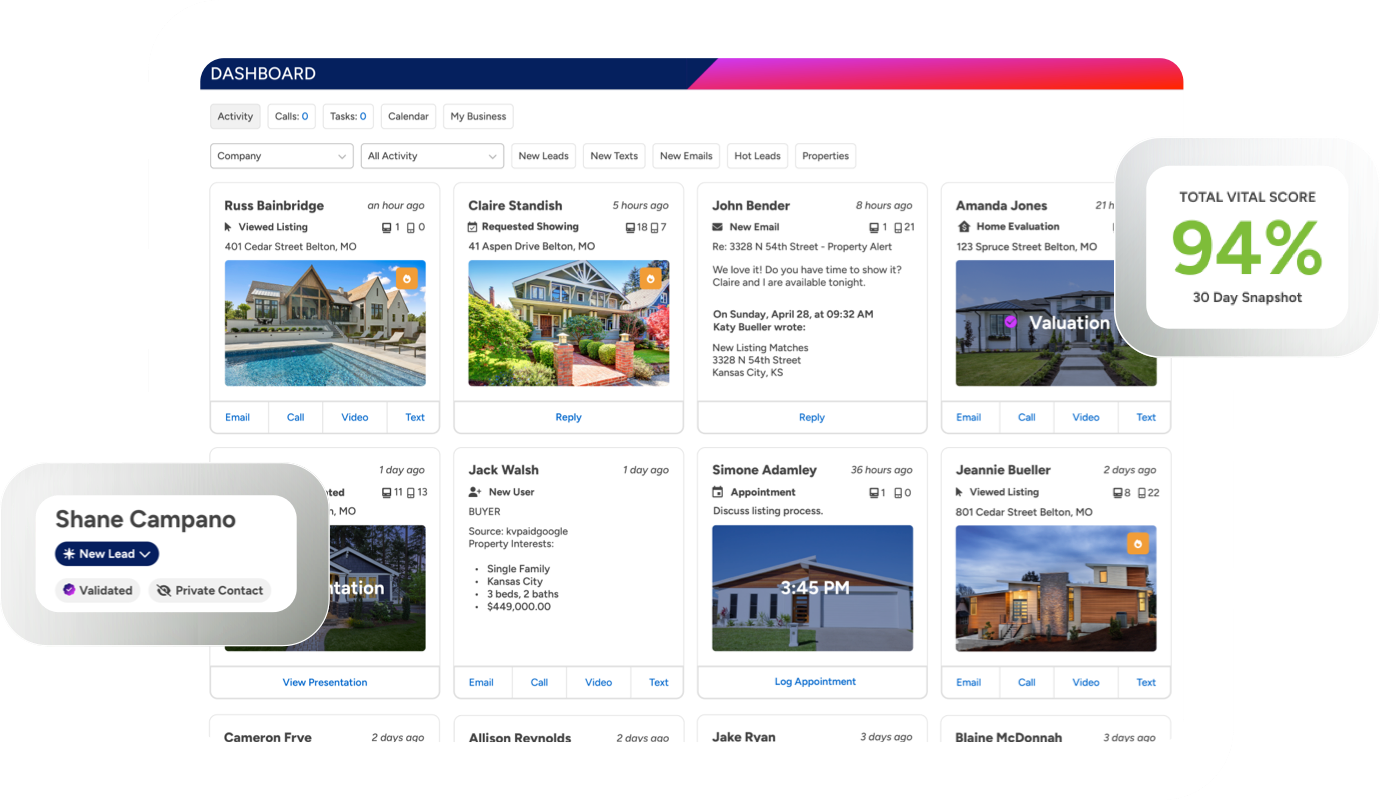
The BoldTrail Features Most Agents Never Touch
Most agents use about 20% of what BoldTrail can do. Here's the automation, lead scoring, and campaign features sitting unused in your account right now.
Most agents using BoldTrail are using maybe 20 percent of what the platform can actually do. They log in, check the dashboard, scroll through their lead list, and log out. Meanwhile the other 80 percent of the platform is sitting there configured to factory defaults, doing nothing, waiting for someone to turn it on.
This is not a criticism. BoldTrail is a genuinely complex system, and when it gets handed to an agent at onboarding, the training usually covers the basics: here is your dashboard, here is your lead list, here is how you send an email. The deeper features rarely get touched because nobody showed anyone they exist.
That is a real problem when those deeper features are the ones that actually differentiate the platform from a basic contact spreadsheet. Here is what most agents are skipping and why it is worth going back to set up.
Behavioral Automation: The Feature That Makes BoldTrail Different
This is the one that separates BoldTrail from most other CRMs on the market, and most agents have no idea it is running. Or more accurately, they have no idea that it is not running as well as it could be because nobody configured it.
BoldTrail's behavioral automation watches what your leads do on your website and responds automatically. According to BoldTrail's marketing automation documentation, when a lead views several properties, the system can automatically send them a text with additional listings. When they save a property as a favorite, it fires an email with similar homes. These are not generic blasts. They are triggered responses based on the specific action the contact just took.
The catch is that these automations need to be turned on and configured correctly. Out of the box, BoldTrail may not be running them the way you want, or running them at all, depending on how your account was set up. Log in and check your Smart Campaign settings. Look at what automations are active on your contact records. If you have leads in your system who are actively browsing properties and you are not receiving behavioral trigger notifications, something is not configured.
This is also the feature that BoldTrail's own team says drives five to ten times higher engagement compared to manual follow-up. That is not a small number. If your lead conversion feels flat, this is the first place to look.

Smart Campaigns: The Follow-Up Library Nobody Opens
BoldTrail comes with a library of pre-built Smart Campaigns covering almost every scenario an agent encounters: new buyer leads, open house follow-up, past clients, seller leads, long-term nurture, and more. These are multi-channel sequences that combine email, text, video messaging, and automated status updates into a single campaign that runs on its own once activated.
Most agents know Smart Campaigns exist. Most agents have never opened the library to see what is in it.
According to BoldTrail's help center documentation, the platform includes complete guides on Smart Campaigns and how to use them for everything from initial lead contact to long-term SOI nurturing. The campaigns can be used as-is or customized with your own messaging. You can also add shared campaigns from other BoldTrail users using sharing tokens, which means you do not have to build every sequence from scratch.
The right move is to spend an hour in the campaign library before your next busy season. Find the three or four campaigns that match your most common lead scenarios, review the messaging, adjust anything that does not sound like you, and activate them. Then when a new lead comes in from a Facebook ad or a Zillow inquiry, the campaign fires automatically and the first week of follow-up handles itself.
If you are also using Follow Up Boss for a different part of your business, it is worth understanding how BoldTrail's campaign automation compares and where the overlap creates redundancy in your stack.
Market Reports and Home Valuation Automations
This one is specifically powerful for agents who do any geographic farming or sphere nurturing, which means it is relevant to most agents reading this.
BoldTrail lets you set up automated branded market reports and home valuation estimates that go out to contacts on a scheduled basis. According to BoldTrail's platform documentation, these reports are hyper-local, pulling real-time data and highlighting active, pending, and recently sold homes in the contact's area. They go out on autopilot with your branding on them, keeping you visible to your sphere every month without you manually sending anything.
The home valuation piece is particularly useful for past clients and sphere contacts who own homes. Once you set it up, they receive a periodic update showing what their home might be worth based on current market conditions. Most homeowners find this genuinely interesting. It is the kind of touchpoint that generates a reply. "Hey, is this accurate? We have been thinking about selling."
That conversation does not happen if you are not sending the reports. Setting up the automation takes about 20 minutes. After that it runs indefinitely until you turn it off or the contact opts out.
For agents building a farming strategy, pairing this with the approach covered in our post on the farming strategy that works when postcards don't turns BoldTrail into a digital farming engine rather than just a contact database.
The Predictive Lead Score and Why You Should Trust It
BoldTrail assigns every contact in your CRM a lead score based on behavioral signals: website activity, email opens, property views, listing saves, search frequency, and recency of engagement. This score is sometimes displayed as a star rating on your contact records. Most agents scroll right past it.
The predictive score is the platform's way of telling you who is actually warming up in your database right now. According to BoldTrail's help center, the system automatically updates scores as contact behavior changes, and agents can also apply manual ratings when they have additional context from a conversation. The combination of behavioral data and agent input creates a prioritized call list that is far more reliable than sorting by last contact date.
If you have 500 contacts in BoldTrail and no system for deciding who to call first, sort by predictive score. Start at the top. The contacts who have been browsing listings in the past two weeks and recently saved three properties in the same neighborhood are not a coincidence. They are telling you something. The platform is translating that behavior into a signal. The question is whether you are reading it.

Playbooks: The Step-by-Step Listing Tool Almost Nobody Uses
BoldTrail has a feature called Playbooks that walks agents through specific business scenarios step by step, using the platform's own native tools at each stage. The most relevant one for listing agents is the Promote a Listing Playbook, which guides you through using BoldTrail's built-in tools to market a new listing from the moment it goes live.
According to BoldTrail's help documentation on Playbooks, the Promote a Listing Playbook covers creating a listing landing page, sending bulk texts and emails to your database, posting to social media with one click, and setting up targeted lead capture campaigns tied to the property. Every step uses tools that are already inside BoldTrail. You are not being told to go use a third-party tool. You are being walked through what the platform already does.
Most agents either do not know this feature exists or assume it is a sales demo gimmick. It is not. It is a systematic checklist for making sure you use more than two of BoldTrail's built-in listing marketing capabilities when you take a new listing. For agents who rely on Canva for listing graphics and manually share everything individually, the Playbook shows you how much of that workflow already exists inside BoldTrail.
Contact Validation and Enrichment
This is a quiet feature that most agents never notice is running, but it is one of the more practically useful things BoldTrail does in the background.
According to BoldTrail's Smart CRM documentation, the platform runs ongoing contact validation that verifies contact information and enriches records with outside data sources including home address, social media profiles, and life events. When a contact's information changes or a new piece of data becomes available, the system updates the record and prompts the agent to follow up at an appropriate time.
In plain language: BoldTrail is watching your database for signals that a contact's life situation has changed. A life event trigger, a new address in the record, a change in social profile information. These are the moments when people move. The platform is designed to surface them before you would ever think to look.
You do not need to configure this one. It runs automatically. But you do need to actually read the follow-up prompts BoldTrail generates from it rather than dismissing them as notifications. Those prompts are not noise. They are the system doing the prospecting work for you and handing you a reason to reach out.
Hashtags for Contact Organization
This one sounds small and it is, but it has an outsized impact on how usable your database becomes over time.
BoldTrail uses hashtags as a tagging and filtering system within the Smart CRM. You can tag contacts with custom hashtags like #seller2026, #openhouse-march, #pastclient, or #farmneighborhood and then filter your entire database by any combination of tags instantly. According to BoldTrail's hashtag documentation, hashtags can also be used to trigger automations, meaning you can set up a Smart Campaign that fires automatically whenever a contact is tagged with a specific hashtag.
The agents who use this feature well treat it like a contact segmentation system. Every new lead gets tagged by source and intent. Every past client gets tagged by transaction year and referral status. When a market shift happens and you want to reach out to a specific subset of your database, you filter by hashtag and you have your list in thirty seconds.
The agents who do not use it have a database full of untagged contacts that all look the same, which means every outreach campaign has to go to everyone or no one.

The Real Problem Is Not the Platform
The most honest review of BoldTrail you will find across G2, Capterra, and Software Advice all say the same thing in different words: the platform is powerful when it is set up intentionally and nearly useless when it is not.
One reviewer put it plainly: agents who treat BoldTrail like a business system rather than just a website or CRM see the results. Agents who never configure their automations, never activate their campaigns, and never segment their database are paying for a very expensive contact spreadsheet.
The fix is not complicated. It is a few hours of setup work that most agents keep putting off because it does not feel like doing real estate. Neither does losing a listing because a lead in your database warmed up and called someone else before you noticed.
If you want help thinking through how BoldTrail fits into a broader tech stack for a California agent, our overview of popular agent tools covers what agents are actually using alongside their CRM. And if you are wondering whether BoldTrail or another platform fits your workflow better, our post on why your CRM is collecting dust and what to do about it covers the adoption problem that affects every CRM, not just this one.
The features are already there. Most of them are already paid for. The only question is whether you are going to use them.

What Zapier Can Do for a Solo Agent With No Admin Support
Zapier connects the apps you already use and automates the tasks you keep forgetting. Here's what that actually looks like for a solo real estate agent.
Here is a Tuesday afternoon scenario that most solo agents will recognize. You have a showing at 2, a contract to review by 4, and three leads sitting in your email from a Facebook ad that ran over the weekend that you have not had time to enter into your CRM. One of them filled out the form on Friday night. It is now Tuesday.
That lead called someone else on Saturday morning.
This is not a hustle problem. It is a systems problem. When every task in your business requires you to manually move information from one place to another, the gaps in your day become the gaps in your pipeline. Zapier closes those gaps without requiring a hire.
Here is what it actually does and how solo California agents are using it right now.
What Zapier Actually Is
Zapier is a no-code automation tool that connects the apps you already use and runs tasks between them automatically. You create a workflow, called a Zap, by defining a trigger and an action. When X happens in one app, Y happens in another. No code required. No technical background needed.
The platform connects with over 7,000 apps including Follow Up Boss, Google Forms, Gmail, Calendly, Google Calendar, Facebook Lead Ads, Slack, and dozens of other tools agents use daily. Once a Zap is live, it runs in the background every time the trigger fires, whether you are in a showing, at the gym, or asleep.
According to Zapier's own data on real estate automation, the most common time drain for agents is manually moving lead information from one source into a CRM, a task that is repetitive, error-prone, and completely automatable. That is the starting point for most agents who build their first Zap, and it rarely stays the only one.
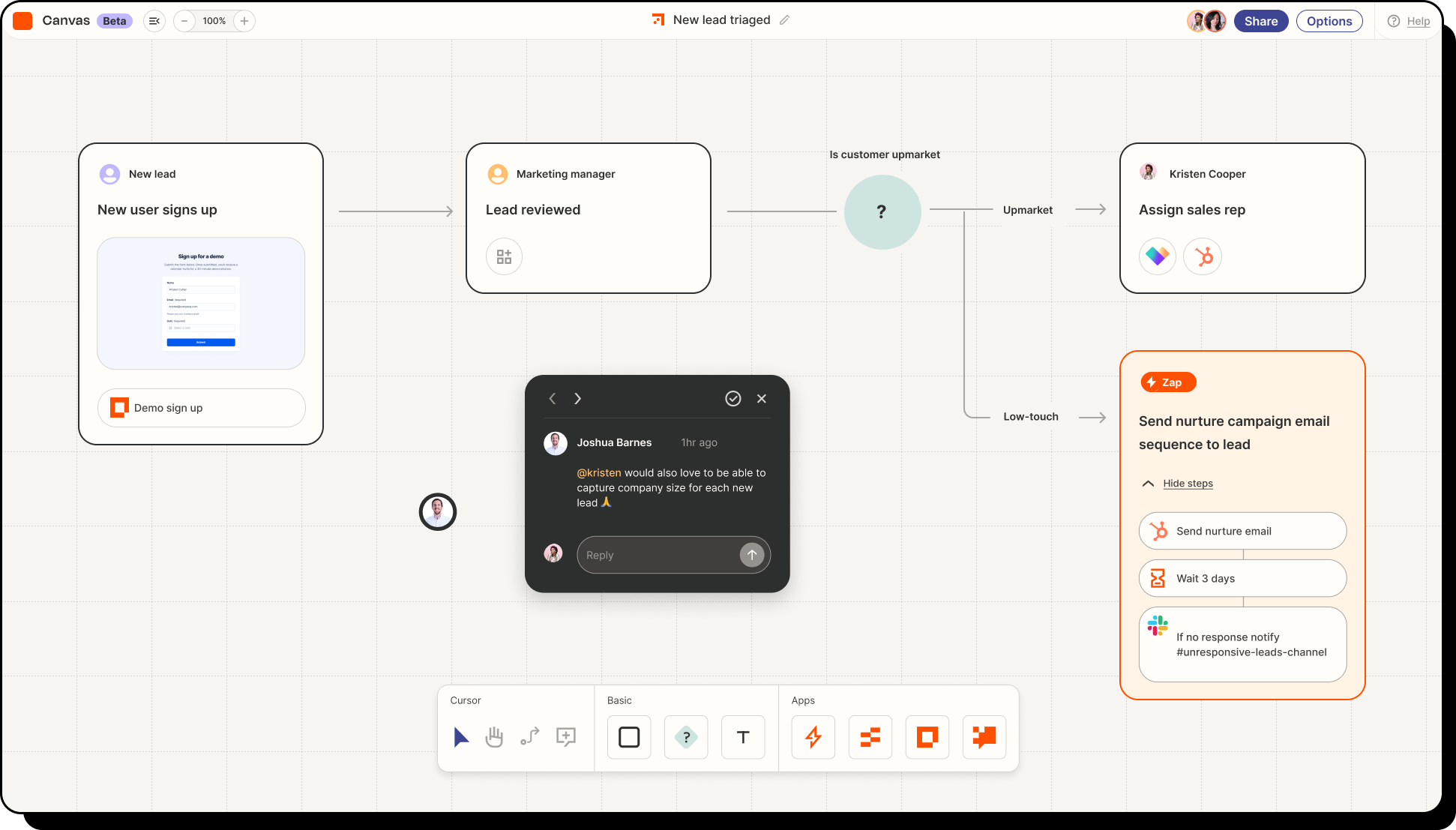
Automation 1: Lead Capture Into Your CRM Automatically
This is the one every agent needs first. You are running Facebook Lead Ads, your website has a contact form, maybe you have a home valuation widget. Each of those sources captures a lead. Without Zapier, you manually check each one and then manually enter that person into your CRM. With Zapier, the moment a form is submitted, the contact is created in Follow Up Boss, tagged by source, and dropped into the right action plan without you touching anything.
According to Zapier's guide to automating Follow Up Boss, you can set up Zaps that pull leads from Facebook Lead Ads, website inquiry forms, Zillow, Realtor.com, and virtually any other lead source and funnel them all into a single CRM automatically. Every lead from every source lands in one place, correctly tagged, ready for follow-up.
The practical result: you open Follow Up Boss in the morning and every lead from the past 24 hours is already there, organized, with source information attached. You spend zero time on data entry and none of your leads age in an email inbox waiting for you to notice them.
For agents already using Follow Up Boss, Zapier's integration with Follow Up Boss is one of the most documented and well-supported in the real estate space. The setup takes minutes and the pre-built Zap templates handle the most common configurations out of the box.
Automation 2: Instant Lead Notification So You Follow Up in Minutes
Capturing a lead automatically is only half the equation. The other half is knowing about it fast enough to do something about it.
Research cited by WiserNotify consistently shows that agents who follow up within five minutes of a new inquiry are ten times more likely to convert that lead than those who respond later. Most solo agents are not checking their CRM every five minutes. Most are in showings, driving, or on the phone.
A Zapier notification Zap solves this. When a new lead enters Follow Up Boss, Zapier fires an SMS or a push notification to your phone with the lead's name, source, and contact information. You see it the moment it happens. You can call from the parking lot before the other three agents they also contacted have even looked at their phones.
According to Zapier's real estate automation hub, cutting lead response time is one of the highest-return automations an agent can build, and it is also one of the simplest. The Zap is two steps: new contact in Follow Up Boss triggers an SMS via Zapier's native SMS tool. Setup time is under ten minutes.
Automation 3: Open House Sign-Ins That Feed Directly Into Follow Up Boss
Open houses generate leads that agents routinely lose. The sign-in sheet gets left on the counter, photographed on a phone, and never entered anywhere. Or it gets entered a week later when the leads have already gone cold.
Follow Up Boss's own help documentation walks through exactly how to build a Google Forms and Zapier integration that captures open house sign-ins and pushes them directly into Follow Up Boss as new leads in real time. The setup requires a Google Form with name, email, and phone fields, a Google Sheet to collect responses, and a Zap that watches that sheet and creates a new contact in Follow Up Boss every time a row is added.
Visitors sign in on your tablet at the open house. By the time you are locking up and putting away the sign, every person who attended already has a Follow Up Boss contact with the open house tagged as their source. Your follow-up sequence fires automatically. You do not write a single name down by hand.
This is one of the automations that solo agents most consistently say changed how they run their business. The open house lead that used to fall through the cracks becomes the call you make from your car on the way home.

Automation 4: Showing Appointment Reminders Without Lifting a Finger
No-shows waste an agent's afternoon. A buyer forgets the time. A seller does not realize you were coming at 3 and leaves the house. A few automated reminders would have prevented all of it, but most solo agents do not have a system for sending them consistently.
Zapier connects Calendly to Google Calendar and Gmail in a way that fires confirmation emails and reminder texts automatically when a showing is booked. The moment a client schedules time on your Calendly link, three things happen without you touching anything: the event drops into your Google Calendar, a confirmation email goes to the client with the address and any showing instructions, and a reminder fires 24 hours before the appointment.
According to Zapier's guide for solopreneurs, automated appointment reminders are consistently one of the highest-impact Zaps for solo operators because the time wasted on no-shows and back-and-forth scheduling is eliminated entirely. One business coach documented cutting their no-show rate significantly after adding a single reminder Zap.
For agents, the downstream effect is just as important. When your calendar automation is reliable, you stop double-booking. You stop forgetting to send the address. You stop arriving at showings where the client has the wrong time. The Zap handles what admin support would have handled.
Automation 5: New Client Onboarding on Autopilot
The moment a new client signs a buyer representation agreement or a listing agreement, a predictable set of things needs to happen: they get a welcome email, they get added to your CRM with the right tags, they get a calendar invite for the kickoff call, and depending on your workflow, they may get a link to your preferred TC intake form.
Without automation, this is a 20-minute manual process that gets done inconsistently and skipped entirely when you are busy. With Zapier, it is a sequence that fires the moment the trigger event happens.
The setup varies depending on what tools you use, but a basic onboarding Zap works like this: when a new client is tagged in Follow Up Boss or a signed document arrives in your email from your e-signature tool, Zapier fires a welcome email from Gmail with your onboarding information, creates a task in your CRM for the kickoff call, and adds the client to your preferred email list for buyer or seller content. The whole sequence runs automatically while you are at the signing table.
For agents working with a transaction coordinator, this is also where the handoff can be automated. A Zap can notify your TC the moment a new transaction is tagged in Follow Up Boss, sending them the client name, property address, and relevant notes without you having to make a separate call or send a separate email. Our page on what a transaction coordinator does covers what that handoff looks like when it works well.
How Much Does Zapier Cost and Is It Worth It
Zapier has a free plan that allows up to 100 tasks per month across five single-step Zaps. For a solo agent just starting out with two or three automations, the free plan is enough to get meaningful value immediately.
The Starter plan runs around $19.99 per month and unlocks multi-step Zaps, which is where the real power sits. The open house flow, for example, requires multiple steps: watch the Google Sheet, create the contact in Follow Up Boss, tag the contact, fire the action plan. That is a multi-step Zap that requires a paid plan.
For context, according to Zapier's case study on Realty Investment Advisors, the team cut their lead follow-up time by 90% after building their automations. For a solo agent who closes ten transactions a year at an average California commission, saving even one lead that would have gone cold is worth multiples of the annual Zapier subscription.
The question is not really whether Zapier is worth it. The question is whether your current manual process is costing you more than $20 a month in missed leads and wasted time. For most solo agents, the answer is obvious.
Where to Start If You Have Never Used It
The most common mistake agents make with Zapier is trying to build too much at once. Pick one problem. The lead that sits in your email too long. The open house sign-in that never makes it into your CRM. The showing confirmation you forget to send. Start there.
Build one Zap. Test it with real data. Watch it run for two weeks. Then build the next one.
Zapier's real estate automation page has pre-built templates for most of the common agent workflows, which means you are not starting from a blank screen. Many of the Zaps described in this post can be cloned from existing templates and customized in under ten minutes.
If you are already using Follow Up Boss, start with the Facebook Lead Ads to Follow Up Boss Zap. It is the most immediate value, the simplest setup, and the one that will make you wonder how you ever ran without it.
Once your automations are running, the time you get back goes somewhere worth spending. More conversations with clients. More showings. More time building the referral relationships covered in our post on how to turn every failed transaction into three future referrals. Automation does not replace the relationship part of real estate. It clears the path to it.

Why Your CRM Is Collecting Dust (And What to Do About It)
Your CRM cost hundreds. You used it for a month. Now it's digital furniture. Here's how to stop the cycle and make your software actually earn its keep.
The Expensive Software Graveyard Most Agents Won't Admit To
Somewhere on your laptop, there's a CRM you paid for. Maybe it was Follow Up Boss. Maybe Lofty. Could be one of those all-in-one platforms that promised to revolutionize your business during a webinar you watched at 11 PM after a deal fell through.
You set it up on a Sunday. Imported your contacts. Watched three tutorial videos. Felt productive.
That was four months ago.
Now? You check it occasionally. When you remember. Which isn't often. Your leads live in a spreadsheet again. Or worse, scattered across sticky notes, text threads, and that one Gmail folder you optimistically labeled "HOT LEADS 2024."
You're not alone. According to Salesforce research, CRM adoption rates hover around 26% for many industries. Real estate likely sits lower. We buy software like gym memberships. Full of January energy. Gone by March.
The money isn't even the worst part. It's the creeping suspicion that maybe you're just not a "systems person." That other agents have some organizational gene you missed. That you'll always be chasing leads through chaos while everyone else glides through automated workflows.
Here's the thing. The software isn't broken. Your approach to implementing it probably is.

The 90-Day Abandonment Problem
Let's talk about what actually happens when agents buy CRM software.
Week one feels great. Everything is new. You're clicking around, discovering features, telling yourself this changes everything. Maybe you even add a few contacts manually, just to see how it works.
Week two, reality hits. You realize migrating your existing database means cleaning it first. That spreadsheet from 2019 has duplicates. Dead emails. People you genuinely don't remember meeting. The import fails twice.
Week three, you're busy. A listing came in. Two showings. The CRM sends you reminder emails you start ignoring. You meant to set up those drip campaigns but there's no time.
Week four, you've developed a new system. It involves ignoring the CRM completely and going back to whatever janky process you used before. At least that one you understood.
This pattern repeats across the industry constantly. The National Association of Realtors reports that while most agents own technology tools, actual utilization tells a different story. Owning software and using software are very different things.
The problem isn't motivation. Most agents genuinely want better systems. The problem is that CRM implementation gets treated as an event instead of a process. You don't "set up" a CRM once. You build a relationship with it over months. Which sounds annoying. Because it is. But it's also true.
The Real Reason Software Fails
Software companies have a dirty secret. They design for features, not for habits.
Every CRM demo shows you the final state. The dashboard with all your leads perfectly organized. The automated sequences running smoothly. The pipeline view that makes your business look like a Fortune 500 company.
What they don't show you is the three months of consistent daily input required to get there. The boring work of entering data after every showing. The discipline of tagging contacts correctly. The tedium of writing those drip email sequences yourself.
BoldTrail looks incredible in a demo. So does every other platform in the CRM category. But a demo shows capability, not implementation. It shows what the software can do, not what you'll actually do with it.
The agents who succeed with CRM software share one trait. They start smaller than feels reasonable. Instead of trying to use every feature, they pick two or three. Instead of importing their entire database, they start with active leads only. Instead of building complex automations, they master manual entry first.
This feels counterintuitive. You paid for all those features. Why not use them? Because features you don't use aren't free. They're distracting. Every button you don't understand is cognitive load. Every menu you haven't explored is a reminder that you're not getting your money's worth.
Simplicity first. Complexity earned.
Choosing the Right CRM for Your Actual Workflow
Here's a question most agents skip: what do you actually need software to do?
Not what sounds impressive. Not what successful agents on Instagram claim to use. What do you, specifically, need help with?
Some agents struggle with follow-up. They meet leads, the leads disappear, months later they see the same people bought with someone else. For these agents, a CRM with strong reminder and task features matters most. Something like Follow Up Boss built its reputation on exactly this.
Other agents have plenty of follow-up discipline but drown in lead sources. Zillow leads, website leads, referrals, open house sign-ins. Different origins, different temperatures, all needing different approaches. These agents need strong lead routing and source tracking.
Some agents run teams. Now you're talking about lead distribution, accountability tracking, and performance analytics. Different beast entirely.

The mistake is buying software for the agent you want to become instead of the agent you are. If you're a solo agent doing 15 transactions a year, you don't need enterprise features. You need something you'll actually open daily.
The California Association of Realtors offers resources on technology adoption, and their consistent advice centers on matching tools to actual needs, not aspirational ones.
Think about your last five closed transactions. Where did those clients come from? How did you stay in touch with them? What almost fell through the cracks? Your CRM should address those specific gaps. Everything else is noise.
The Minimum Viable CRM Setup
Forget the 47-step implementation guide. Here's what actually needs to work:
Contact storage with search. You need to find people quickly. By name, by source, by neighborhood, by whatever tags make sense for your business. If you can't retrieve information fast, you won't input it at all.
Task reminders you'll actually see. This means connecting to whatever system you already check. Calendar integration. Mobile notifications. Email reminders if you're old school. The reminder only works if it reaches you in a place you already look.
Basic activity logging. When did you last contact this person? What did you discuss? This doesn't need to be elaborate. Date and one sentence. But it needs to exist somewhere other than your memory.
That's it. Three things. Everything else, the drip campaigns, the automated texts, the AI-powered insights, the fancy pipeline views, all of it can come later. Or never. Plenty of successful agents run businesses on contact storage, reminders, and activity logs alone.
The productivity tools that actually stick in real estate tend to nail these basics before adding complexity. Notion works for some agents precisely because it's so flexible. You can build exactly what you need without features you don't.
Start with minimum viable. Expand only when you're actually using what you have.
Integration: The Secret Weapon Nobody Uses
Your CRM exists in an ecosystem. Email. Calendar. Transaction management platforms. Marketing tools. Lead sources. The magic happens when these talk to each other.
But most agents treat each tool as an island. They manually copy information between systems. They enter the same contact in three places. They wonder why "digital" somehow created more work instead of less.
Zapier changed this for a lot of businesses. One new lead from your website automatically creates a CRM contact, adds a task, and sends you a text. That's three manual steps eliminated. Multiply by hundreds of leads per year.
The transaction side matters too. When you're using Skyslope or Dotloop for your files and a separate CRM for contacts, those systems should communicate. Client closes? CRM should know. Automatically. Your transaction coordinator can help set up these workflows if you're working with someone who understands the tech side.

At Relaxed Agent, we work within whatever platform you use. Skyslope, Dotloop, Brokermint, others. This flexibility exists because we've seen how important it is for tools to work together. The agents drowning in admin often have capable software. They just have it siloed.
Integration sounds technical. Sometimes it is. But often it's just connecting two accounts through a settings menu. Most modern software expects this. You just have to actually do it.
When to Upgrade vs. When to Simplify
The software industry wants you to upgrade. More features. Higher tier. Annual instead of monthly. Enterprise instead of professional.
Sometimes upgrading makes sense. You've outgrown your current tool. You're hitting limits that actually affect your business. Your team needs functionality the starter plan doesn't offer.
More often, though, agents upgrade hoping new features will solve implementation problems. They won't. If you're not using the basic CRM, you won't use the premium CRM. You'll just pay more to not use it.
Here's a test: are you using at least 60% of your current plan's features regularly? Regularly meaning weekly at minimum? If yes, and you're genuinely limited by what's available, upgrade. If no, you don't have a features problem. You have a habits problem.
Sometimes the answer is simplifying instead. Downgrading to a cheaper plan that does less but does it well. Cutting tools that overlap. Consolidating to fewer platforms.
The all-in-one platforms appeal exactly because they reduce complexity. One login. One system. One place to learn. For agents drowning in software subscriptions, consolidation can be more valuable than any new feature.
HubSpot's research consistently shows that simpler systems see higher adoption. The best software is the software you'll use. Not the software with the longest feature list.
Making It Stick: Building the Habit
Software success is behavior design. Here's what actually works:
Attach CRM use to existing habits. You already check email every morning. Add five minutes of CRM review immediately after. Don't make it a separate task. Make it an extension of something you do automatically.
Set a daily minimum so low it's embarrassing. One contact updated. One note added. One task completed. That's it. You'll often do more once you start. But the minimum keeps the streak alive when you're busy.
Schedule weekly reviews. Friday afternoon. Fifteen minutes. What leads came in? What follow-ups happened? What got ignored? This isn't about guilt. It's about awareness. You can't fix what you don't see.
Make your CRM visually present. Browser tab always open. Phone app on the home screen. The more friction between you and the software, the less you'll use it.
Atomic Habits by James Clear covers this better than any business book. The principles apply directly. Make it obvious, attractive, easy, and satisfying. Your CRM can be all four if you set it up right.
The agents at busy brokerages who maintain clean databases aren't more disciplined. They have better systems. They've reduced the friction until the right behavior requires less effort than the wrong one.
Your digital strategy depends on this foundation. The fanciest marketing means nothing if leads disappear into a system you don't check. Everything downstream relies on the CRM actually working.
The Question You Need to Answer Honestly
Pull up your CRM right now. Or open a new tab and try.
When did you last log in? Not "check a notification." Actually log in and do something. Update a contact. Complete a task. Add a note.
If the answer is "today" or "yesterday," you're in good shape. Keep building on what's working.
If the answer involves counting weeks or months, you have a decision to make. Either commit to the minimum viable approach outlined above, starting tomorrow morning, or cancel the subscription and stop pretending.
There's no shame in admitting a tool isn't working for you. The shame is in paying for something you ignore while telling yourself you'll start using it eventually. Eventually never comes.
The agents who close deals consistently aren't smarter. They just have systems that work. Systems they actually use. Every single day. Even when they don't feel like it. Especially when they don't feel like it.
What's it going to be?

Enhance Your Real Estate Website with Elfsight: A Complete Guide for Agents
Discover how Elfsight widgets, including Zillow reviews, can transform your real estate website with interactive features that captivate visitors and generate leads.
In the competitive world of real estate, your website is more than just an online presence—it’s a tool to build trust, attract leads, and ultimately close deals. But simply having a website isn’t enough; it needs to be engaging, functional, and tailored to your clients’ needs. That’s where Elfsight comes in. Elfsight is a software platform that offers a collection of widgets designed to enhance website functionality and user engagement. From contact forms to Zillow reviews, Elfsight’s tools can elevate your site, making it a magnet for prospective clients.
What is Elfsight? An Overview for Real Estate Agents
Elfsight is a platform that offers customizable widgets, which are small applications you can easily add to your website. These widgets provide additional features that enhance your site’s user experience, from social media feeds and maps to lead capture forms and client testimonials. The best part? You don’t need to be a tech wizard to install or customize them. Real estate agents with any level of tech experience can add Elfsight widgets to their site and instantly boost engagement.
Why Elfsight for Real Estate?
Elfsight offers solutions specifically helpful for real estate needs—lead capture, social proof, and easy-to-navigate listings. In a few clicks, you can turn a basic website into a fully interactive tool, engaging visitors and encouraging them to stay longer and reach out.
Benefits of Elfsight Widgets for Real Estate Websites
Here’s how Elfsight helps real estate professionals enhance their online presence:
- Enhanced User Experience: Widgets make websites more interactive and user-friendly, which can improve visitor engagement.
- Boosts Credibility with Trusted Reviews: Testimonials and review widgets provide social proof, with the All-In-One widget displaying Zillow reviews alongside Google reviews and more, which builds credibility with potential clients.
- Lead Generation Tools: Contact forms, booking tools, and interactive listings convert more visitors into leads.
- SEO and Engagement: Widgets like maps, reviews, and social media feeds keep visitors on your site longer, which can improve SEO.
For real estate agents, these benefits translate to higher site engagement, more inquiries, and better client conversion rates.
Key Elfsight Widgets That Add Value to Real Estate Sites
Elfsight offers a variety of widgets, but here are a few that work particularly well for real estate websites:
Contact Form & Pop-Ups
An accessible contact form is essential for lead generation. Elfsight’s Contact Form and Pop-Up widgets make it easy to capture potential clients’ information. You can use these forms to collect emails, phone numbers, and even detailed property interests. Pop-up forms also work well for time-sensitive messages, like “Contact us for a free home valuation this month!”
- Why It’s Useful: Contact forms reduce the friction for potential clients who want to reach out, making it more likely that they’ll get in touch.
- Where to Place It: Add a static form to your homepage and consider a pop-up for high-traffic pages to maximize lead capture.

Google Reviews & Testimonials, Including Zillow Reviews with the All-In-One Widget
For real estate agents, social proof is invaluable. Elfsight’s All-In-One Reviews widget is a powerful tool that allows you to showcase reviews from multiple platforms, including Zillow, Google, and Facebook. Zillow reviews, in particular, hold significant weight with real estate clients, giving them confidence in your experience and service.
- Why It’s Useful: Showcasing Zillow reviews builds credibility, as prospective clients trust Zillow as a source for reliable agent feedback.
- Where to Place It: Display the reviews prominently on your homepage or a “Client Testimonials” page to maximize trust and reassurance.
Instagram & Social Media Feeds
Real estate is highly visual, and social media—especially Instagram—is the perfect platform to showcase properties and recent sales. The Elfsight Instagram and Social Feed widgets allow you to seamlessly display your social media content on your website, giving visitors a real-time look at your listings and activity.
- Why It’s Useful: A live social media feed gives visitors a snapshot of your brand and portfolio without leaving your site.
- Where to Place It: Showcasing your feed on the homepage or an “Our Portfolio” page lets clients see your properties and personality immediately.
Interactive Maps
Real estate is all about location, and Elfsight’s Map widget lets you showcase your service areas or specific property locations. You can customize pins and labels, helping visitors get a sense of the neighborhoods where you operate.
- Why It’s Useful: Maps give context to your listings, helping clients understand proximity to schools, parks, and amenities.
- Where to Place It: Use it on listing pages or a “Service Areas” page to give clients a clear view of your market.
.jpeg)
How to Integrate Elfsight Widgets into Your Website
Getting started with Elfsight is straightforward, even for those without technical skills:
- Sign Up for Elfsight: Visit Elfsight and create an account. They offer a variety of plans, including a free option to test their widgets.
- Choose and Customize Your Widget: Select your widget, adjust the appearance and functions, and preview it.
- Get the Embed Code: Copy the generated code for the widget you created.
- Add the Code to Your Website: Paste the code into your site’s HTML section. Platforms like WordPress, Wix, and Squarespace have easy options for embedding code, so this step should be quick.
Practical Tips for Getting the Most Out of Elfsight
Elfsight widgets are versatile, but to truly benefit from them, consider these tips:
- Optimize Widget Placement: High-value widgets like reviews and contact forms should be easily visible. Place them where users naturally look, such as the top of the homepage or alongside content on high-traffic pages.
- Use Pop-Ups Wisely: Avoid overwhelming visitors with pop-ups. Instead, set them to appear at strategic moments, like after a certain amount of time on the site or when a visitor reaches the bottom of a page.
- Test for Best Results: Experiment with widget placement and designs to see what generates the best engagement. Google Analytics can help you track which pages see higher interaction rates, guiding you in optimizing your setup.
- Update Regularly: Keep your widgets current by adding fresh content, such as new Instagram posts, reviews, and listings. Active, up-to-date content reflects a thriving, engaged business.
Taking Your Real Estate Website to the Next Level with Elfsight
Elfsight makes it easy for real estate agents to add dynamic, engaging elements to their websites. From social media feeds and reviews to property listings and contact forms, these widgets make your site more interactive and effective at capturing leads. With a few simple integrations, you can turn your website into a client-attracting powerhouse that showcases your properties, builds credibility, and keeps visitors coming back.
Ready to make your site stand out? Elfsight’s widgets, especially the All-In-One Reviews widget with Zillow integration, can transform your real estate website into an engaging, lead-generating platform that clients will trust and remember.

Why Every Real Estate Agent Should Prioritize Website Accessibility with UserWay
Real estate agents need accessible websites to grow their business. Learn why UserWay is the perfect tool for ensuring ADA compliance and inclusivity.
It’s 2024, and your real estate website is more than just an online business card - it’s the first stop for home buyers and sellers to get to know you. But here’s the thing: If your site isn’t accessible, you’re missing out on a massive segment of the market. More importantly, you could be violating the Americans with Disabilities Act (ADA) and setting yourself up for legal troubles.
Real estate agents work with diverse clients, many of whom may have disabilities. Whether it’s visual impairments, hearing difficulties, or mobility challenges, ensuring your website is usable by everyone isn’t just a nice-to-have feature - it’s crucial for inclusivity and compliance. That’s where UserWay comes in. This tool makes it easier than ever to make your real estate site accessible to everyone, ensuring you’re not alienating potential clients or breaking any laws.
By the end of this article, you’ll understand why accessibility matters and how UserWay can help you grow your business while keeping it compliant.
The Importance of Website Accessibility in Real Estate
Accessibility isn’t just a buzzword - it’s a legal and ethical responsibility, especially in real estate, where you're serving a broad and diverse audience. By making your website accessible, you’re ensuring that everyone, regardless of their abilities, can easily navigate, understand, and engage with your content. Think about it this way: if a potential client with a visual impairment can’t use your site, they might just turn to another agent whose site is more user-friendly.
But accessibility goes beyond being the right thing to do. It’s also a legal requirement under the Americans with Disabilities Act (ADA). Many businesses, including real estate agents, have faced lawsuits for failing to make their websites compliant. The law requires websites to be accessible to all, and not doing so could lead to costly fines, legal battles, and even a damaged reputation.
Moreover, inclusivity can expand your audience. According to the World Health Organization, more than 1 billion people live with some form of disability. By making your real estate site accessible, you are widening your potential client base and opening the door for more leads, listings, and referrals. It’s a win-win: you’re helping people who need it, and you’re growing your business in the process.
What is UserWay?
So, how can you make your website accessible without becoming an expert in coding or ADA compliance? Enter UserWay.
UserWay is an easy-to-use accessibility solution that automatically updates your website to make it compliant with international standards, including the Web Content Accessibility Guidelines (WCAG). It’s like having an accessibility expert working behind the scenes, ensuring your site is usable for all.
The beauty of UserWay is its simplicity. With just a few lines of code or a simple plugin installation (depending on your website platform), you can activate UserWay’s powerful accessibility features. Here are some of the key tools UserWay provides:
- Screen Reader Support: Ensures that all text, images, and interactive elements are readable and navigable by screen readers, which are vital for users with visual impairments.
- Keyboard Navigation: Allows users who can’t operate a mouse to navigate your site using only their keyboard.
- Color Contrast Adjustments: Automatically improves color contrast to ensure that text and buttons are visible to users with visual impairments or color blindness.
- Text Enlargement and Spacing Tools: Helps users with low vision or cognitive disabilities by allowing them to adjust font size, letter spacing, and line height.
These features work together to make your real estate website accessible to a broader audience. The best part? UserWay constantly updates itself to meet changing accessibility standards, so you’re always compliant without needing to stay on top of every new law or regulation.

How UserWay Benefits Real Estate Websites
For real estate agents, UserWay isn’t just a tech tool; it’s a business investment. Let’s explore how UserWay’s features can help your real estate business specifically:
- Engaging a Broader Client Base: Homebuyers and sellers come from all walks of life. Making your website accessible ensures that people with disabilities (whether it’s a visual impairment, mobility issue, or learning disability) can interact with your listings, get in touch, or read your blog without any issues. It makes your services available to a much larger audience.
- Enhancing Property Listings: The main attraction of any real estate website is the property listings. With UserWay, users can zoom in on text, adjust color contrast to view images better, or use a screen reader to listen to property descriptions. This gives potential buyers the freedom to browse listings in a way that suits their needs.
- Mobile Accessibility: With more and more homebuyers searching for properties on their smartphones, ensuring your mobile site is accessible is crucial. UserWay’s tools work just as well on mobile devices, ensuring that no matter how clients access your site, they have a seamless experience.
- Improving Overall Usability: Even for users without disabilities, accessibility features can enhance the overall experience. The improved navigation, better contrast, and easy-to-read text that UserWay offers make your website more user-friendly for everyone. And we all know that a better user experience leads to longer site visits, higher engagement, and ultimately more conversions.
By making these small adjustments with UserWay, you’re creating a more inclusive, effective, and appealing website for your clients. Whether they’re browsing listings, reading market updates, or reaching out to you for more information, they’ll appreciate how easy it is to use your site.
ADA Compliance and Real Estate: Why It Matters
If you’re still on the fence about making your website accessible, let’s talk about one critical factor: compliance.
As a real estate agent, you're probably familiar with the concept of ADA compliance in physical spaces, like ramps and elevators. But did you know that these rules apply online too? Websites are considered public spaces under the ADA, which means they need to be accessible to everyone, including individuals with disabilities. Failing to make your website compliant can lead to lawsuits, and the real estate industry has already seen its share of legal actions over non-accessible sites.
Here are a few reasons why compliance matters in real estate:
- Legal Protection: Lawsuits related to web accessibility are on the rise. Ensuring your site is ADA compliant means you can avoid costly legal issues, which can run into tens of thousands of dollars in settlements and legal fees.
- Reputation Management: Clients appreciate businesses that care about inclusivity. By making your website accessible, you’re showing that you value all clients, regardless of their abilities. This boosts your reputation and can help you stand out in a competitive market.
- Staying Ahead of the Curve: While not all countries have strict digital accessibility laws, the trend is moving toward universal standards. Getting your website in compliance now means you’re ahead of the curve and won’t be scrambling when new regulations take effect.
Making your website ADA compliant with UserWay is not just about avoiding penalties; it’s about making sure your business is open to all and ensuring that your online presence is as professional and accommodating as your in-person service.

SEO and User Experience Benefits of Accessibility
Did you know that making your website accessible doesn’t just benefit users with disabilities? It also has some serious SEO perks. That’s right - improving your website’s accessibility can actually boost your search engine rankings.
Here’s how it works:
- Improved Website Structure: Accessibility features like proper heading structures, alternative text for images, and clear navigation not only help screen readers but also make it easier for search engines like Google to crawl your site. This can lead to better indexing and, in turn, higher rankings.
- Reduced Bounce Rate: When your website is easy to navigate, more people stick around. An accessible website ensures that users - whether they have disabilities or not - can find what they need quickly and easily. When users spend more time on your site and interact with more pages, Google notices, and it can positively impact your rankings.
- Faster Load Times: Many accessibility best practices, such as optimizing images and reducing unnecessary site elements, also improve load times. Faster websites are favored by search engines and provide a better overall user experience, especially on mobile devices.
In other words, accessibility isn’t just about compliance; it’s about creating a user-friendly environment that search engines love. The more accessible and usable your site is, the more likely it is to rank higher in search results, bringing in more traffic and potential clients.
Step-by-Step: Implementing UserWay on Your Website
If you’re ready to get started with UserWay and make your website accessible, the good news is that it’s a simple process. You don’t need to be a tech guru to make it happen.
Here’s a quick guide to integrating UserWay into your real estate website:
- Sign Up for UserWay: Head over to the UserWay website and sign up for an account. They offer various pricing plans depending on the size and needs of your site.
- Install the UserWay Widget: Once you’ve signed up, you’ll receive a small snippet of code to add to your website. If you’re using popular platforms like WordPress, Wix, or Squarespace, UserWay provides plugins or simple integration options to make this even easier.
- Customize Your Accessibility Settings: After installation, you can customize the widget to suit your website’s needs. You can adjust settings like contrast, text size, and enable specific features like screen reader support and keyboard navigation.
- Test Your Website: Once UserWay is live, make sure to test your site. Try navigating it as a user with a disability might. Test out the color contrast, zoom functions, and keyboard navigation to ensure everything is working smoothly.
- Stay Updated: UserWay continuously updates its features to meet evolving accessibility standards. Keeping your website in compliance is an ongoing process, but the good news is that UserWay does most of the heavy lifting for you.
By following these steps, you’ll have an accessible, compliant real estate website up and running in no time. It’s a small effort that makes a big difference to your business and your users.
Why UserWay is a Game-Changer for Real Estate Agents
As the real estate world moves increasingly online, making sure your website is accessible to everyone should be a top priority. Not only is it a legal obligation under the ADA, but it’s also a smart business move that can expand your audience, improve your SEO, and create a better user experience for everyone who visits your site.
Tools like UserWay make accessibility easy. By adding a simple widget to your site, you can ensure that your real estate business is compliant, inclusive, and set up to serve every potential client who comes your way. In an industry where relationships are key, making your website accessible sends a clear message: you’re here to help everyone, regardless of their abilities.
So, why wait? Embrace accessibility today and watch as it opens new doors — both for your clients and your business.

Mastering Your Day: Time Management Tools for Real Estate Agents
Learn which time management tools can help real estate agents maximize productivity, organize tasks, and work smarter.
Time is one of the most valuable resources for real estate agents. With showings, client meetings, paperwork, and prospecting, it’s easy to feel overwhelmed. But what if you could have a more productive day without working longer hours? That’s where the right time management tools come in. In this guide, we’ll explore how to effectively use these tools to optimize your schedule, prioritize tasks, and reclaim some of your valuable time.
Why Time Management Matters for Real Estate Agents
Real estate isn’t your typical 9-to-5 job. You’re constantly on the go, meeting clients, showing properties, attending inspections, and handling a million little details. With so much to juggle, it’s easy to feel like you’re always one step behind. But mastering time management isn’t just about fitting more into your day—it’s about using your time smarter so you can stay ahead.
Good time management helps you prioritize the most critical tasks, avoid burnout, and even carve out more time for yourself and your family. Let’s look at some tools that can make managing your day a breeze.
1. Calendar Tools to Keep You on Track
Your calendar is your best friend when it comes to managing your time effectively. But a simple pen-and-paper calendar doesn’t cut it anymore. Consider these digital options to streamline your schedule:
- Google Calendar: Syncs across all your devices, making it easy to update on the go. Use color-coding for different types of activities—client meetings in blue, showings in green, and personal time in yellow.
- Calendly: Need to schedule appointments without the back-and-forth emails? Calendly lets clients and prospects book meetings during your available time slots. Plus, it integrates seamlessly with Google Calendar.
- Outlook Calendar: If you’re already using Outlook for emails, their calendar feature can help keep all your work-related events in one place.
Pro Tip:
Schedule buffer times between appointments to give yourself a break or allow for travel time. It helps prevent your day from getting too crammed and allows for flexibility if meetings run over.
2. Task Management Tools for Staying Organized
Keeping track of all your tasks can be a challenge. Between client follow-ups, research, and paperwork, it’s easy for something to slip through the cracks. Here are some task management tools to keep everything in check:
- Trello: A visual project management tool that uses boards, lists, and cards to organize tasks. It’s perfect for tracking each step of a property sale or keeping tabs on multiple clients at once.
- Asana: Offers a more detailed project management experience, allowing you to assign tasks to specific days and team members. It’s a great option if you work with a team or assistant.
- Todoist: A simple to-do list app that helps you set priorities. Break larger tasks into smaller subtasks to make your day feel more manageable.
Pro Tip:
Start your day by organizing your to-do list based on priorities. Tackle the most important or time-sensitive tasks first, so you’re not scrambling later.

3. Communication Tools for Client Follow-Ups
Consistent communication is key in real estate, but it can also be incredibly time-consuming. Thankfully, these tools can help automate follow-ups, send reminders, and manage conversations, so you don’t have to:
- Boomerang for Gmail: Allows you to schedule emails to be sent later or set reminders if someone doesn’t reply. This way, nothing falls through the cracks.
- Follow Up Boss: A CRM specifically designed for real estate agents that automates follow-ups, integrates with your email, and helps keep track of conversations across various platforms.
- Slack: If you work with a team, Slack can streamline internal communication, allowing for quick updates without clogging your email inbox.
Pro Tip:
Set specific times throughout the day to check emails and messages. Responding immediately to every email can be a huge productivity drain.
4. Time-Tracking Apps to Identify Time Wasters
You might feel busy all day, but are you using your time effectively? Time-tracking tools can help identify where your time is going and highlight areas where you could be more efficient.
- Toggl: Allows you to track how much time you spend on specific tasks and provides reports to help you analyze your productivity.
- RescueTime: Runs in the background and provides insights into how you’re spending your time on your devices. It’s great for identifying time-wasting activities or apps.
- Clockify: A free time tracker that also allows you to set project-specific hours, which is useful if you want to see how much time you’re spending on various client activities.
Pro Tip:
Use time-tracking tools for a week to identify patterns in your workday. Once you know where your time is going, you can set specific goals—like reducing time spent on low-priority tasks.
Conclusion: Work Smarter, Not Harder
Mastering your time as a real estate agent doesn’t have to be a struggle. With the right tools in place, you can focus more on what matters—whether that’s growing your business, closing more deals, or just having a little more time to relax. Give some of these tools a try and see how they can help you take control of your day and boost your productivity.

Top 7 Tech Tools Every Real Estate Agent Needs in 2024
Stay ahead of the curve with these 7 essential tech tools for real estate agents in 2024, featuring BoldTrail, formerly known as kvCORE.
Keeping up with the latest technology can be overwhelming—especially for real estate agents juggling client meetings, property showings, and transactions. But with the right tools in place, you can streamline your workflow and gain a competitive edge in 2024. Let’s dive into the top 7 tech tools that will elevate your real estate game this year.
1. CRM Software: Centralize Your Client Management
A powerful CRM (Customer Relationship Management) tool is a must-have for any successful agent. In 2024, the spotlight is on BoldTrail (formerly known as kvCORE), alongside other top contenders like Follow Up Boss and LionDesk. BoldTrail offers a complete suite of CRM, marketing automation, and lead generation tools, all from a single dashboard. The intuitive design and AI-powered features make it easier to track leads, nurture relationships, and convert prospects into clients.
Why You Need It: CRMs help you stay organized, manage your pipeline, and automate tasks, giving you more time to focus on what matters most—your clients.
2. Transaction Management Software: Streamline the Paperwork
Transaction management platforms like Dotloop, Disclosures.io, SkySlope, and Brokermint are essential for handling documents, tracking compliance, and collaborating with your team. These tools simplify the transaction process by offering e-signatures, document storage, and automated workflows. Whether you're dealing with one transaction or fifty, these tools help ensure everything stays on track.
Key Benefits: Reduce administrative burdens, minimize errors, and keep your documents secure—all while providing clients with a seamless experience.
3. Virtual Tour Platforms: Create Immersive Property Experiences
Virtual tours are now a cornerstone of property marketing, offering buyers a chance to explore homes from anywhere in the world. Tools like Matterport and Asteroom enable agents to create stunning 3D tours that showcase a property’s unique features. With just a few clicks, prospective buyers can "walk" through homes, examine rooms, and visualize their future space.
Pro Tip: Pair virtual tours with video walk-throughs and drone footage to provide an even richer viewing experience.
4. Lead Generation Platforms: Capture More Prospects
Lead generation can make or break your business, and it’s critical to have a solid strategy in place. Platforms like BoldTrail (formerly kvCORE), Zillow Premier Agent, and Real Geeks excel at generating quality leads. BoldTrail’s AI-driven lead generation and nurturing capabilities make it stand out, ensuring you connect with the right buyers and sellers at the right time.
Why It Matters: Capture more leads and optimize your ad spend to attract serious buyers and sellers.

5. Social Media Management Tools: Boost Your Online Presence
Consistent social media engagement is crucial in real estate. Tools like Hootsuite, Buffer, and Later allow you to manage multiple social platforms, schedule posts, and track engagement—all in one place. This ensures your brand stays active, your followers stay engaged, and your posts reach a broader audience.
Extra Tip: Use analytics to understand which content resonates best with your audience and refine your strategy accordingly.
6. AI Chatbots: Improve Client Communication
AI chatbots such as Drift and Structurely are revolutionizing client communication. These chatbots can handle initial inquiries, schedule showings, and even pre-qualify leads based on their needs. Implementing a chatbot on your website or social media pages ensures you’re available 24/7, even when you’re busy or away.
How It Helps: AI chatbots provide instant responses, gather essential client information, and seamlessly integrate with your CRM for follow-up.
7. Electronic Signature Tools: Simplify Agreements
With tools like DocuSign and Authentisign, the days of in-person signing are behind us. These platforms allow clients to sign documents securely from anywhere, which speeds up the process and eliminates the hassle of coordinating multiple schedules. Plus, they’re legally binding and safe, ensuring a professional experience every time.
Main Advantage: Shortens the transaction timeline, helps prevent delays, and creates a smoother experience for your clients.
Wrapping Up
Incorporating these tech tools into your business strategy can help you save time, reduce stress, and ultimately close more deals. Whether you’re an independent agent or part of a larger team, investing in the right technology will set you up for success in 2024. Take a look at your current setup and see where you can elevate your toolkit this year.

